What to prioritise when choosing equipment
In Great Britain, the Health and Safety Executive says an applicable DSE assessment should guide any action needed at a home workstation, including additional equipment. Establish your employer’s process, then match equipment to the specific screen, input or connection need.
| Concern |
What to check when buying |
Who this matters to |
| Screen and input position |
Compare a riser with separate keyboard and mouse against a separate monitor; check desk space and screen placement. |
When I work on a laptop for long stretches, I want the screen raised without reaching for its built-in keyboard. Around 31% of consumers prioritise screen and input position. |
| Screen space |
Check the laptop’s video output and external-display support, the monitor input and whether its stand suits the workstation. |
If my work needs a separate display, I want to confirm that it connects to my laptop and fits the desk. Around 25% of consumers put screen space first. |
| Repeat connections |
Match the laptop’s video support, display limits, charging needs and operating system to the dock or hub; check required ports. |
When I move between work locations, I want to reconnect the devices I actually use. Around 19% of consumers prioritise repeat connections. |
| Employer provision and approval |
Ask about the assessment outcome, equipment request or reimbursement process, and approval for accessories on a managed device. |
Before I spend my own money, I want to know what my employer will assess, supply or approve. Around 13% of consumers make employer arrangements their first concern. |
| Video meetings |
Check the existing camera and audio, then confirm connection, meeting-software compatibility and any employer-supplied equipment. |
If calls are my main equipment concern, I want to address the camera or audio gap without overlooking devices I already have. Around 12% of consumers prioritise meeting equipment. |
Joybuy product choices for workstation screens and connections
These product choices cover external monitors and USB-C hubs or converters for a home workstation. Check that each product’s connections suit your exact laptop and the equipment you need to use.
 No image available
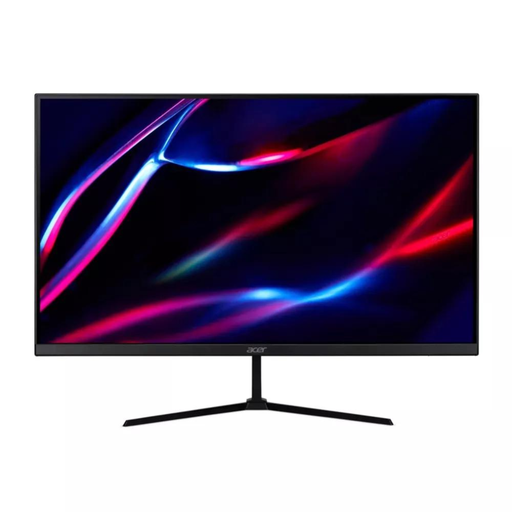
27-inch QHD IPS Monitor, 180Hz
A separate display option for a workstation that needs its own screen; confirm that your laptop supports the connection you intend to use.
27-inch QHD IPS display; 180Hz refresh rate; 2 HDMI and DisplayPort; HDMI and DisplayPort cables listed.
Joybuy
 No image available
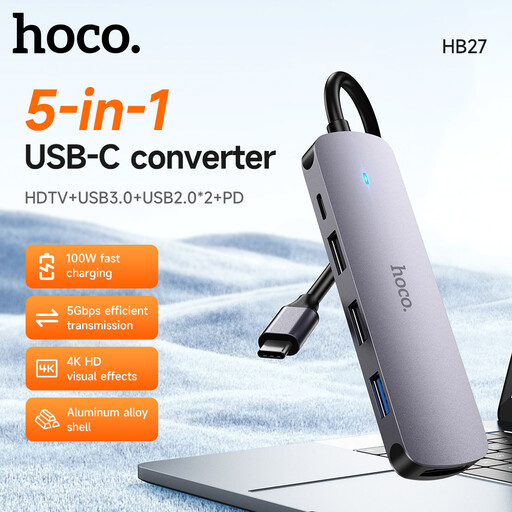
HOCO HB27 USB-C Hub, Metal Gray
Consider this when a USB-C hub is the connection option you need; check the laptop port and the connections required for your setup.
The product name identifies a USB-C hub with a metal grey finish.
Joybuy
 No image available
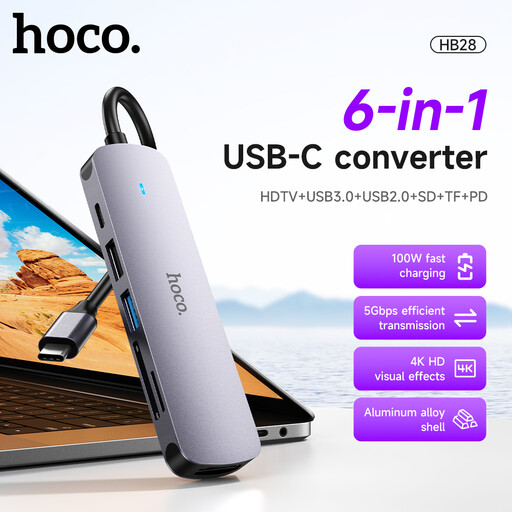
HOCO HB28 USB-C Multi-Function Converter
Consider this converter when you need to expand a USB-C workstation connection; confirm that its listed connection types suit your laptop and peripherals.
The product name lists HDTV, USB 3.0, USB 2.0, SD, TF and PD.
Joybuy
 No image available
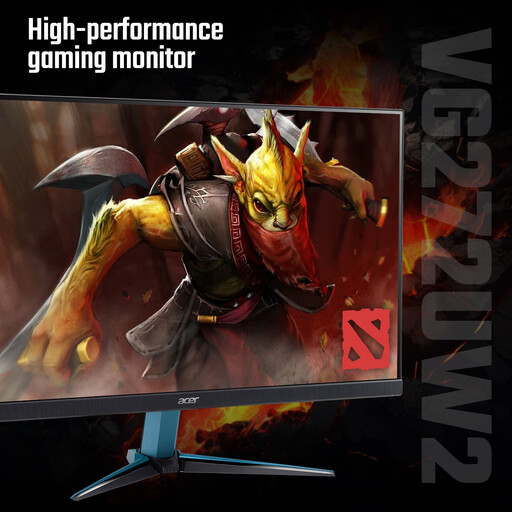
Acer Nitro VG272UW2bmiipx 27-inch QHD IPS Monitor
A separate monitor option for a home workstation; check its connections against your laptop before choosing it.
27-inch QHD IPS display; 240Hz refresh rate; 2 HDMI and DisplayPort; HDMI and DisplayPort cables listed.
Joybuy
 No image available
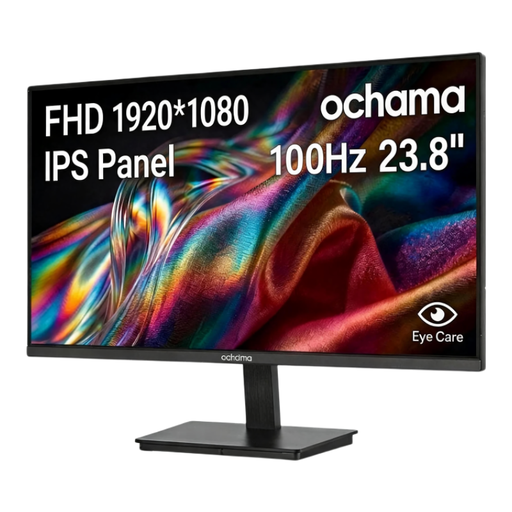
ochama 23.8-inch Office Monitor, 1080P, 100Hz
A separate screen option for a workstation; check the monitor connection and placement against your laptop and desk.
23.8-inch 1080P display; 100Hz refresh rate.
Joybuy
Frequently asked questions
Does my Great Britain employer have to assess a regular home or hybrid DSE workstation?
Where the DSE Regulations apply, the Health and Safety Executive says an assessment should cover both home and office if you use DSE in both. It identifies daily use for continuous periods of an hour or more and says employers should check whether the regulations apply; occasional or short home use is not automatically covered.
Must I pay for equipment identified by a Great Britain DSE assessment?
No, not where an applicable assessment indicates action is needed: the Health and Safety Executive says workers cannot be charged for that action, such as providing DSE equipment. This does not mean every preferred upgrade is automatically employer-funded.
What guidance applies to home or hybrid DSE work in Northern Ireland?
The Health and Safety Executive for Northern Ireland identifies the Health and Safety (Display Screen Equipment) Regulations (Northern Ireland) 1992 and says they can apply to permanent or long-term home workers and people who routinely split their time between home and work. Follow HSENI guidance for Northern Ireland rather than treating Great Britain HSE guidance as the applicable regulator guidance there.
Will my employer provide a monitor, keyboard, dock or headset?
Check your own employer’s assessment and equipment process; the two published policies here are examples, not a UK-wide provision list. Lincolnshire County Council’s policy lists a laptop, monitor, keyboard, mouse and headphones for employees covered by that policy, while University Hospitals Birmingham describes provision according to working arrangements.
How should I use a laptop riser for prolonged work?
The Health and Safety Executive advises using a separate keyboard and mouse when elevating a laptop screen, or using a separate display. Plan the screen and input positions together to suit the assessed workstation.
Will any USB-C dock run my monitors and charge my laptop?
No; the connector shape alone does not establish video support, display limits or charging compatibility. Check your laptop’s supported video protocol and display capacity, the dock’s specifications and your charging needs. Apple says the number of displays a Mac can use depends on the Mac model, resolution and refresh rate.


