What to prioritise when choosing
External monitor
Consider when: You need more viewing area or a screen that can be positioned separately for recurring document work.
Trade-off: It uses desk space, and the laptop must support the monitor’s connection and any charging you expect from it.
Webcam or headset
Consider when: Your recurring call issue is camera position, framing, or listening and speaking in a shared room.
Trade-off: A webcam does not by itself prevent others overhearing a conversation, and some optional features require software.
USB hub or dock
Consider when: A hub may suit a simpler setup with one display and a few peripherals; a powered dock may be worth considering when several devices stay connected at a fixed desk.
Trade-off: The laptop’s display support, connection method and charging needs can limit what works, regardless of the number of ports.
Laptop riser with separate input devices
Consider when: You want to raise a laptop screen without adding a larger display to a limited desk.
Trade-off: You will need room for the riser and separate keyboard and mouse.
For a setup built around an existing laptop, start with the recurring problem that matters most to your working day.
| Concern |
What to check when buying |
Who this matters to |
| Reading space and screen position |
Measure the desk; check the display connection, laptop video support and any charging requirement. |
If I spend long sessions reading and comparing documents, screen area and position come first; around 36% of consumers put document work first. |
| Calls and shared-room privacy |
Check camera framing and connections, then consider how sound and screen position work in the actual room. |
When calls happen in a shared room, I need a workable camera and listening arrangement without assuming equipment alone provides privacy; around 29% of consumers prioritise calls and shared-room communication. |
| Laptop compatibility and reconnection |
Check supported display count, resolution and refresh rate, connection method, charging needs and any work-device software restrictions. |
If I connect and disconnect my laptop often, I need the display and power setup to suit that exact device; around 21% of consumers put connections and reconnection first. |
| Desk space and input position |
Check the riser’s footprint and where a separate keyboard and mouse will sit. |
With limited desk space, I may prefer raising the laptop and separating the screen from the typing position; around 14% of consumers prioritise compact positioning. |
Joybuy products for a hybrid laptop setup
These Joybuy options cover call equipment, compact laptop positioning, laptop connections and external screens for a setup built around an existing laptop.
 No image available
Razer Barracuda X Wireless Headset, Black
A wireless headset option for recurring laptop video calls.
Wireless headset; black.
View on Joybuy
 No image available
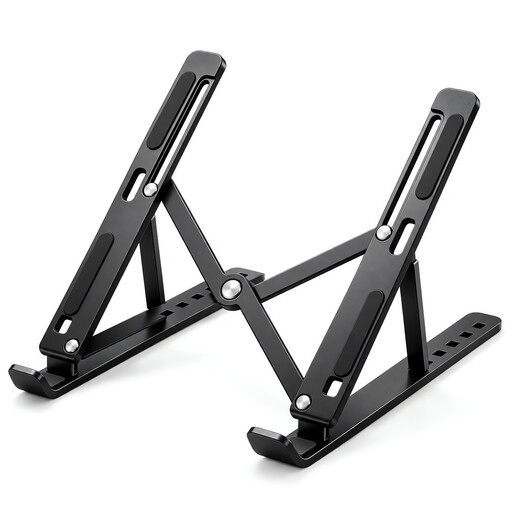
Foldable Adjustable Laptop Stand, 7 Height Levels, 10 to 17 Inch Laptops, Black
Consider a stand if you want to raise a laptop screen while keeping a compact screen setup.
Foldable design; 7 height levels; 15 to 45 degrees; fits 10 to 17 inch laptops.
View on Joybuy
 No image available
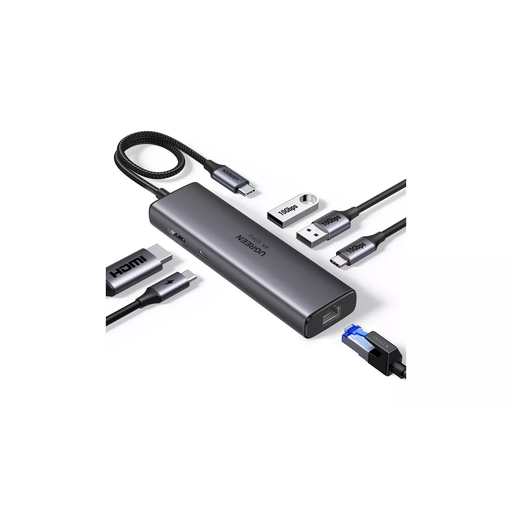
UGREEN USB-C Multi-function Docking Station, HDMI, USB-A, USB-C, RJ45, PD 4K/60
Consider a connection hub when you want a single connection point for an external display and laptop peripherals.
The product name lists HDMI, 2x USB-A 3.2, 1x USB-C 3.2, RJ45 and PD 4K/60.
View on Joybuy
 No image available
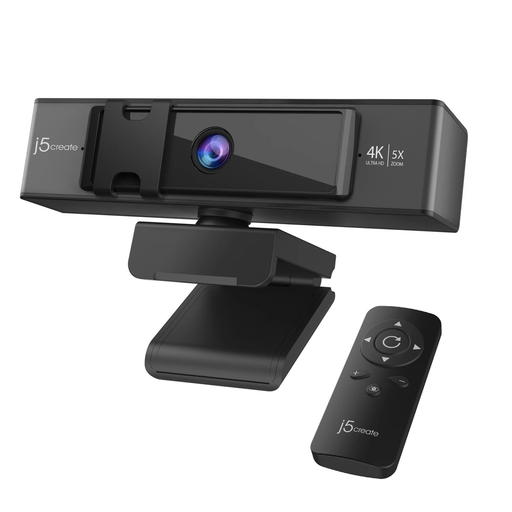
j5create JVCU435 4K Ultra HD Webcam, 5x Digital Zoom, Remote Control, Black and Silver
Consider a separate webcam if your call setup needs a camera apart from the laptop screen.
The product name specifies a USB 4K Ultra HD webcam with 5x digital zoom and a remote control.
View on Joybuy
 No image available
ASUS ProArt PA278CV IPS WQHD Monitor
Consider a separate monitor if document work would benefit from a screen apart from the laptop display.
IPS WQHD monitor.
View on Joybuy
Frequently asked questions
Will a USB-C dock run two external monitors from my laptop?
Not from the dock’s port count alone. Check your exact laptop model’s supported display number, resolution and refresh rate, then check the dock and cable connection method; Apple and Microsoft both describe host-dependent display limits.
How should I set up a raised laptop for long work sessions?
For prolonged laptop use, HSE guidance recommends separating the screen from the keyboard position, for example by raising the laptop and using a separate keyboard and mouse. Arrange the workstation for your needs rather than treating a stand as a complete solution on its own.
Can I use a dock or webcam that needs software on a work laptop?
Check with your organisation before installing or using software on a managed device. DisplayLink documents software deployment in corporate environments, and Logitech says Brio 500’s optional auto-framing requires Logi Tune; neither establishes whether your organisation permits a particular installation.
What if an online accessory does not suit my setup?
For applicable UK distance purchases, GOV.UK says you can tell the seller within 14 days of receiving an item that you want to cancel, then have another 14 days to return it. Check the terms that apply to your purchase and the item’s condition; statutory rights for faulty or misdescribed goods are distinct from change-of-mind cancellation.
Does UK display-screen-equipment law mean every hybrid worker must buy a monitor?
No. HSE says the rules can apply to workers who routinely split their work between home and the workplace and use display-screen equipment daily for continuous periods of an hour or more. Where the rules apply, the employer should assess the individual workstation; HSE says workers cannot be charged for equipment identified as necessary action by that assessment.


