Buying priorities
Choose the workstation in the order that prevents the most expensive mismatch: confirm laptop compatibility first, then decide which accessories make the home setup comfortable and repeatable.
| Priority |
What to check |
Your needs |
| Dock, charging and display compatibility |
Check whether the laptop port supports Thunderbolt, USB4 or DisplayPort Alternate Mode. Compare the dock’s upstream charging with the laptop requirement, and confirm the supported display count, resolution and connection method for the exact model. |
I want one connection at my desk without finding that the monitor, charging or second display cannot work as planned. |
| Sustainable workstation position |
Assess display height, desk depth, chair position, keyboard and mouse together. A raised laptop normally needs separate input devices so typing and pointing are not left at an awkward height. |
I need the home setup to remain comfortable through regular screen work, rather than solving only one part of the desk arrangement. |
| Portability and repeat setup |
Consider the size of the dock, cable arrangement, receiver storage and how many items need to travel. Keep only the ports and input functions you use at both locations. |
I need accessories that can be packed, connected and used consistently without creating a second permanent office. |
| Video-call setup |
Confirm webcam or headset connection, operating-system support, mounting position and meeting-platform requirements. Choose camera framing and microphone features for the room and call pattern, not resolution alone. |
I want colleagues to see and hear me clearly in regular meetings, including when I work in a shared or noisy space. |
Joybuy product options
Joybuy product options for a hybrid laptop workstation, covering portable display expansion, USB-C connectivity, video meetings and separate input devices.
 No image available
V7 V7UC-U3CRJ45HDVG-BLK USB-C Adapter
A portable option for repeated desk connections when the laptop supports USB-C DisplayPort Alt Mode.
Stated connections include 4K HDMI, VGA, Gigabit Ethernet, dual USB 3.0 ports and up to 100W USB-C power-delivery pass-through; it weighs 0.15 kg.
Single Stream Transport is stated for one display only. Confirm the laptop’s video capability, charging arrangement and intended display configuration before buying.
Joybuy
 No image available
EMEET All-in-One 4K Webcam with Sony Sensor
A USB conferencing device for regular video meetings where camera, microphone and speaker functions are needed together.
It states 3840×2160 video at 30 fps, fixed focus, a 98° adjustable field of view, four microphones with noise reduction and dual speakers.
Fixed focus may not suit every desk distance or presentation use. Check meeting-platform, USB-connection and workplace privacy requirements before buying.
Joybuy
 No image available
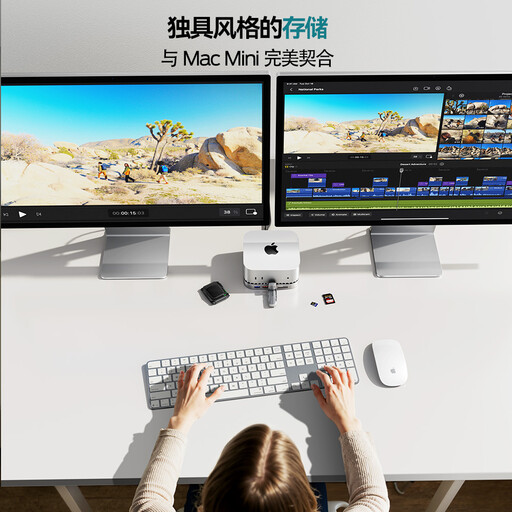
MOVESPEED DK5A1 10-in-1 USB-C Docking Station
A multi-port hub for a fixed home desk using one USB-C host connection for display and peripheral expansion.
Stated features include HDMI 2.0 at 4K 60 Hz, USB-C and USB-A connections up to 10 Gbps, SD/TF readers, 3.5 mm audio and an aluminium housing.
The stated USB-C power output is 5 V/3 A. Confirm laptop charging, USB-C video support and the intended 4K 60 Hz configuration before buying.
Joybuy
 No image available
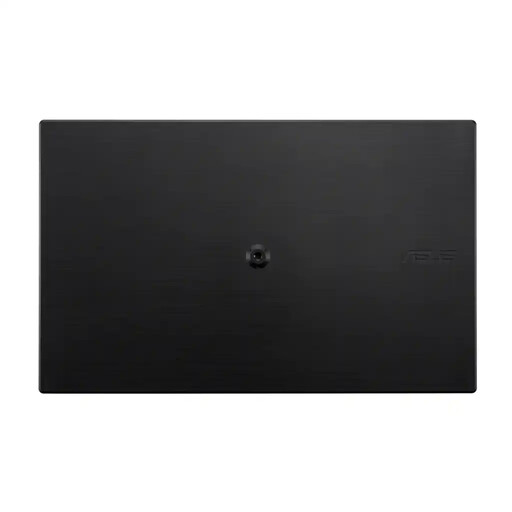
ASUS ZenScreen MB166C 15.6-inch Portable USB Monitor
A portable second-screen option for workers who move between home and office rather than keeping a full-size monitor at one desk.
It has a stated 15.6-inch Full HD IPS panel, 60 Hz refresh rate, anti-glare surface, flicker-free backlight, blue-light filter, 780 g weight and 11.8 mm depth.
The listing states USB-C upstream only, with no HDMI or built-in speakers. Confirm that the laptop USB-C port can provide the required video and power over one cable.
Joybuy
 No image available
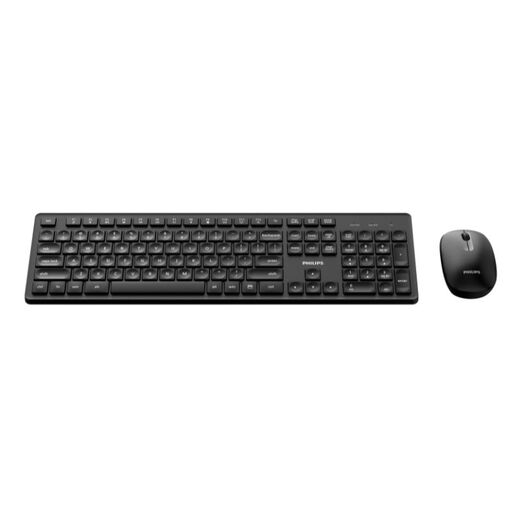
Philips 3000 Series Wireless Keyboard and Mouse Combo
A separate-input option for raised-laptop or external-monitor setups where screen position should not dictate typing and pointing height.
The supplied description states a full-size UK English keyboard, optical mouse, 2.4 GHz wireless connection, up to 10 m range, automatic sleep and an included USB-A nano receiver.
An available USB-A port is required for the receiver, so laptops without one may need an adapter. Check shortcut and layout suitability for your operating system and applications.
Joybuy
Frequently asked questions
Should I buy workstation equipment myself before asking my employer?
Not necessarily. The Health and Safety Executive says employers must carry out a workstation assessment for users who work with DSE daily for continuous periods of an hour or more, and hybrid assessments should cover home and office use. Check your employer’s DSE and equipment policy before personally buying an item needed to address an assessed work risk.
Will any USB-C laptop work with a monitor dock?
No. Dell’s docking guidance says that not every USB-C port supports video output. Confirm the exact laptop’s port symbols and manufacturer documentation for Thunderbolt or DisplayPort Alternate Mode, along with its charging requirement, before choosing a dock.
Can I add two external monitors to a Mac laptop?
It depends on the exact Mac model and display configuration. Apple says supported external-display count depends on the Mac model, resolution and refresh rate, and exceeding those limits can leave a display dark or running at a lower resolution or refresh rate. Check the Mac model’s technical specifications rather than relying on the number of dock video ports.
What should I verify before using a dock’s charging output instead of the laptop charger?
Compare the laptop’s documented charging requirement with the dock’s upstream power-delivery specification, then check that the dock is supported for that laptop. For example, Anker states that its 577 dock supplies up to 85W through its Thunderbolt upstream port, but that figure is specific to that product and does not establish suitability for every laptop.
Are cheap chargers, docks and adapters a UK product-safety concern?
For Great Britain, electrical-equipment safety rules aim to ensure safe products are placed on the market, and the UK government maintains a product-safety alerts, reports and recalls service. Use a product with clear model, seller and safety information, and check official recall notices if you are concerned about a particular charger or adapter; requirements and enforcement arrangements may differ in Northern Ireland.


