Joybuy product options
Joybuy product options for hybrid laptop work, covering external input devices, compatible docking connections and video-call equipment where the work arrangement requires it.
 No image available
Philips 3000 Series SPT6318B/05 Keyboard and Mouse Combo
For a raised-laptop or firm-surface arrangement that needs separate external input devices.
UK English full-size keyboard, optical mouse, 2.4 GHz wireless connection and USB-A nano receiver.
Check that the laptop has a free USB-A port or that an appropriate adapter is available. A riser, firm surface and external display are not included.
Joybuy
 No image available
Targus USB-C Universal Dual HDMI 4K Docking Station
For a regular desk that reconnects two external screens and several peripherals.
Two HDMI 2.0 ports stated as 4K at 60 Hz, Gigabit Ethernet, SD and microSD readers, USB 3.2 Gen 1 ports, and 100W power-delivery pass-through.
Check USB-C DisplayPort Alt Mode, supported display count, charging input and operating-system compatibility for the exact laptop. Verify charger suitability and package contents.
Joybuy
 No image available
Baseus Metal Gleam Series II 10-in-1 USB-C Hub
For a peripheral-heavy desk needing display, network, USB and card-reader connections through one hub.
HDMI outputs stated as up to 4K at 120 Hz and 4K at 60 Hz, 10 Gbps USB-A and USB-C ports, Gigabit Ethernet, SD/TF support and USB-C PD input.
Video output requires USB-C DisplayPort Alt Mode. Check the laptop’s supported display modes, charging arrangement and simultaneous peripheral support; verify charger contents separately.
Joybuy
 No image available
V7 V7UC-U3CRJ45HDVG-BLK USB-C Adapter
For a portable or simpler desk connection using one external display and wired network access.
HDMI stated up to 4K at 30 Hz, VGA up to 1920×1200 at 60 Hz, Gigabit Ethernet, two USB 3.0 ports and 100W power delivery.
This adapter is stated for SST single-display operation only. Check the laptop’s USB-C DisplayPort Alt Mode, charging support and operating-system configuration.
Joybuy
 No image available
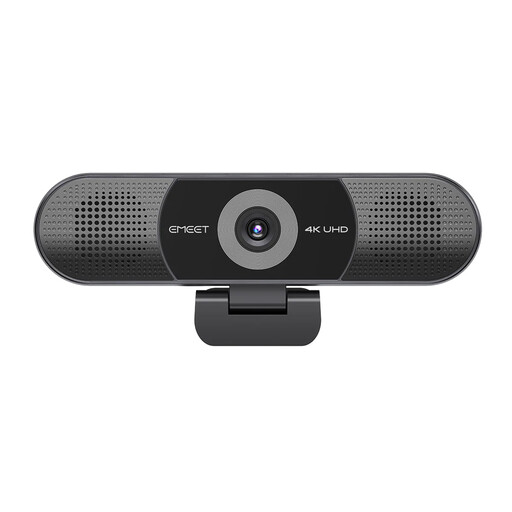
EMEET All-in-One 4K Webcam with Sony Sensor
For a fixed desk used regularly for video calls where a single camera, microphone and speaker device is useful.
Stated 3840×2160 at 30 FPS, Sony 1/2.55-inch CMOS sensor, fixed focus, adjustable 98° field of view, four-microphone array and dual speakers.
It does not change laptop screen position or docking compatibility. Check the supplied USB cable and connector against an available laptop port, and confirm that fixed focus suits the desk distance.
Joybuy
Frequently asked questions
Should I buy a monitor or dock before asking my employer?
If you are a Great Britain employee covered by the DSE rules, start with the workstation assessment process. The Health and Safety Executive says assessments for people using DSE at home and in the office should cover both situations, and workers cannot be charged where an assessment indicates DSE equipment should be provided; this does not mean every hybrid worker automatically needs a particular product.
Does a USB-C connector guarantee that a dock or monitor will work with my laptop?
No. Check the exact laptop documentation for supported display output, USB-C, USB4 or Thunderbolt capability, charging input and external-display limits. A dock manufacturer’s host types, operating-system requirements and power-delivery figure describe the dock’s capability, not the result with every laptop.
What is the simplest accessory combination for sustained laptop work?
Where appropriate for the workstation, Health and Safety Executive guidance encourages a docking station or firm surface together with a full-sized keyboard and mouse, and notes that raiser blocks are commonly used to help with laptop-screen height. Add an external monitor when extra screen area or a fixed desk display is needed and the laptop connection is compatible.
Do Great Britain HSE rules automatically apply in Northern Ireland?
No. For Northern Ireland, use Health and Safety Executive for Northern Ireland guidance and the employer’s local process. HSENI states that its Display Screen Equipment Regulations can apply to workers using DSE daily for an hour or more at a time, including permanent home workers and people who routinely split work between home and the workplace.
Should I choose an ergonomic keyboard because it promises health benefits?
Treat posture or strain statements in product marketing as manufacturer claims rather than medical results. First check that the keyboard has the required layout, works with your devices and can be positioned appropriately on the desk, then consider the overall workstation arrangement.


