Who this guide is for

Regular-desk reconnectors

If you regularly connect a laptop to a display, charger and other desk peripherals, decide whether a dock or a simpler hub covers your setup. Lenovo’s product guidance and USB Implementers Forum material support checking the particular laptop and connection capabilities.

Screen-space seekers

If your main need is a more usable external display, consider whether monitor-based USB-C connections would also help reduce desk connections. Philips’ specifications illustrate features on a particular monitor model, not every monitor in its range.

Meeting-setup improvers

If you chiefly want to address camera position or personal call audio, a webcam or headset may be more relevant than replacing your desk’s connection system. Logitech and Jabra product information highlights the importance of checking software and exact variants.

What to consider before buying

Docking station

Consider it when: You return to a desk with several peripherals and want to reconnect them together.

Trade-off: A dock’s ports and monitor modes still need to match your laptop, operating system and workplace permissions.

USB hub or display adapter

Consider it when: You need a smaller set of connections or something more portable than a fixed-desk dock.

Trade-off: Check the exact video output; on Anker’s 555 USB-C Hub A8383, video is through HDMI, not its USB-C data ports.

External monitor

Consider it when: More working screen space is the main problem; a USB-C docking monitor may also consolidate some connections.

Trade-off: Confirm the input, supported display mode and any charging functions against your laptop and desk layout.

Webcam

Consider it when: Camera position or picture is the issue in recurring calls, while your other desk connections work for you.

Trade-off: Logitech states that Brio 500’s RightSight auto-framing uses Logi Tune, which may not be available on a managed laptop.

Work headset

Consider it when: Call audio, private listening or microphone position matters more than screen space or desk reconnection.

Trade-off: Jabra’s Evolve2 40 range includes different connector, earcup and meeting-platform variants, so check the precise model.

Concern What to check when buying Who this matters to
Repeated desk connections Check the laptop, dock protocol, charging requirement, cable and intended display arrangement together. If I reconnect several peripherals at the same desk, I want one setup that suits my laptop rather than unused outputs. Roughly 31% of consumers put recurring multi-device connections first.
Portable or modest port expansion Check the hub’s actual video output and mode, laptop video support and whether pass-through charging needs a separate charger. When I need a few extra connections that I can move between workspaces, a compact hub may be enough. Around 25% of consumers prioritise portable or modest port expansion.
Working screen space Match the monitor’s resolution and input, plus any USB-C power or hub functions, to the laptop and desk. If screen space is what slows down my work, I would prioritise a display that fits my setup, whether or not it adds connections. About 19% of consumers make screen space their primary concern.
Call audio and private listening Check the exact USB or wireless connection, mono or stereo arrangement, meeting-platform variant and workplace permissions. When I need to hear calls privately or position a microphone for conversations, a headset addresses that need without replacing a monitor. Approximately 13% of consumers put call audio first.
Camera position and picture Check mounting and connector fit, operating-system and meeting-app needs, and whether any feature software is permitted. If camera placement or the picture is my main concern, I may not need a new dock or display. Around 12% of consumers prioritise the camera.

Buying pitfalls

  • Assuming every USB-C socket handles display and charging

    A USB-C connector does not, by itself, tell you which functions a laptop port or accessory supports. Anker specifies that the 555 USB-C Hub A8383 outputs video through HDMI, not its USB-C data ports.

    Before buying, check the exact laptop port, accessory output, cable, intended display mode and charging requirements.

  • Choosing a dock before checking workplace permissions

    Employer-managed devices may restrict peripherals or software-dependent features. The National Cyber Security Centre advises organisations to assess and control peripheral interfaces; DisplayLink says its macOS Manager requires Screen Recording permission to function.

    Ask which peripherals and software your workplace allows before choosing a setup that depends on them.

  • Expecting a monitor or webcam to solve every call problem

    A display or camera addresses a different need from private listening or microphone placement. The Philips monitor’s integrated webcam is a feature of that specific model, not a guarantee of improved headset audio.

    Identify whether the issue is screen space, camera placement, listening or voice pickup before choosing an accessory.

Relevant brands to consider

Lenovo

The ThinkPad Universal USB-C Dock 40AY0090UK illustrates a dock for a recurring desk setup.

  • Lenovo specifies multiple display and peripheral ports for this model.
  • Lenovo advises checking system and display compatibility; some additional features available with ThinkPads may not be available with other laptops.

Anker

The 555 USB-C Hub A8383 is an example of a portable hub with HDMI, USB data ports and pass-through charging.

  • Anker specifies a 100 W pass-through input for this model.
  • Anker says 15 W is used to operate the hub and video output is through HDMI, not its USB-C data ports.

Philips

The 34B1U5600CH/01 illustrates a monitor-first setup with USB-C docking features.

  • Philips specifies a 3440 × 1440 display and an integrated 5 MP webcam for this model.
  • Those features do not establish compatibility with a particular laptop or describe every Philips monitor.

Logitech

Brio 500 is a separate-webcam option when camera setup is the priority.

  • Logitech specifies Full HD 1080p video for Brio 500.
  • Logitech says RightSight auto-framing uses Logi Tune; check whether the software can be used on your device.

Jabra

The Evolve2 40 family illustrates a headset route with multiple connection and meeting-platform variants.

  • Jabra identifies USB-A and USB-C, mono and stereo, and Teams and unified-communications variants.
  • Check the exact model and variant before buying; the different versions are not interchangeable by default.

Related products on Joybuy

These options focus on USB-C hubs and adapters for adding display, data and other desk connections, plus a separate webcam for camera-specific needs. Check your laptop’s supported connections and required functions before choosing.
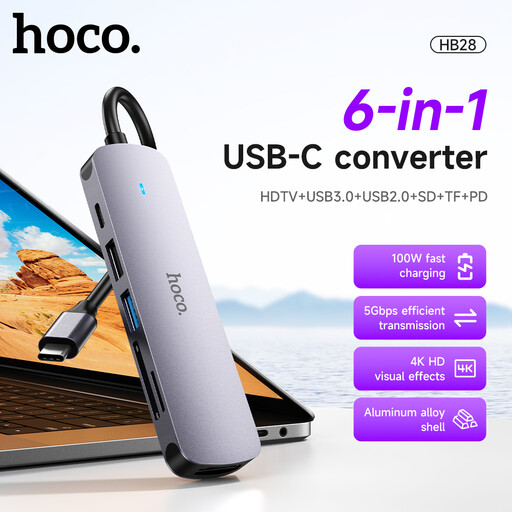
HOCO HB28 USB-C Multi-Function Converter, HDTV, USB 3.0, USB 2.0, SD, TF and PD, Metal Grey

HOCO HB28 USB-C Multi-Function Converter, Metal Grey

Consider it if you need a hub-style adapter for a display and other desk connections.

The title lists HDTV, USB 3.0, USB 2.0, SD, TF and PD connections; confirm that the laptop supports the functions you plan to use.

Joybuy
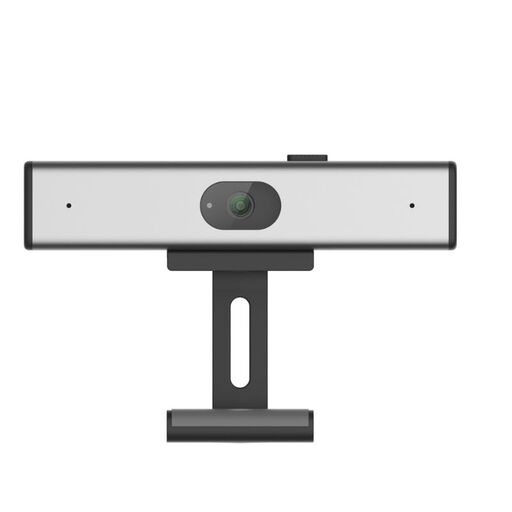
Philips 2K QHD PC Webcam, EU Version, Silver, SPL6308S/00

Philips 2K QHD PC Webcam, EU Version, Silver, SPL6308S/00

Consider it if you need a separate camera for a laptop or desktop setup.

The product title specifies a 2K QHD webcam and a noise-reduction microphone; check the connection and software requirements for your setup.

Joybuy
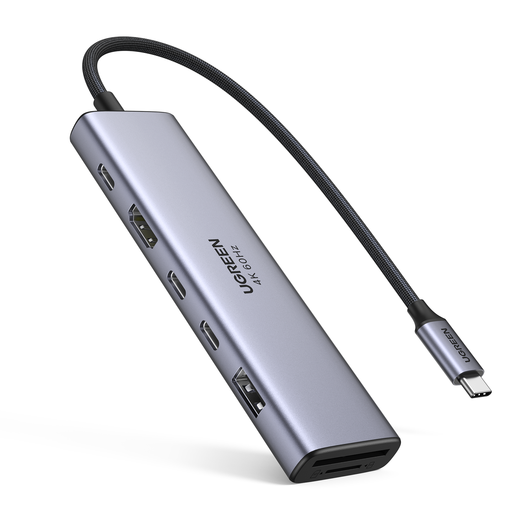
UGREEN 7-in-1 USB-C Multi-Function Docking Station with HDMI, USB-C 3.2, USB-A 3.2, SD, TF and PD

UGREEN 7-in-1 USB-C Multi-Function Docking Station

Consider it if you want to add display, data and card-reader connections at a desk.

The title lists HDMI, 2 × USB-C 3.2, USB-A 3.2, SD, TF and PD. The product description also identifies a Gigabit Ethernet port; check the exact connection needs of your setup.

Joybuy
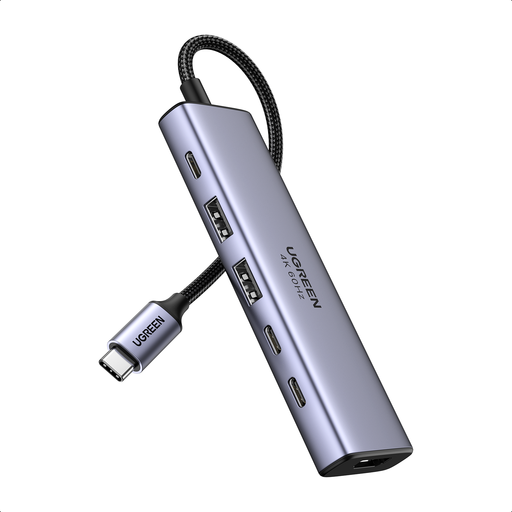
UGREEN 6-in-1 USB-C Multifunctional Adapter with HDMI, USB-A, USB-C and PD Power

UGREEN 6-in-1 USB-C Multifunctional Adapter

Consider it if you want a compact adapter for display, data and charging connections.

The title lists HDMI, 2 × USB-A 3.2, 2 × USB-C 3.2 and PD power. The product description identifies SD and TF card slots; check laptop support for the intended display mode.

Joybuy
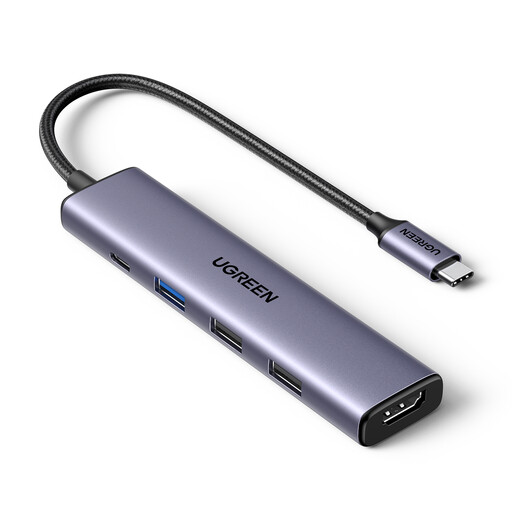
UGREEN Revodok USB-C Hub, 5-in-1, 100W PD, 4K HDMI and 3 USB-A Data Ports

UGREEN Revodok USB-C Hub, 5-in-1

Consider it if you need a hub for a display and several peripherals at a desk.

The title lists 100W PD, 4K HDMI and 3 USB-A data ports. The product description also identifies SD and TF readers and a Gigabit network connection; verify your laptop’s support for the intended setup.

Joybuy

Frequently asked questions

Will any USB-C dock run my external screens and charge my work laptop?

No: the connector alone does not confirm that the laptop supports the dock’s display modes or charging. Check the laptop’s video capability and intended screen arrangement, the dock’s supported modes, the cable and the laptop’s charging requirement. Lenovo also directs buyers to check system-specific compatibility for its ThinkPad Universal USB-C Dock.

Can I install DisplayLink software on a managed Mac to add screens?

That depends on your workplace’s device rules. DisplayLink says its macOS Manager requires Screen Recording permission to function, so check whether your employer permits the software and permission before choosing a setup that relies on it.

Do I need a separate webcam if I buy a docking monitor?

Not necessarily: Philips lists an integrated 5 MP webcam on the specific 34B1U5600CH/01 model. Check the exact monitor’s features and connection requirements, as webcam inclusion is not a property of all USB-C monitors.

Who is responsible for a home-workstation assessment and necessary DSE equipment?

The Health and Safety Executive says employers should check whether display screen equipment regulations apply and, where they do, assess the worker’s home and office situations. If an assessment indicates action such as providing DSE equipment, the worker cannot be charged for that provision; this does not mean every personally chosen accessory is employer-funded.

What if an online-purchased accessory does not fit my setup?

For an applicable UK distance purchase, GOV.UK says you can notify the seller that you wish to cancel within 14 days of receiving the item, then have another 14 days to return it; exceptions and handling conditions apply. Faulty or misdescribed goods have separate rights. Check the seller’s terms and who sold the item.