What should you check before buying?
Settle employer permission and the work computer first. You can then decide whether repeated desk connections, calls or everyday input devices are the main reason to add hardware.
| Concern |
What to check |
Who this matters to |
| Employer approval and device security |
Ask whether a personal computer or peripheral is permitted and whether work requires a managed device or approved software. |
If work data must stay on an approved device, I need to know what I can connect before choosing equipment. Around 33% of consumers put employer approval and security first. |
| Desk connectivity |
Match the laptop’s display protocol and charging requirement to the dock, hub or monitor arrangement you intend to use. |
When I move one laptop between home and office, I want my home desk to be straightforward to reconnect. For around 27% of consumers, desk connectivity is the primary need. |
| Video calls |
Check the computer connection, meeting-platform compatibility and any software needed for the camera or audio features you want. |
If calls drive my equipment choice, I need a camera or audio arrangement that works with my meeting setup. Call needs come first for around 20% of consumers. |
| Everyday document work |
Identify whether a keyboard, mouse, monitor or hub addresses a specific limitation of your current setup. |
Once my computer and connections are settled, I may only need more suitable input devices for routine documents. Around 20% of consumers prioritise that everyday task. |
Brands to consider
These brands offer examples of model-specific features and compatibility conditions to check; their inclusion does not establish that every product in a brand’s range will fit your work computer.
Lenovo
Relevant if you use a ThinkPad or are considering a dock for a mixed home desk.
- Lenovo lists USB-C and USB-A host support and dual UHD 4K display capability for its ThinkPad Hybrid USB-C with USB-A Dock.
- For that model, functions depend on host support for USB-C Alt-Mode, DisplayLink or Thunderbolt; some enterprise functions are unavailable on certain non-ThinkPad systems.
Dell
Relevant when comparing a commercial dock for a Dell laptop or a desk shared with another computer.
- Dell lists display and management options for its WD25 dock, with stated power delivery of up to 100W for Dell systems and 96W for non-Dell systems.
- Those figures and functions are WD25 specifications, not a promise that every laptop or Dell dock supports the same arrangement.
Logitech
Relevant if you are keeping your computer and considering a standalone webcam for work calls.
- Logitech lists 1080p video, dual microphones and a privacy shutter for the Brio 505, and states that the model is certified for Microsoft Teams, Google Meet and Zoom.
- Some optional features require Logi Tune; Logitech notes availability limitations for ChromeOS and ARM computers.
Joybuy products for a home desk
These products cover desk connections, a webcam, wired call audio and a keyboard-and-mouse combination. Choose against your approved work computer and the task you need to address, rather than treating them as a complete setup to buy together.
 No image available
Targus USB-C Universal Dual HDMI 4K Docking Station, 100W Power Delivery Pass-Thru, Retail Packaging
Consider this dock if a repeatable home-desk connection is your main need. Its named configuration includes dual HDMI 4K connections and 100W Power Delivery pass-through; check the exact laptop’s display and charging compatibility and whether the power equipment you need is included.
View on Joybuy
 No image available
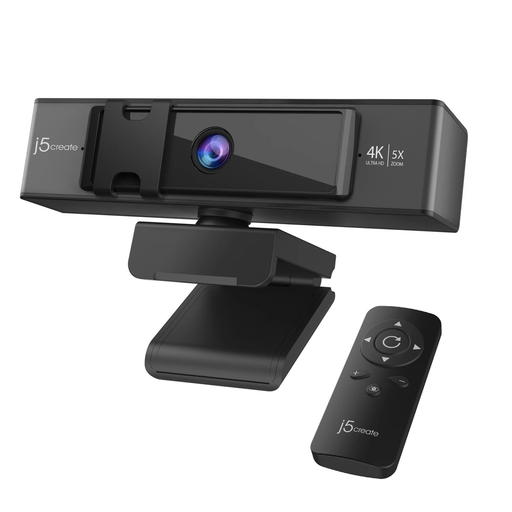
j5create JVCU435 USB 4K Ultra HD Webcam with 5x Digital Zoom Remote Control, Black and Silver
This separate webcam is an option when calls, rather than document work, are prompting an equipment change. The product name specifies 4K Ultra HD, 5x digital zoom and a remote control; confirm that your employer permits it and that the intended functions work with your computer and meeting software.
View on Joybuy
 No image available
V7 V7UC-U3CRJ45HDVG-BLK USB-C Adapter with 4K HDMI, VGA, Gigabit Ethernet, 100W Power Delivery and Dual USB 3.0 Ports
Consider this adapter if your desk needs the connections named in its title, particularly HDMI or VGA alongside wired networking. Check your laptop’s USB-C display and charging capabilities before purchase; do not assume the presence of both video connectors means two independent displays can be used.
View on Joybuy
 No image available
HP 680 CFT Dual-Mode Keyboard and Mouse Combo
This keyboard-and-mouse combination is worth considering if your work computer is settled and input devices are the remaining desk need. Confirm which connection mode you would use and whether your employer permits it on the managed computer.
View on Joybuy
 No image available
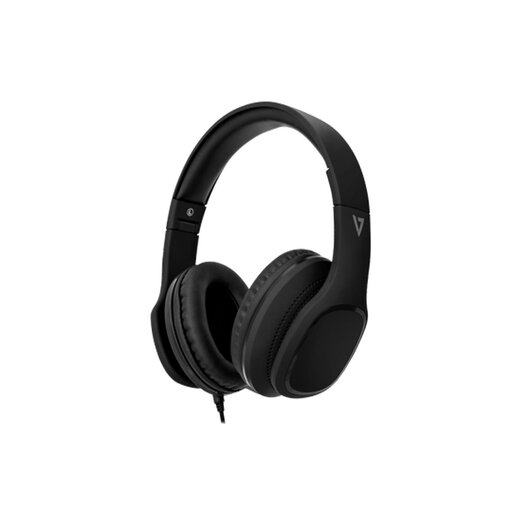
V7 HA701-3EP Wired Over-Ear Headphones with 40mm Drivers and Inline MEMS Mic
These are a wired audio option for a desk where calls are the main equipment need. The product name identifies an inline microphone and 40mm drivers; confirm the required connection and compatibility with your work computer and calling software.
View on Joybuy
Common questions
Should I buy a personal laptop if my employer has issued one?
Buy a personal laptop for work only if your employer permits that arrangement and explains how access, support and work data will be handled. The Information Commissioner’s Office describes company-issued devices as generally the most secure option and identifies additional controls for personal-device use.
Will any USB-C dock run my monitors and charge my laptop?
No: match the dock to your exact laptop, operating system, display requirements and charging needs. Lenovo says functions on its ThinkPad Hybrid dock depend on host support for USB-C Alt-Mode, DisplayLink or Thunderbolt; Dell lists different power-delivery figures for Dell and non-Dell systems on its WD25 dock.
Do I need an external webcam for work calls?
An external webcam is worth considering when your existing camera arrangement does not meet a specific call need, such as positioning or a physical privacy shutter. Check your work computer and meeting platform, including software requirements for any optional feature you intend to use.
What if a computer accessory is faulty or misdescribed?
For goods that do not conform to the contract, the Consumer Rights Act 2015 provides remedies that can include rejection, repair or replacement, or a price reduction, depending on the circumstances. Keep the listing, order confirmation and exact model details when raising a fault or description issue.
What should I do with an old monitor or peripheral?
Check a suitable electrical-equipment collection or retailer take-back route for the item. UK guidance from the Office for Product Safety and Standards and the Department for Environment, Food & Rural Affairs describes the WEEE regime as encouraging recovery, reuse and recycling.


