Who should choose a personal laptop for hybrid work?

Desktop-app-dependent workers

If your work depends on installed applications or sign-in tools, confirm that your employer permits them on your own device and chosen operating system. The National Cyber Security Centre's BYOD guidance advises organisations to define which tasks personal devices may access.

Web-app hybrid workers

If your approved tasks run mainly in a browser, a Chromebook may be worth considering. Microsoft says its Windows and Mac desktop Office versions cannot be installed on a Chromebook, while Google's update dates are specific to each device.

Frequent home–office commuters

If you carry your laptop between locations and reconnect it at each desk, compare the exact model's weight, battery-test conditions and display connections. Apple and Lenovo publish configuration-specific details, so check the model you are actually considering against both desk setups.

What matters when choosing a work laptop?

Windows laptops

Choose when: your employer approves a personal Windows device and your required software needs Windows or an approved Windows desktop installation.

Trade-off: Windows editions and feature versions have different support dates, so check the exact version rather than relying on the name Windows 11.

macOS laptops

Choose when: your employer approves a personal Mac and your essential apps, security tools and peripherals support the chosen macOS version.

Trade-off: check the exact model's ports and software compatibility; Apple does not give the cited M5 Air a fixed future macOS support end date.

ChromeOS laptops

Choose when: your employer approves ChromeOS and your work, sign-in and meeting tools run in accepted web applications.

Trade-off: Microsoft says Windows and Mac desktop Office versions cannot be installed on a Chromebook; Google's 10-year update period starts from the platform release date, not the purchase date.

Concern What to check when buying Who this matters to
Approved access and apps Ask your employer which tasks, operating systems and access or management methods are allowed. The National Cyber Security Centre's guidance focuses on organisation-defined permissions. If I rely on a particular desktop app or sign-in method, I need to know it works on my own device and that I accept the required controls. Consumers who put approved access and application compatibility first make up around 36%.
Updates and security Check the exact Windows edition and version with Microsoft, or the Chromebook model's automatic-update date with Google; confirm that required apps support the Mac's macOS version. If I plan to keep the laptop for my intended period of use, I want to know its updates and essential apps will remain suitable. Consumers who prioritise continuing updates and security make up around 29%.
Carrying and desk connections Compare the exact configuration's weight, battery-test conditions and ports with your commute and both desk setups. Apple specifies two Thunderbolt 4 ports on its 13-inch M5 MacBook Air. If I carry my laptop between home and the office, I need it to suit the journey and connect to the screens I use. Consumers whose main concern is commuting and desk setup make up around 21%.
Complete setup and support Check the software entitlement and service terms for the exact configuration, along with any connections needed for your workspace. If I need a ready-to-use setup for work, I want to understand the software and support included with the configuration. Consumers who put the completeness of the setup and its support first make up around 14%.

What can go wrong when choosing a work laptop?

  • Buying before confirming workplace access

    A laptop's specifications do not determine whether your employer permits it for particular tasks or requires device controls.

    Ask IT which tasks, operating systems, sign-in methods and management requirements apply before choosing a model.

  • Assuming desktop and web apps, or OS versions, are interchangeable

    Microsoft says its Windows and Mac desktop Office versions cannot be installed on a Chromebook. Microsoft also states that Windows 11 24H2 Home and Pro reached the end of updates on 13 October 2026.

    Check whether your employer accepts the required web apps and verify the laptop's exact Windows edition and version before buying.

    If essential work cannot run on the selected platform, you may need access to another supported device.

  • Assuming Chromebook updates start on the purchase date

    Google's automatic-update period is tied to the platform release date, and the listed date varies by model.

    Look up the exact Chromebook model's automatic-update date before choosing it.

  • Forgetting to check connections at both desks

    Display connections and capabilities vary by laptop. Apple documents Thunderbolt video output and model-specific display limits for the M5 MacBook Air.

    Compare the laptop's video outputs with each monitor's inputs before deciding what to connect.

    If the connections do not match, you may need to carry a compatible cable or adapter between locations.

Relevant laptop brands for comparison

Lenovo

The ThinkPad T14 Gen 6 part 21QC002KUK is a UK-specific Windows business-laptop configuration to consider if your employer approves it.

  • Lenovo specifies Windows 11 Pro, 16 GB RAM, a 512 GB SSD and an anti-glare 14-inch display for this part.
  • These specifications apply to part 21QC002KUK; check the selected T14 configuration and its service terms.

Apple

The 13-inch M5 MacBook Air is a macOS option where your workplace supports a personal Mac and the required software.

  • Apple specifies 16 GB base memory, 512 GB base storage and two Thunderbolt 4 USB-C ports for this model.
  • Apple lists the M5 Air as compatible with macOS 27 but does not give it a fixed future macOS support end date in the cited information.

Acer

The UK-listed Chromebook Plus 514 CB514-4H-31LB illustrates a ChromeOS option for employer-approved browser-based work.

  • Acer identifies this exact model as a Chromebook Plus running ChromeOS.
  • Check that your employer's apps and access methods work on this model and confirm its Google automatic-update date.

Dell

The Dell Pro 14 PC14255 is a Windows laptop family to compare if your employer accepts your personal Windows setup.

  • Dell identifies the PC14255 model and offers configurable product and support options.
  • Check the selected configuration and service terms rather than assuming they apply to every model in the family.

HP

The EliteBook 8 G1i 14-inch is a Windows business-laptop option to compare for an employer-approved personal setup.

  • HP lists a UK configuration with 16 GB memory and a 512 GB SSD.
  • The listed configuration does not establish that your employer permits the model or that its specifications apply to every EliteBook.

Joybuy laptops for work between home and office

These Joybuy options cover Windows, macOS and ChromeOS laptops for working between home and the office. Confirm that your employer permits the chosen operating system and that it supports your required work applications.

Lenovo IdeaPad Slim 3 15.3-inch WUXGA Laptop, model 83K7009MUK

Lenovo IdeaPad Slim 3 15.3-inch WUXGA Laptop (83K7009MUK)

A Windows option to consider if your employer approves the device and your required apps.

AMD Ryzen 5 7535HS; 24 GB DDR5 RAM; 512 GB PCIe SSD; Windows 11 Home; Wi-Fi 6.

Joybuy

ASUS Vivobook 15 X1504VA, 15.6-inch laptop

ASUS Vivobook 15 X1504VA, 15.6-inch

A Windows laptop to consider when your workplace permits a personal Windows device and the required apps.

Intel Core 5 120U; 24 GB RAM; 1 TB SSD; Cool Silver.

Joybuy
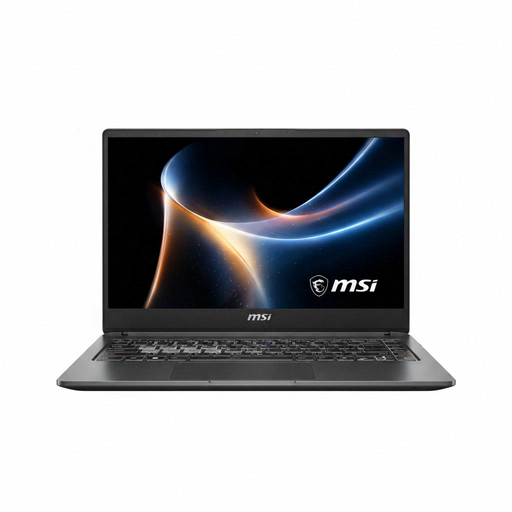
MSI Prestige N16 Flip AI+ C1XMT-044UKY, 16-inch 2-in-1 laptop

MSI Prestige N16 Flip AI+ C1XMT-044UKY, 16-inch 2-in-1

A Windows 2-in-1 option if your employer approves the model and its required work applications.

32 GB RAM; 1 TB SSD; 2.8K 120Hz OLED touchscreen; UK Keyboard.

Joybuy
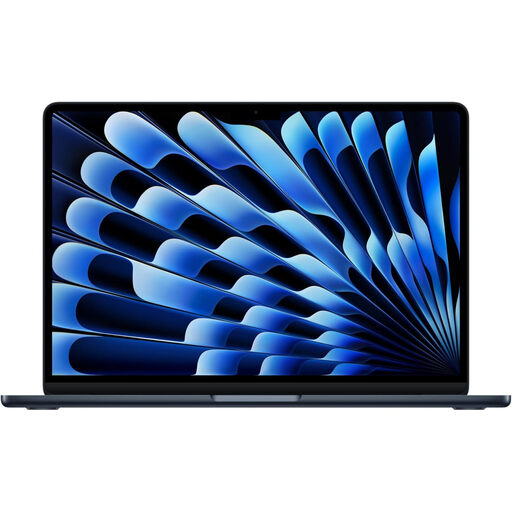
Apple 15-inch MacBook Air (2026), M5, 16 GB, 512 GB SSD

Apple 15-inch MacBook Air (2026), M5

A macOS option if your employer approves a personal Mac and your essential apps support it.

16 GB memory; 512 GB SSD; Midnight.

Joybuy

Acer Chromebook Plus 514 CB514-5H, 14-inch

Acer Chromebook Plus 514 CB514-5H, 14-inch

A Chromebook option for employer-approved browser-based work; check that your required apps and sign-in methods work in the accepted web versions.

Intel Core i3-1315U; 8 GB RAM; 256 GB SSD; WUXGA (1920 x 1200).

Joybuy

Hybrid-work laptop questions

Does hybrid working mean I can use any personal laptop for work?

No. Hybrid working describes where you work, not which privately owned devices your employer authorises. The National Cyber Security Centre's BYOD guidance describes access in terms of the tasks an organisation permits, so ask IT about approved devices, operating systems and access methods before buying.

When might employer management make a personal laptop unsuitable?

A personal laptop may not suit you if your employer requires controls you are unwilling to accept. The National Cyber Security Centre notes that users may object to an employer being able to remotely wipe an entire device; ask about the required controls and any employer-provided alternative.

Can I install desktop Microsoft Office on a Chromebook?

No. Microsoft says its Windows and Mac desktop Office versions cannot be installed on a Chromebook, although Microsoft 365 web apps can be accessed there. Confirm that your employer accepts the web workflow and that it covers the features you need.

How should I check update support before buying?

Check the exact operating-system version and model, rather than relying on the platform name alone. Microsoft says Windows 11 24H2 Home and Pro reached the end of updates on 13 October 2026; for ChromeOS, look up the exact model's automatic-update date with Google. For a Mac, check macOS compatibility and the requirements of your essential work apps.

Will my office monitor connect to my laptop?

Check the laptop's video-capable ports against the monitor input and the cable or adapter required. Apple documents Thunderbolt video output and model-specific external-display limits for the M5 MacBook Air; check the specifications for any other laptop you are considering.