What matters when choosing?
Decide what must work at each desk, then check the laptop’s ports and workplace restrictions before choosing the accessories that connect to it.
| Concern |
What to check |
Who this matters to |
| Desk connections |
Check the exact laptop’s video-capable ports, supported external-display count and charging requirement against the dock and screens you intend to use. |
At a regular home desk, I want screens and peripherals to reconnect without rebuilding the setup; around 33% of consumers put desk continuity first. |
| Portability |
Check the connections needed at each location and what must be carried, including cables and any separate power supply. |
When moving between desks, I would rather carry only the connections I use; roughly 27% of consumers make a compact kit their primary concern. |
| Managed-device compatibility |
Confirm the laptop model and operating system, and ask IT about required drivers, firmware updates and peripheral connections. |
If my work laptop is managed, I need to know the setup is permitted before depending on it; about 27% of consumers prioritise managed-device compatibility. |
| Desk comfort |
Consider screen position and space for a separate keyboard and mouse at both desks; check the employer’s display screen equipment assessment process where applicable. |
During longer desk sessions, I need a workable position for the screen and input devices; around 13% of consumers put that arrangement first. |
Joybuy products for different setups
These choices cover a desk dock, a compact adapter, portable displays and separate input devices. Choose by the connections and equipment you need at each location, then check compatibility with your work laptop.
 No image available
Targus USB-C Universal Dual HDMI 4K Docking Station, 100W Power Delivery Pass-Thru (Retail Packaging)
Consider this dock for a recurring desk where you want to connect HDMI displays and charge through the dock. Its title specifies dual HDMI 4K connections and 100W Power Delivery pass-through; check the laptop’s external-display limits, video-capable port and charging requirement, as well as whether the required power adapter is included.
View on Joybuy
 No image available
V7 V7UC-U3CRJ45HDVG-BLK USB-C Adapter, 4K HDMI, VGA, Gigabit Ethernet, 100W Power Delivery and Dual USB 3.0
This adapter suits a setup where you need display, network and USB connections without leaving a full dock at the desk. Check that its single-display operation meets your needs, that the laptop’s USB-C port supports the required video output and that its charging arrangement suits the laptop.
View on Joybuy
 No image available
ASUS ZenScreen MB166C 15.6-inch Full HD IPS Portable USB Monitor
Consider a portable screen if you need another display at more than one workplace. This model is listed with a USB Type-C connection; check that the laptop can send video through the intended port and that you have the required cable or adapter.
View on Joybuy
 No image available
UPERFECT 14-inch 60Hz Portable Touchscreen Monitor with VESA Mounting and 180° Stand
This portable screen is an option when touch input and an adjustable stand matter at a temporary desk. Check the laptop’s video output and the monitor’s power arrangement: a separate supply may be needed if the laptop cannot provide the intended one-cable connection.
View on Joybuy
 No image available
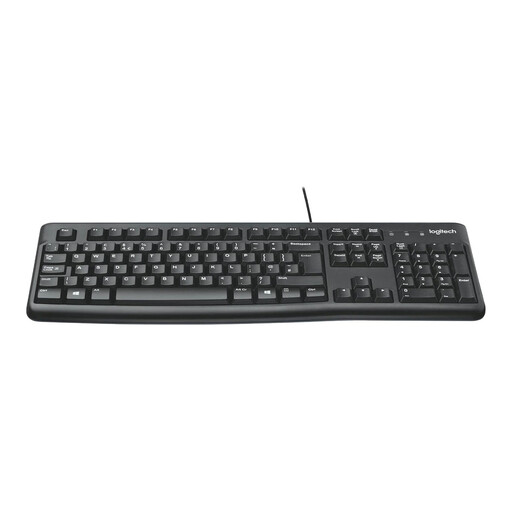
Logitech MK120 Wired Keyboard and Mouse Combo, Black
Choose separate input devices when your desk arrangement matters more than adding display connections. This wired keyboard-and-mouse set does not provide video output or laptop charging; check available USB connections and operating-system compatibility before buying.
View on Joybuy
Frequently asked questions
Can any USB-C laptop use a dual-monitor dock?
No: the USB-C connector alone does not establish support for two external displays. Check the laptop maker’s supported display count, resolution and refresh rate; Microsoft notes that the graphics adapter may prevent a computer from using more than one external monitor.
Will a USB-C display adapter work with my work Mac?
It will work only if the Mac, adapter and display connection are compatible. Apple says a USB-C or Thunderbolt display adapter must comply with DisplayPort Alt Mode, Thunderbolt 3 or Thunderbolt 4; check the exact Mac model and adapter specification together.
Why check with IT before buying a DisplayLink dock?
A DisplayLink-based setup may depend on software that your employer manages. DisplayLink documents corporate deployment of its Windows software, so ask IT whether the required installation and the dock’s connections are approved for your laptop.
Should I check workplace arrangements before buying desk accessories?
Yes, if you routinely use a work laptop at home and in the office, check the applicable display screen equipment assessment process first. The Health and Safety Executive says the assessment should cover both settings, helping you identify which adjustments or equipment to discuss with your employer before buying personal accessories.


