What to consider before buying
Laptop
Choose when: Your current computer cannot run the required applications or suit your travel pattern.
Trade-off: Replacing a computer is a larger change than addressing an isolated screen or call issue; check the exact configuration and included accessories.
External monitor
Choose when: You regularly work across documents at a desk and want a separate, positionable display.
Trade-off: A monitor is less useful when you work mainly in temporary locations, and its inputs must match the laptop's display output.
Dock or adapter
Choose when: You repeatedly connect several peripherals, or need a specific connection such as display output or Ethernet.
Trade-off: The host laptop, cable and dock must work together; some docks also require drivers or a separate charger.
Webcam or headset
Choose when: You have identified a specific issue with the built-in camera, microphone or listening setup.
Trade-off: Call peripherals do not address limited screen space or an unreliable network; check device and software compatibility.
Wired-network accessory
Choose when: Wi-Fi appears to be disrupting calls and the router is reachable by cable.
Trade-off: A cable limits where you can work and will not resolve every broadband problem.
For a laptop-based hybrid setup, identify the problem you want to solve before choosing equipment. Check the computer, display, dock, peripherals and any required software as a complete combination.
| Concern |
What to check |
Who this matters to |
| Video-call camera and audio |
Identify whether the issue is the camera, microphone or listening output; check device connections and any required software against the laptop and work policy. |
If the built-in camera or audio is the specific problem, I want to address that part without replacing a capable computer; around 28% of consumers put call quality first. |
| Room to work across documents |
Match the laptop's supported display output to the monitor input; check whether stand adjustments and any USB-C hub or charging features suit the host. |
When I spend sustained periods comparing documents at a regular desk, usable screen space and position matter; around 22% of consumers prioritise this need. |
| A laptop for moving between locations |
Confirm the required applications, operating system, ports and screen configuration; check what power supply and accessories are included. |
If I carry my computer between locations, it needs to meet my work requirements without relying on a fixed desk setup; around 22% of consumers put the laptop itself first. |
| Repeatable desk connections |
List the peripherals you need and check host video support, charging power, cable requirements, operating-system support and permission to install drivers. |
When I reconnect several devices at the same desk, I want to check the complete laptop, dock and cable combination; around 17% of consumers prioritise desk connections. |
| Reliable home-call connection |
Test whether Wi-Fi is the problem and check whether the laptop has Ethernet or needs a compatible adapter. |
If Wi-Fi is disrupting calls and the router is reachable, a wired option may be worth considering; around 11% of consumers put the connection first. |
Joybuy product options
These Joybuy options cover laptop replacement, a desk display, call audio and camera, and docking for a laptop-based hybrid-work setup.
 No image available
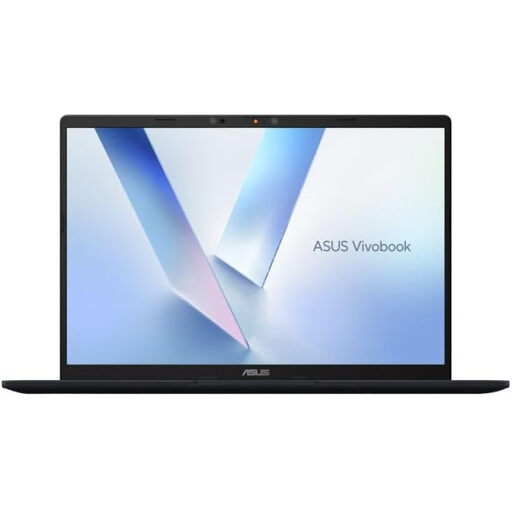
ASUS Vivobook 14 X1407QA-LY003W Copilot+ PC, 16GB RAM, 512GB SSD, Quiet Blue
Consider this laptop if your current computer does not meet your requirements for work between locations or video calls.
14-inch WUXGA 16:10 display and FHD IR camera with privacy shutter.
Two USB4 Type-C ports with DisplayPort and Power Delivery, plus HDMI 2.1.
Listed weight: 1.49 kg; listed battery capacity: 50 Wh. An included 65 W USB-C adapter is specified.
Joybuy
 No image available
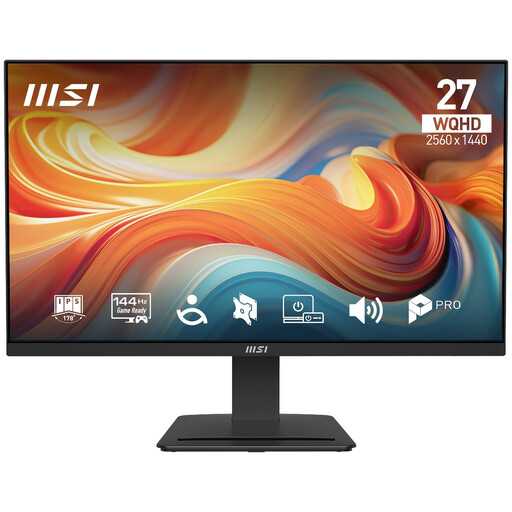
PRO MP273Q E14 27-inch WQHD 144Hz IPS Monitor, Black
Consider this external display for sustained desk work across multiple documents, after checking that your laptop supports its inputs.
27-inch IPS panel with 2560 × 1440 WQHD resolution and 144 Hz refresh rate.
Anti-glare surface, built-in speakers rated at 2 W × 2, HDMI and DisplayPort inputs.
Joybuy
 No image available
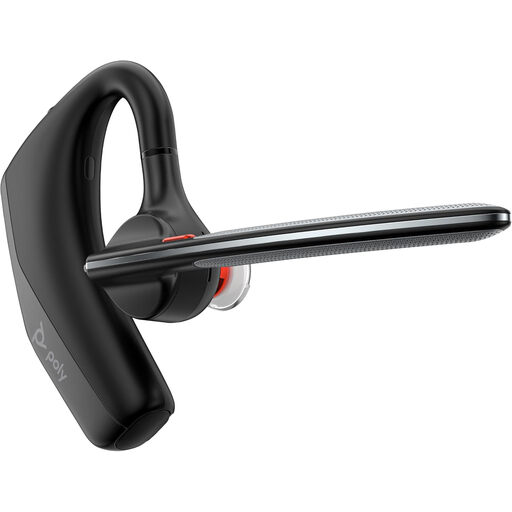
Poly Voyager Legend 30 Headset EURO
Consider this headset if you have identified a call-audio need; check its Bluetooth connection against your laptop and meeting setup.
Bluetooth connectivity and a built-in microphone.
Active noise cancellation; listed battery life is up to 10 hours with ANC on. Listed weight: 120.5 g.
Joybuy
 No image available
Targus USB-C Universal Dual HDMI 4K Docking Station with 100W Power Delivery Pass-Thru
Consider this dock for reconnecting several desk peripherals, after confirming the laptop supports the required USB-C functions.
USB-C Alt. Mode host connection, dual HDMI outputs, USB-A ports, Gigabit Ethernet and card readers.
Up to 100 W Power Delivery pass-through. The specified power setup requires an external 100 W-or-higher adapter connected to the dock.
Joybuy
 No image available
Targus 2K Webcam with Auto Focus
Consider this webcam if you have identified an issue with the laptop camera; check its USB-C connection and included adapters suit your device.
Autofocus, auto lighting correction and a built-in noise-reduction microphone.
Listed 67-degree field of view and privacy slider; rotating clip for a monitor or laptop, plus a tripod thread.
Joybuy
Hybrid-work setup FAQs
Do I need to buy a monitor to comply with UK display-screen rules?
No, the cited guidance does not impose a universal requirement to buy a monitor. In Great Britain, the Health and Safety Executive says DSE rules can apply to people working at home long-term or routinely splitting time between home and another workplace; where they apply, the employer should assess the individual workstation and address identified risks. Northern Ireland's regulator separately describes assessment duties for relevant workers.
Will any USB-C dock run my monitor and charge my laptop?
No; compatibility depends on the laptop, dock, cable and available power. Check the laptop's supported video connection and charging requirements, and whether the dock needs a driver or separate charger. Microsoft Support describes USB-C issues including limited display functionality and slow charging.
Should I install dock software or use a personal laptop for employer documents?
Ask your organisation which devices, applications and drivers it permits before connecting work documents or installing software. The Information Commissioner's Office describes different security considerations for company-issued and personally owned devices, and Anker says its examined DisplayLink dock requires a driver; neither establishes one policy for every employer.
What should I try before buying Ethernet equipment for unreliable calls?
Check whether Wi-Fi is the problem, including whether other devices are using the connection heavily. Ofcom describes Ethernet directly to the router as a potentially faster, more reliable alternative to Wi-Fi, but it is not a guaranteed fix. Check whether your laptop has an Ethernet port or needs a compatible adapter, and whether a cable can reach the router.
What if an online purchase does not suit my setup?
For an eligible online purchase from a trader by someone acting as a consumer, GOV.UK describes a right to notify the trader of cancellation within 14 days of receiving the item and a further 14 days to return it, subject to applicable conditions and exceptions. Faulty-goods rights are separate. A self-employed person buying wholly or mainly for business purposes should not automatically assume they have consumer status; check the transaction and seller terms.


