What to decide before buying
Check the laptop and your employer’s equipment arrangements before selecting a monitor, dock or input devices. Then decide what needs to remain at each desk and what you are willing to carry.
| Concern |
What to check when buying |
Who this matters to |
| Laptop and accessory compatibility |
Check your exact laptop model’s video-capable ports, external-display limit and charging requirements against the monitor, cable or dock. A USB-C connector alone does not establish video support. |
If I am connecting a work laptop to a monitor and dock, I want the whole arrangement to work together rather than rely on the port shape. Around 36% of consumers put compatibility first. |
| Screen and input arrangement |
Consider the screen space, desk space and separate keyboard and mouse connections your regular tasks require. For an employee using DSE, consider the whole workstation rather than one accessory. |
During long laptop sessions, I need a screen and input arrangement that suits the work I do throughout the day. That is the primary concern for around 29% of consumers. |
| Moving between desks |
Decide which items stay at home or in the office, and whether a compatible single-cable dock would simplify reconnection. |
When I switch workplaces, I do not want to carry an unnecessary bundle or reconnect several desk cables each time. Around 21% of consumers prioritise that practical switching need. |
| Employer and IT arrangements |
Ask what equipment is supplied or approved, whether dock software is permitted, and who handles support and repairs. Confirm whether a DSE assessment applies to your work. |
Before paying for equipment or installing dock software, I need to know what my employer permits and provides. Employer and IT arrangements come first for around 14% of consumers. |
Joybuy workstation products
These choices cover desk displays, USB-C connection options and separate input devices for a laptop workstation. Match any video or charging accessory to your exact laptop and check what your employer already supplies.
 No image available
Targus USB-C Universal Dual HDMI 4K Docking Station with 100W Power Delivery Pass-Thru
Consider this dock if you want to connect two external displays at a desk and your laptop supports the required USB-C video connection and display count.
The product name specifies dual HDMI 4K output and up to 100W Power Delivery pass-through. Check your laptop’s accepted charging power and whether the external power adapter needed for your setup is included.
View on Joybuy
 No image available
HP 680 CFT Dual-Mode Keyboard and Mouse Combo
A separate keyboard-and-mouse set is relevant when your laptop is positioned away from your hands or raised on a stand.
Check the keyboard layout and confirm that your work device permits a suitable wireless connection before choosing it for a shared home-and-office setup.
View on Joybuy
 No image available
V7 V7UC-U3CRJ45HDVG-BLK USB-C Adapter with 4K HDMI, VGA and 100W Power Delivery
This adapter suits consideration for a single external-display desk where you also need wired network or USB connections; it is not a two-display choice.
Its name specifies HDMI, VGA, Gigabit Ethernet and dual USB 3.0 ports. Check that your laptop supports USB-C video output and that the required display connection meets your needs.
View on Joybuy
 No image available
MOVESPEED DK5A1 USB-C 10-in-1 Docking Station with 4K 60Hz HDMI
Consider this connection hub if your desk needs HDMI alongside USB devices or card readers, after confirming that your laptop can send video through the host connection.
The product name lists USB-C and USB-A data ports, SD/TF readers and a 3.5mm audio connection. Do not assume it replaces your laptop charger; confirm the charging arrangement separately.
View on Joybuy
 No image available
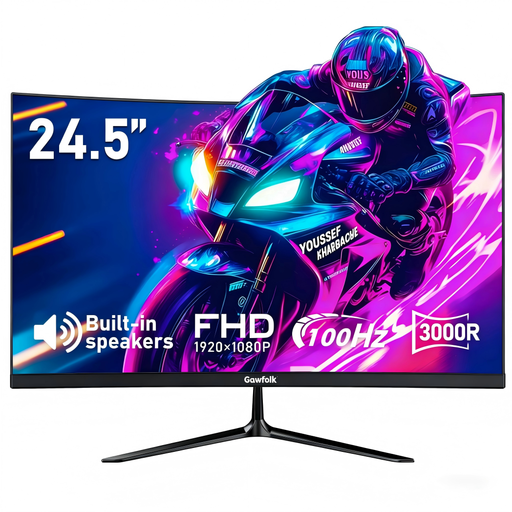
Gawfolk 24.5-inch FHD Curved Monitor, 100Hz
A separate screen is worth considering for a fixed home desk if your laptop supports the required output and the curved format suits your space.
The product name specifies HDMI and a 75 × 75mm VESA mount. Check your laptop’s supported resolution and refresh rate, and confirm whether you need to obtain a connection cable separately.
View on Joybuy
Frequently asked questions
Do I have to buy my own monitor or keyboard for home working?
Not necessarily: check your employer’s equipment arrangements before paying personally. In Great Britain, the Health and Safety Executive says workers cannot be charged where a DSE assessment indicates that the employer needs to provide equipment. Acas also advises agreeing who provides or pays for equipment and repairs.
Can a USB-C port run any external monitor or dock?
No: the connector alone does not establish video compatibility. Dell advises checking the laptop documentation for DisplayPort over USB-C, while Lenovo says its USB-C and Thunderbolt docks require laptops supporting the relevant protocol. Check the exact laptop, accessory and cable arrangement.
Will a multi-monitor dock let me exceed my laptop’s display limit?
Do not assume it will. Apple states that a supported hub or daisy-chain does not increase the maximum external-display count of a MacBook Air model. Use your own laptop manufacturer’s display-support information to decide how many monitors and which connections to choose.
Does a DSE assessment matter if I split my week between home and office?
It can. In Great Britain, the Health and Safety Executive says DSE requirements can apply to hybrid workers who use a screen daily for continuous periods of an hour or more, with assessments considering both locations. The Health and Safety Executive for Northern Ireland publishes separate guidance covering qualifying home workers there; ask your employer how the applicable assessment is handled.
Should I choose a direct monitor connection or a dock?
For one screen, start by checking whether your laptop has a compatible direct video output and whether you are content to connect other devices separately. Consider a dock when you need to reconnect several compatible desk devices through one host cable, but check its laptop, display and charging requirements before buying.


