What to prioritise
For regular home or hybrid work, identify the main bottleneck before choosing between an accessory and a replacement computer.
| Concern |
What to check when buying |
Who this matters to |
| Screen space for documents |
Check the computer’s supported display configuration and the monitor’s size and native resolution. |
If documents and several applications feel cramped, I want a workspace that suits the way I read and switch between tasks. About 26% of consumers put screen workspace first. |
| Desk connections |
Check the computer’s documented video capability and the dock’s compatibility with the host and intended display setup. |
If I reconnect the same desk equipment regularly, I want to know that the ports and dock support the setup I need. About 21% of consumers put compatible desk connections first. |
| Meeting equipment |
Check the headset connection and controls, and whether camera features need software or permissions. |
If calls are the weak point in my workday, I want suitable camera placement and audio controls without relying on features my computer cannot run. About 21% of consumers put meeting equipment first. |
| Main-computer suitability |
Check required applications, operating-system support and whether your organisation permits personal devices. |
If the computer itself may no longer meet my work needs, I want to check applications and update options before choosing a replacement. About 16% of consumers put main-computer suitability first. |
| Home connectivity |
Work out whether the issue is Wi-Fi coverage or the broadband service before choosing networking equipment. |
If calls or work systems lose connection at home, I want to identify where the fault lies before buying a router or mesh system. About 16% of consumers put home connectivity first. |
Joybuy product options
These Joybuy options cover a main-computer replacement and selected home-desk additions, including a monitor, headset, webcam and docking station. Check compatibility and the requirements of your work setup before choosing.
 No image available
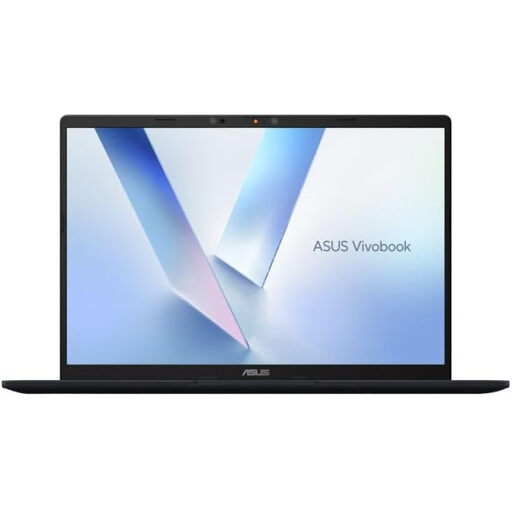
ASUS Vivobook 14 X1407QA-LY003W Copilot+ PC, 16GB RAM, 512GB SSD
Consider it if you need a replacement laptop with connections for external displays and desk peripherals.
The listing specifies a 14-inch 16:10 display, 16GB memory and a 512GB SSD. It identifies two USB4 Type-C ports with DisplayPort and Power Delivery, plus HDMI 2.1. Memory is onboard, with maximum system memory of 16GB.
Joybuy
 No image available
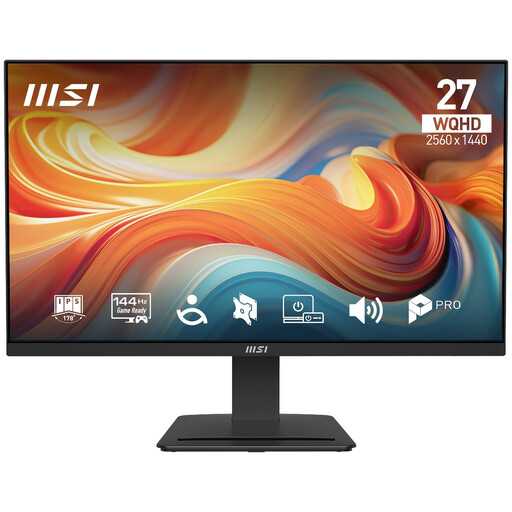
PRO MP273Q E14 27-inch WQHD Monitor
Consider it if you want an external display for document work and multiple applications, and its inputs suit your computer.
The listing specifies a 27-inch IPS panel with 2560 × 1440 resolution and 144Hz refresh rate. Connections include two HDMI ports and DisplayPort; it also lists tilt adjustment and built-in speakers.
Joybuy
 No image available
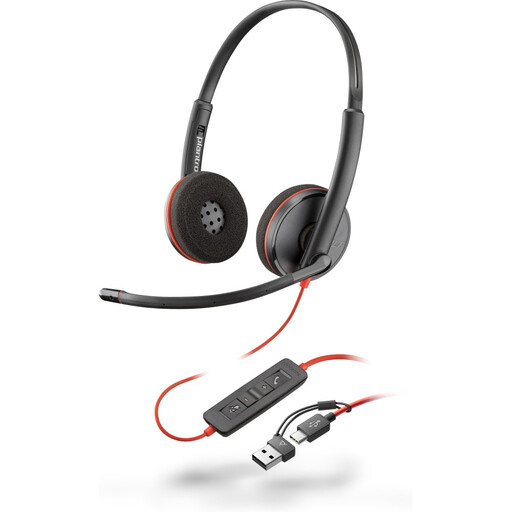
Poly Blackwire 3220 Stereo USB-C Headset with USB-C/A Adapter
Consider it if you want a wired headset for meetings and need the listed USB-C connection with a USB-C-to-USB-A adapter.
The listing identifies stereo audio and inline volume, mute and call-management controls. It warns that prolonged use at high volume can cause hearing damage.
Joybuy
 No image available
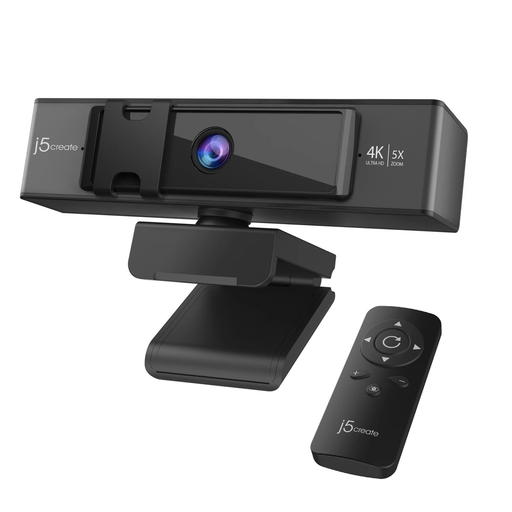
j5create JVCU435 4K Ultra HD Webcam
Consider it if you want a separate camera for video meetings and the listed connections suit your computer.
The listing specifies 4K video, dual microphones, USB-C and USB-A connectivity, a privacy cover and a remote with 5× digital zoom.
Joybuy
 No image available
Targus USB-C Universal Dual HDMI Docking Station, 100W Power Delivery Pass-Through
Consider it if you need to connect a laptop to two HDMI displays and desk peripherals, subject to host compatibility.
The listing specifies dual HDMI outputs, USB-A ports, Gigabit Ethernet and up to 100W Power Delivery pass-through. Video output uses USB-C Alt. Mode, so check that the computer supports the required setup.
Joybuy
Frequently asked questions
Can I buy a personal computer and assume it will connect to work systems?
No. Confirm whether personal-device use is permitted before buying a computer for work access. The Information Commissioner’s Office treats personal devices and home-working systems as arrangements with their own security considerations; hardware capability alone does not establish workplace acceptance.
Will a USB-C dock automatically run every monitor I connect?
No. Check the computer’s video-port capabilities, supported external-display configuration and the dock’s host-compatibility documentation. Dell’s guidance distinguishes dock models and combinations with reduced functionality, so a connector that fits is not proof that the display setup will work as intended.
Does the end of ordinary Windows 10 support mean I must buy a new computer?
Not automatically. Microsoft says ordinary Windows 10 support ended on 14 October 2025, but upgrading or an applicable extended-security-update arrangement may be options. Check the installed edition, eligibility and permitted update path before deciding that replacement is necessary.
Should I buy a new router if home-working calls keep dropping?
First distinguish a local Wi-Fi coverage problem from a wider broadband issue. Ofcom identifies several possible causes of slow service and discusses mesh systems as one way to extend coverage through the home; check the connection and provider guidance before choosing networking equipment.
What should I check about returns if I change my mind about a computer?
Check the terms that apply to your exact purchase and keep change-of-mind cancellation separate from remedies for faulty or misdescribed goods. GOV.UK describes a limited cancellation right for online, mail and telephone orders, with exceptions; customised computers or opened personal-use equipment may need particular attention.


