What to consider before buying
Assess the screen and input positions first, then decide whether you need more display space, missing connections, a portable setup or call equipment. For employees, discuss the assessment outcome and equipment provision with the employer before paying personally.
| Concern |
What to check when buying |
Who this matters to |
| Screen and input position |
Check screen adjustability or stand fit and stability, and whether you can position a keyboard and mouse separately. |
If you raise a laptop screen for prolonged work, you may also need separately positioned inputs. Around 33% of consumers put screen and input position first. |
| Visible workspace |
Check desk space, display position and resolution, and whether your laptop supports the intended video connection. |
If your work calls for a separately positioned display or more visible workspace, those needs matter more than adding ports alone. Around 27% of consumers prioritise display space. |
| Laptop and dock compatibility |
Check the exact laptop model, operating system, video support, display limits and the power delivered to the laptop. |
If you want one connection for screens, peripherals or charging, the laptop and accessory need to support the arrangement you plan to use. Around 20% of consumers put connection compatibility first. |
| Moving between workstations |
Check packed size, laptop fit, required cables and what equipment is already available at each desk. |
If you regularly change workstations, carrying a workable setup may matter more than leaving a full set of equipment connected in one place. Around 13% of consumers prioritise portability. |
| Call equipment |
Check whether your current camera and audio suit your work calls, as well as the computer connection and any workplace device requirements. |
If your existing setup does not meet a specific camera, microphone, listening or privacy need, a separate call device may be relevant. Around 7% of consumers put call equipment first. |
Relevant brands to consider
These examples relate to specific product lines and models; a brand’s inclusion does not establish suitability for your laptop or workstation.
Dell
The P2725DE hub monitor and WD25 dock illustrate two ways to build a fixed workstation.
- Dell specifies a 27-inch QHD display for the P2725DE.
- Dell specifies WD25 power delivery of 100W to Dell systems and 96W to non-Dell systems. Check your laptop’s requirements and the supported display setup.
Kensington
The SmartFit Easy Riser EQ is a portable laptop-screen positioning option.
- Kensington specifies that this model folds flat and fits 12–17-inch laptops.
- A riser does not add a separate display or input devices; check fit and stability for your laptop.
Belkin
The AVC009 hub and AVC005 video adapter illustrate compact port expansion.
- Belkin lists HDMI and up to 100W Power Delivery for the AVC009.
- Belkin specifies a video-enabled USB-C host for the AVC005’s display function. Check the capabilities of your laptop’s particular port.
Lenovo
The ThinkPad Universal USB-C Dock 40AY0090UK is a fixed-desk option to assess for a compatible laptop.
- Lenovo lists DisplayPort, HDMI and other ports for this model.
- Check Lenovo’s system compatibility and display-configuration guidance against your exact laptop. Broad compatibility wording does not establish compatibility with an unspecified computer.
Logitech
The Brio 100 illustrates an optional external camera for a specific call-related need.
- Logitech specifies 1080p video, a built-in microphone and a privacy shutter for this model.
- Those features do not establish that it will outperform your laptop’s existing camera or microphone.
Joybuy product options for hybrid work
These Joybuy options cover separate keyboard and mouse inputs, external displays, connection expansion and call equipment for hybrid work setups.
 No image available
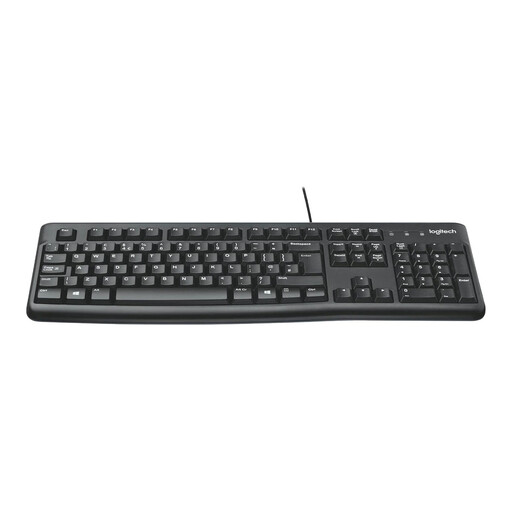
Logitech MK120 Wired Keyboard and Mouse Combo - Black
Consider this set if you need separate input devices with a raised laptop screen.
The product information describes a wired USB connection, a full-size UK English QWERTY keyboard with number pad, and an ambidextrous mouse.
View on Joybuy
 No image available
BenQ MA270UP 27-inch 4K UHD USB-C Mac Monitor
Consider this external display if your assessed workstation needs a separately positioned screen and your laptop supports the intended connection.
The product information specifies a 27-inch 4K display, USB-C, HDMI and USB-A connections, and 90W USB-C Power Delivery. Its stand is described as height-, pivot-, swivel- and tilt-adjustable.
View on Joybuy
 No image available
ASUS ZenScreen MB249C 23.8-inch Full HD IPS USB-C Portable Monitor
Consider this portable display if you need a separate screen that can be positioned at different work locations, subject to your laptop’s supported connections.
The product information specifies a 23.8-inch Full HD IPS display, USB-C with 60W Power Delivery and HDMI. Listed positioning options include a kickstand, C-clamp arm and partition hook kit.
View on Joybuy
 No image available
Targus USB-C Universal Dual HDMI 4K Docking Station with 100W Power Delivery Pass-Thru
Consider this dock if your workstation needs two external displays and connected peripherals, after checking your laptop’s display support.
The product information lists dual 4K HDMI outputs, up to 100W Power Delivery pass-through, USB ports, Ethernet and card readers. The described display connection uses USB-C Alt Mode, which the laptop must support.
View on Joybuy
 No image available
Targus 2K Webcam with Auto Focus
Consider a separate webcam only if your existing camera does not meet a specific work-call need.
The product information lists autofocus, a 67-degree field of view, dual stereo microphones, a privacy slider, an adjustable clip and a tripod thread.
View on Joybuy
Frequently asked questions
If I work at home and in the office, should the workstation assessment cover both?
In Great Britain, the HSE says an assessment should cover both situations when you use display screen equipment in both places. Its DSE assessment guidance applies to workers who use it daily as part of normal work for continuous periods of an hour or more. In Northern Ireland, consult HSENI guidance for the applicable requirements.
Do I have to pay personally for equipment identified by an assessment?
For workers covered by the Great Britain HSE guidance, no: where a DSE assessment indicates action such as providing equipment is needed, workers cannot be charged for it. This does not mean every preferred upgrade must be provided. HSENI has separate guidance for Northern Ireland, so do not assume the specific Great Britain wording applies there.
Can I raise my laptop on a stand and keep using its built-in keyboard?
For prolonged laptop use, HSE guidance describes using a separate keyboard and mouse so the screen can be elevated, or using a separate display. Consider the full arrangement as part of the workstation assessment rather than treating the stand alone as the solution.
Will any USB-C dock connect two screens and charge my work laptop?
No: the connector alone does not establish that a laptop supports the intended displays or charging arrangement. Check the exact laptop’s video capability and display limits, then compare them with the dock’s display information and delivered power. Apple, for example, specifies that the 2024 M3 MacBook Air supports a second external display with its lid closed; that model-specific detail does not apply to every laptop.
What should I check before using a dock with a Mac?
Check the dock’s display method, your Mac’s supported display arrangement and whether any required software is permitted on your work computer. Synaptics identifies DisplayLink Manager as the application for enabling its DisplayLink docks, adapters or monitors on macOS.
Does one UK workplace rule determine what every hybrid worker should buy?
No. HSE guidance applies to Great Britain, while HSENI publishes separate Northern Ireland DSE guidance. The equipment needed depends on the applicable requirements and the individual workstation assessment, not a universal shopping list.


