Choose the computer around the applications, work systems and displays you need at both locations, then match its charging and connection requirements before adding accessories. A USB-C connector alone does not establish charging power or display compatibility; if you fly, the power bank’s capacity and carriage rules also affect what you can take.
Who is this setup for?
Workers carrying a computer between home and work
A portable computer, charger and repeatable desk connection matter when you move between locations regularly. The Office for National Statistics described hybrid working as the pattern for around a quarter of workers in Great Britain in its November 2024 analysis; that figure does not measure equipment choices.
People using shared desks
If your display, network or peripherals change with your desk, identify the connections you need each time before choosing an adapter. The Health and Safety Executive includes mobile working, home working and hot-desking in its display-screen-equipment guidance.
Commuters who also fly for work
A power bank may be useful away from sockets, but its watt-hour rating and how it is packed matter on flights. The UK Civil Aviation Authority says power banks belong in the cabin, not checked baggage.
What should you check first?
Settle the computer and essential work connections first. That gives you requirements against which to check chargers, adapters, portable power and storage.
| Priority | What to check | Your needs |
|---|
| Work computer |
Confirm required applications, browser services and work systems on the exact laptop or tablet. Check external-display and peripheral needs before relying on a tablet with a keyboard as your only computer. |
I need to finish the same tasks at home and at work, without discovering that an essential application needs another computer. |
| Desk handoff |
List the display, network and peripheral connections at each desk. Check the computer’s video and data support separately from the dock’s ports and charging output. |
Reconnecting should be straightforward when I change desks; I may need a display and wired network as well as power. |
| Charging |
Compare the computer’s documented charging requirement with the charger’s USB Power Delivery output. Check the cable’s power capability when higher-power charging is required. |
I would rather carry a practical charging kit than duplicate chargers, provided it meets the devices’ actual requirements. |
| Power away from sockets |
Match power-bank USB-C output to the intended device; do not assume phone charging means laptop charging. For flights, check the marked watt-hour rating and airline rules. The UK Civil Aviation Authority requires airline approval for batteries from 100Wh to 160Wh and prohibits those over 160Wh in passenger baggage. |
On days without easy socket access, I want power for the device I will actually use—and a bank I can take on a flight when needed. |
| File recovery |
Keep a separate, recoverable copy of important files in a safe location. Follow workplace data-handling rules before using personal storage; the National Cyber Security Centre advises disconnecting an external backup drive when no backup is running. |
If my computer is lost or damaged between locations, I need another usable copy of files I am permitted to back up. |
| Carrying equipment |
Check that a bag, sleeve or case fits the chosen computer and the accessories you need to carry. Consider how often the whole kit moves between locations. |
I want to protect the equipment I carry without bringing accessories that stay unused throughout the commute. |
What can go wrong?
-
Choosing a charger or dock just because it has USB-C
USB-C describes the connector, not every charging, video or data function. The computer, cable and accessory must support the functions you intend to use.
Compare the exact computer’s port capabilities and charging requirement with the charger or dock specification before buying.
-
Expecting a phone power bank to charge a laptop
A bank’s capacity and USB-C output answer different questions. A bank that charges a phone does not necessarily meet a laptop’s charging requirement.
Check the laptop’s required input, the bank’s USB-C Power Delivery output and its marked watt-hour rating.
-
Putting a power bank in checked baggage
The UK Civil Aviation Authority says power banks must be kept in the cabin, never in checked baggage, because they can overheat and cause a fire. Capacity can also affect whether airline approval is needed.
Check the bank’s watt-hour label and your airline’s current rules before packing it in cabin baggage.
-
Treating the only copy on a portable drive as a backup
If the drive holds the only copy, losing or damaging it could leave you without those files. The National Cyber Security Centre describes a backup as a separate copy stored in a safe location.
Where workplace rules permit, make a recoverable copy and keep it separate from the original; disconnect an external backup drive when it is not in use.
Relevant brand references
These examples illustrate model-specific checks, not a claim that every product from a brand has the same capabilities.
Apple
A reference for checking the charging requirements of a MacBook-based portable setup.
- Apple specifies a minimum of 35W to charge the 15-inch MacBook Air (M5).
- Check the specification of the MacBook model you intend to use rather than applying that requirement to every Apple laptop.
Lenovo
A reference for a desk connection built around a USB-C dock.
- Lenovo describes the ThinkPad Universal USB-C Smart Dock 40B20135UK as supporting up to three 4K monitors and up to 100W power delivery.
- Those model-specific claims do not establish that a particular computer will support every display arrangement or receive the charging power it needs.
Anker
A reference when comparing compact power banks with the devices they need to charge.
- Anker lists its A1259 Nano Power Bank with 10,000mAh capacity and 30W charging.
- Compare that model’s output with a laptop’s documented charging requirement before choosing it for laptop power.
Joybuy product options
These options cover a portable computer and accessories for desk connections, charging, storage and time away from a socket. Choose accessories against the requirements of the computer and your work locations.
 No image available
ASUS Vivobook 14 X1407QA-LY003W, Snapdragon X, 16GB RAM, 512GB SSD, Quiet Blue
A computer option for moving between work locations. Before relying on this Snapdragon X model for all your work, confirm that required applications and work systems run on its configuration, then check the intended dock and displays separately.
View on Joybuy
 No image available
V7 V7UC-U3CRJ45HDVG-BLK USB-C adapter with 4K HDMI, VGA, Gigabit Ethernet and 100W Power Delivery
Consider an adapter if your desk handoff calls for display and wired-network connections. Check that your computer supports the required USB-C video mode and that the adapter’s single-display limitation suits your desk.
View on Joybuy
 No image available
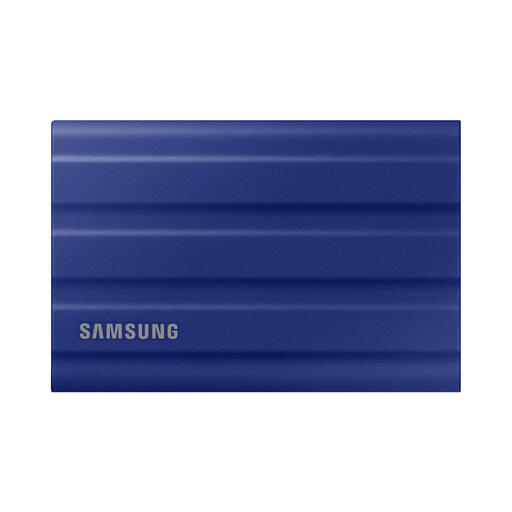
Samsung T7 Shield 1 TB portable SSD, USB 3.2 Gen 2, Blue
Portable storage can help with files you are permitted to carry between locations. For backup, keep a separate recoverable copy in a safe location and follow workplace rules before storing work data on a personal drive.
View on Joybuy
 No image available
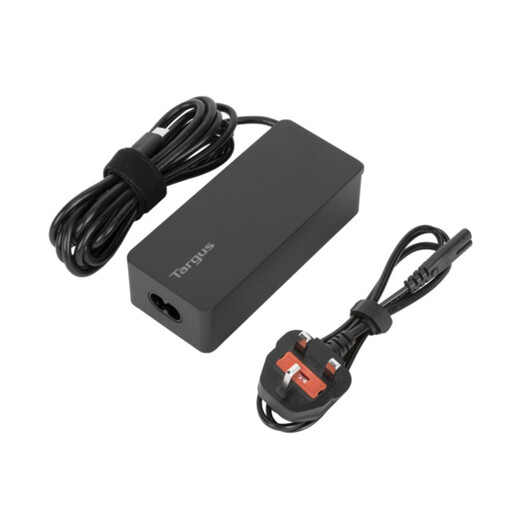
Targus 65W USB Type-C charger
A separate charger may make moving between locations simpler if it matches your computer. Confirm the computer accepts USB-C charging and compare its documented power requirement with this charger and the cable you will use.
View on Joybuy
 No image available
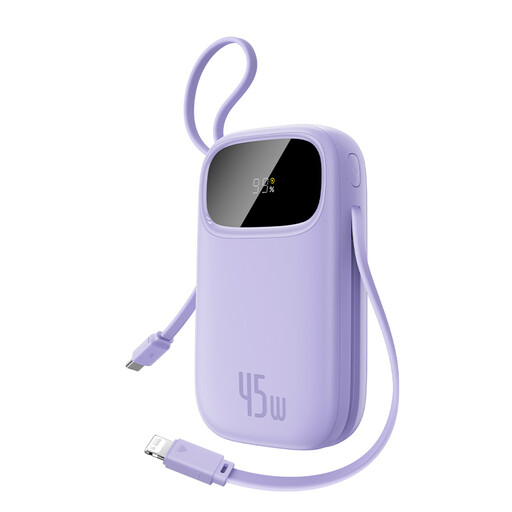
Baseus EnerFill FC31 Qpow 3 power bank, 45W, Nebula Purple
Portable power is useful when sockets are scarce, but check the intended device’s charging requirement; the stated 45W output applies when charging one device. Confirm the capacity and marked watt-hour rating on the unit, as well as airline rules, before taking it on a flight.
View on Joybuy
Common questions
Can I take a power bank on a flight from the UK?
Yes, if it meets the applicable carriage requirements. The UK Civil Aviation Authority says to keep power banks in the cabin, never in checked baggage; check the bank’s watt-hour rating and your airline’s current rules before travelling.
When does a power bank need airline approval?
The UK Civil Aviation Authority says batteries from 100Wh to 160Wh require airline approval, while those over 160Wh are prohibited in passenger baggage. Check the rating marked on the product and the airline’s current requirements.
Will one USB-C charger work with my laptop, phone and dock?
Not necessarily. USB-C is the connector; charging depends on the devices, charger and cable supporting the required USB Power Delivery arrangement. Compare the laptop’s documented charging requirement and port support with the accessories you plan to carry.
Can an external SSD count as a backup?
Yes, if it holds a separate copy that you can restore. The National Cyber Security Centre advises keeping important data backed up in a separate safe location; follow workplace rules before copying work files to personal storage.


