Buying priorities
Work through employer compatibility first, then assess the fixed desk and the connections needed to make it usable day after day.
| Priority |
What to check |
Your needs |
| Sustainable workstation |
Check whether the screen, keyboard and mouse can be positioned independently. For regular sustained display-screen work, use the employer’s workstation assessment process. |
I need a home desk that supports recurring work rather than relying on a laptop in one fixed position. |
| Work software compatibility |
Confirm the approved operating system, security tools, browser version, identity access and required applications. Treat public Teams and Microsoft 365 requirements as technical baselines, not workplace approval. |
I need the computer to work with my employer’s applications, files and support arrangements. |
| Dock, monitor and charging |
Check USB-C Alt Mode, DisplayLink or Thunderbolt support where required. Compare the laptop charging requirement, dock output and the intended monitor configuration. |
I want one desk connection to provide the display, ports and charging I actually need. |
| Meeting equipment |
Confirm usable camera, microphone and speaker access in the meeting application. Test the selected devices and permissions before an important call. |
I need reliable audio, camera framing and practical call controls for recurring meetings. |
Joybuy product options
Joybuy product options for the laptop, desk-connection and meeting-device routes in a hybrid-working setup.
 No image available
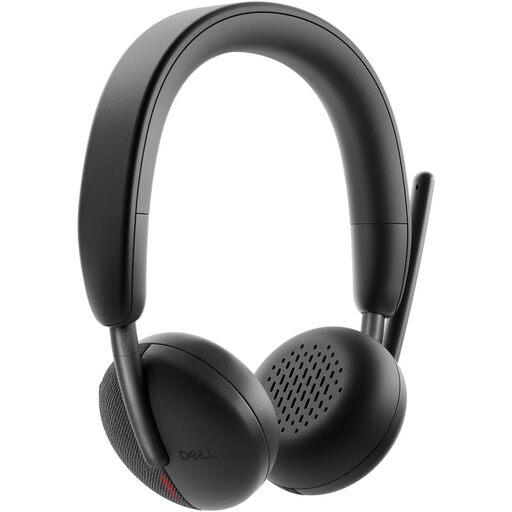
DELL Pro Headset WL3024
For hybrid workers whose recurring calls need a dedicated wireless headset. The product name identifies model WL3024; check whether Bluetooth or its supplied USB receiver is permitted on the work laptop, then test microphone and speaker selection in the meeting application.
Joybuy
 No image available
Targus 2K Webcam with Auto Focus
A dedicated camera option where framing or focus limits laptop calls. It has a USB-C connection; confirm available ports, employer webcam policy and camera permissions in the actual meeting application.
Joybuy
 No image available
V7 V7UC-U3CRJ45HDVG-BLK USB-C Adapter
A compact connection option for a single-display desk. It includes HDMI, VGA, Gigabit Ethernet, dual USB 3.0 ports and 100W power delivery pass-through; it requires USB-C DisplayPort Alt Mode and is explicitly single-display SST only.
Joybuy
 No image available
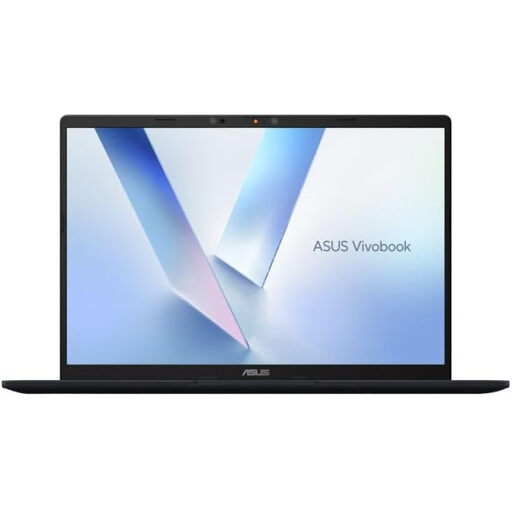
ASUS Vivobook 14 X1407QA-LY003W Copilot+ PC
A 14-inch Windows laptop route for carrying one computer between home and office. The stated configuration includes Snapdragon X, 16GB RAM, 512GB SSD, two USB4 Type-C ports with DisplayPort and Power Delivery, plus HDMI 2.1; verify employer approval for this Windows and processor configuration first.
Joybuy
 No image available
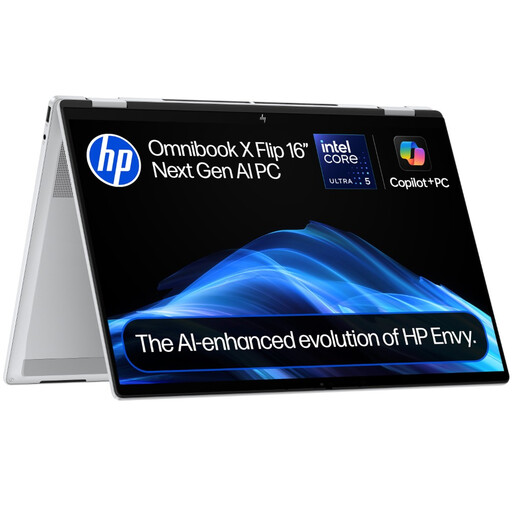
HP OmniBook X Flip 16-as0004na
A 16-inch convertible laptop for work that alternates between desk use and flexible viewing positions. The listed model includes a 360-degree hinge, 16GB RAM, 512GB SSD, 2K touchscreen and Windows 11 Home; confirm employer support and external-display requirements before purchase.
Joybuy
Frequently asked questions
Do I legally need to buy a monitor, dock or ergonomic accessories for hybrid work at home?
No universal UK purchase requirement applies to an individual worker. In Great Britain, Health and Safety Executive guidance says that where eligible employees use display screen equipment daily for continuous periods of an hour or more and routinely work at home or split locations, the employer must assess the workstation; the assessment should guide any equipment decision.
If a DSE assessment says equipment is needed, can my employer charge me for it?
For workers covered by Great Britain DSE guidance, the Health and Safety Executive states that workers cannot be charged where an assessment indicates that action, including provision of DSE equipment, is needed. Ask the employer or DSE contact to assess the actual setup before buying equipment independently.
Will any USB-C dock work with my work laptop?
No. Check the laptop’s exact port and protocol support, the dock’s power-delivery output and the intended display configuration. Lenovo makes USB-C Alt Mode, DisplayLink or Thunderbolt support a condition for relevant dock functions, while HP’s broad compatibility statement is also conditional on video, data and power support.
What should I check before buying a headset or webcam for Teams or Zoom?
Confirm that camera, microphone and audio output work on the computer and in the meeting application you use. Microsoft states that Teams-certified personal devices have tested compatibility and can provide call-control integration; Zoom supports built-in, USB and Bluetooth audio devices, but selected devices should be tested before an important meeting.
How should I judge warranty and after-sales support for a hybrid-work setup?
Check the warranty term, support channel, return conditions and compatibility exclusions for each exact laptop, dock and peripheral SKU. In a mixed-brand setup, keep the employer’s approved support route for work-device issues and do not assume one manufacturer will troubleshoot another brand’s accessory.


