Buying priorities
Work from the desk arrangement back to the laptop: decide what you need connected, then check that the laptop can support the intended display, charging and peripheral configuration.
| Priority |
What to check |
Your needs |
| Screen and input position |
Check whether the laptop screen can be raised; plan a separate keyboard and mouse; consider whether a separate display is needed for the desk. |
I want to work at a fixed desk without relying on the laptop keyboard and trackpad after raising its screen. Health and Safety Executive guidance links separate input devices with an elevated laptop screen for prolonged use. |
| Display connection |
Confirm the exact laptop model, supported external-display count, resolution and refresh rate. Check whether USB-C supports the required video mode or whether HDMI is the better connection. |
I need the display arrangement to work at the resolution and number of screens I actually plan to use. Apple states that supported display count depends on the Mac model and display configuration. |
| Desk connections |
List the display, charging, USB accessories and Ethernet connection you need. Compare the monitor or dock ports and power-delivery specification with the laptop requirements. |
I want fewer cables at a regular desk, but only for connections I will use. A dock can consolidate peripherals and display outputs, as described by Microsoft. |
| Compatibility |
Check the accessory maker’s compatibility list for the exact laptop and accessory model. Confirm operating-system support, port type, receiver requirements and any adapter needed. |
I need accessories that work with my laptop rather than assuming all USB-C, Bluetooth or wireless products behave the same way. Lenovo notes that cross-brand dock use can have functional limitations. |
Joybuy product options
Joybuy product options for a home or hybrid laptop desk, covering docks, an external display, separate input devices and a headset for call-focused work.
 No image available
Targus USB-C Universal Dual HDMI 4K Docking Station with 100W Power Delivery Pass-Thru
For a fixed desk with displays, charging and several peripherals connected through one host cable.
Stated features include two HDMI 2.0 ports, USB-A ports, Gigabit Ethernet, SD and microSD readers, and 100W power-delivery pass-through. The advertised charging pass-through requires an external 100W or higher power adapter; confirm USB-C Alt Mode, dual-display support and charging support for your laptop.
Joybuy
 No image available
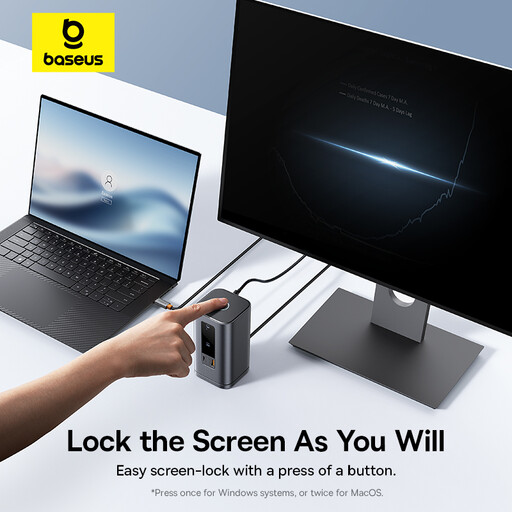
Baseus Wisdom Series 11-in-1 WIN Workstation
For a repeat-use desk where several displays, USB accessories, wired networking and audio connections are required.
The listing states HDMI and DisplayPort outputs, USB data ports, Gigabit RJ45, audio and 100W USB-C PD input. Confirm the laptop’s supported display configuration, video mode and charging behaviour before relying on all functions.
Joybuy
 No image available
ASUS ZenScreen MB249C IPS USB-C
For regular laptop work where a separate screen is the priority and desk positioning may change between home and office.
The listing states a 23.8-inch Full HD IPS display, USB-C DisplayPort Alt Mode, 60W power delivery and HDMI input, plus a kickstand and mounting accessories. Check whether the laptop supports USB-C video and charging; HDMI may be the required alternative.
Joybuy
 No image available
Philips 3000 Series Keyboard and Mouse Combo SPT6318B/05
For a raised-laptop set-up that needs separate keyboard and mouse input at a UK home desk.
This bundle includes a full-size UK English keyboard and optical mouse with a 2.4GHz wireless USB-A nano receiver. Check that the laptop has a USB-A port or that you have a suitable adapter.
Joybuy
 No image available
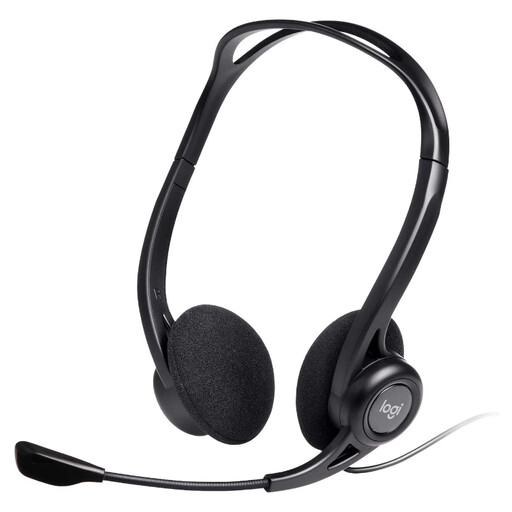
Logitech 960 Wired USB Headset
For meeting-heavy home or hybrid work where a wired headset suits the call workflow.
The listing states USB-A connectivity, an adjustable microphone boom, a 2.4m cable, inline volume and mute controls, and compatibility with Windows, macOS and ChromeOS. Confirm that your laptop has USB-A or requires an adapter.
Joybuy
Frequently asked questions
When is a laptop-only workstation not enough for regular home work?
For prolonged laptop use, the Health and Safety Executive says to use a separate keyboard and mouse so the laptop screen can be elevated on a riser or similar, and to use a separate display screen. This is set-up guidance for prolonged use, so consider your work pattern and any individual DSE assessment before choosing equipment.
Does USB-C guarantee video, charging and multiple displays?
No. The laptop’s port capabilities, the monitor or dock specification, cable type and operating system all matter. Apple states that supported display count depends on the Mac model and the display resolution and refresh rate, while Lenovo notes that some dock functions can be limited on non-Lenovo laptops.
What should I check before buying a USB-C hub monitor or dock?
Check the laptop model’s display-output support, the number and configuration of displays, the required USB-C video mode, charging acceptance, power-delivery output, display ports, USB ports, Ethernet needs and operating-system support. Where a manufacturer provides a compatibility finder, use the exact laptop and accessory model.
Do UK DSE rules automatically mean an employer must buy a monitor or dock?
No automatic product list is established by Health and Safety Executive guidance. Where the DSE Regulations apply, an individual assessment should be used to decide whether additional equipment is needed, including for people who work between home and office.
Can a covered DSE worker be charged for equipment identified as necessary?
Health and Safety Executive guidance states that where a DSE workstation assessment indicates action is needed, such as providing DSE equipment, workers cannot be charged for it. This applies to the condition described in that guidance and is not a general reimbursement rule for any personally selected accessory.


