Choose in-ear earphones around a comfortable seal and whether you need to hear colleagues or alerts, rather than an isolation claim alone. A good seal may make a museum talk easier to follow amid office distractions, but it also reduces awareness of your surroundings. Check the connection to your playback device and keep the volume down instead of trying to overpower chatter.
Who should consider them?
Listeners distracted by office chatter
If nearby conversations or other office activity make you replay parts of a talk, a comfortable seal is worth checking. Fit affects how well a sound-isolating earphone works; a driver-count claim does not tell you whether it will seal in your ears.
People listening through full talks
For a long lecture or guided tour, look for eartips you can wear comfortably and a fit that stays secure as you move. Shure and Sennheiser describe tip or cable-fitting options on their respective SE215 and IE 200 models.
Listeners using a particular playback device
Check the connection before choosing earphones for a laptop, phone or audio guide. Shure’s SE215 and Sennheiser’s IE 200 use 3.5 mm plugs; a device without that socket needs a compatible audio adapter.
What matters when choosing?
Decide how much of the office you still need to hear, then check the playback connection and try the fit. These checks matter more to this use case than an isolation figure considered on its own.
| Concern |
What to check |
Who this matters to |
| Office distraction |
Look for suitable eartips and check whether you can maintain a comfortable seal. Treat any stated isolation figure as a model claim, not your assured result. |
If chatter makes me miss names or quieter passages, reducing distraction is my first concern. Around 37% of consumers put this need first. |
| Comfort through a full talk |
Try the available tip options and check whether the earphones stay in place without uncomfortable pressure. |
I want to finish a talk without an eartip slipping or becoming uncomfortable; around 27% of consumers prioritise sustained comfort and fit. |
| Playback connection |
Match the plug or wireless connection to your device; confirm audio-adapter compatibility if there is no suitable socket. |
My recording is on a device I already use, so I need the earphones to connect to it. For around 18% of consumers, connection certainty comes first. |
| Volume and awareness |
Consider whether you must hear colleagues or alerts, and set a conservative playback volume rather than turning it up over office noise. |
If I need to notice people nearby, shutting out more sound is not automatically helpful. Around 18% of consumers place volume and workplace awareness first. |
Buying pitfalls
-
Expecting an isolation figure to predict your office experience
Passive isolation depends on the eartip and seal. A poor fit can leave chatter intrusive even when the manufacturer states a substantial attenuation figure.
Try the supplied tip options and judge comfort and sealing in both ears before relying on the stated figure. Check the seller’s applicable return or exchange terms before ordering if fit is uncertain.
-
Overlooking the playback device’s connection
A wired earphone cannot plug directly into a device that lacks the appropriate audio output.
Check the device’s port and, if needed, confirm that a compatible USB-C or Lightning adapter carries audio for that device.
A separate audio adapter may be needed for a device without a suitable socket.
-
Using isolation when you need to hear the room
A strong seal can make colleagues or workplace alerts harder to notice. Turning up a recording to compete with office noise is also a poor substitute for managing listening volume.
Use isolating earphones only when reduced awareness is appropriate. The World Health Organization advises keeping device volume to no more than 60% of maximum; the NHS advises seeing a GP if you have problems with your hearing.
-
Neglecting eartips and nozzle care
A loose or obstructed tip can affect fit and sound during a talk.
Follow the earphone maker’s cleaning instructions, let tips dry before reuse and replace any sleeve that no longer grips securely. Never put an earphone cleaning tool in your ear.
Worn or damaged sleeves may need replacing to maintain a secure fit.
Relevant brands for reference
These examples illustrate different wired in-ear designs; each claim and fitting option applies to the named model, not every earphone from the brand.
Shure
The SE215 is a wired, over-ear in-ear monitor with a detachable MMCX cable and a 3.5 mm plug.
- Shure lists foam and soft-flex sleeves in three sizes and states isolation of up to 37 dB for the SE215.
- That figure is Shure’s specification, not a guaranteed reduction in office chatter. Fit affects the result, and the playback device needs a suitable connection.
Etymotic
The ER2XR is an in-ear option for listeners considering a more sealing, passive-isolation-focused fit.
- Etymotic states passive attenuation of 35–42 dB for the ER2XR.
- The stated attenuation depends on fit and eartips. Consider whether its fit and reduced awareness of the room suit your working day.
Sennheiser
Sennheiser positions the wired IE 200 around a balanced sound presentation, with selectable eartip adapters, adjustable ear hooks and a 3.5 mm plug.
- The fitting options give you ways to assess comfort and stability while listening to talks as well as music.
- Sennheiser’s tuning description does not establish that every listener will hear spoken recordings more clearly. Check your device’s audio connection before buying.
Joybuy product choices
These in-ear choices include wired USB-C earphones, another wired model and wireless noise-cancelling earbuds for playing recorded talks. Choose by your device’s connection and the fit you need; a noise-cancelling name alone does not establish how well office conversation will be reduced.
 No image available
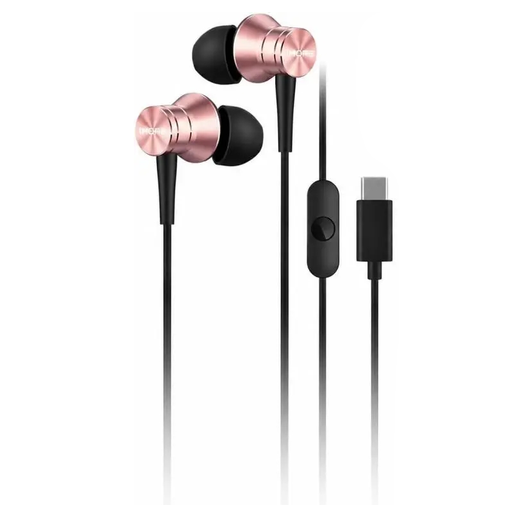
1MORE Piston P10 Type-C Version (Pink)
Consider these wired in-ear earphones if you play talks from a device with compatible USB-C audio output. Check that your device supports audio through its USB-C port and that the fit is comfortable for a full talk.
View on Joybuy
 No image available
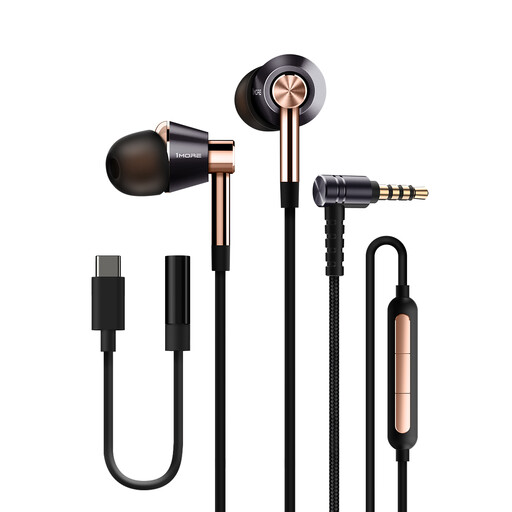
1MORE E1001 Triple Driver wired earphones (Gold)
These wired in-ear earphones may suit you if you prefer a cable for recorded talks. The product name also identifies a MEMS microphone; confirm the plug type against your playback device and check that the eartips seal comfortably.
View on Joybuy
 No image available
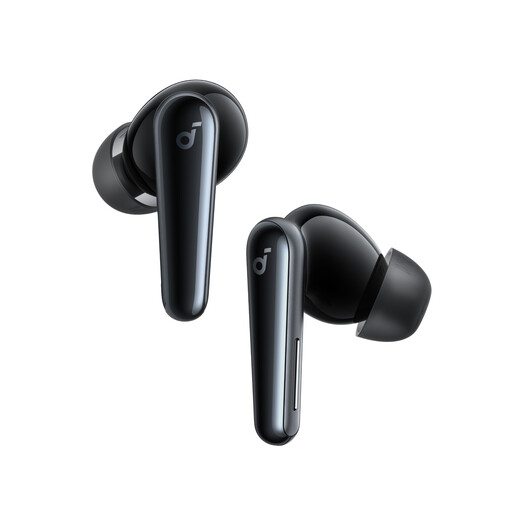
Soundcore Liberty 5 wireless noise-cancelling earbuds
Consider these wireless earbuds if you want to listen without a cable. Check pairing with your playback device and whether their fit works over a full talk; the noise-cancelling description does not promise a particular result against office chatter.
View on Joybuy
 No image available
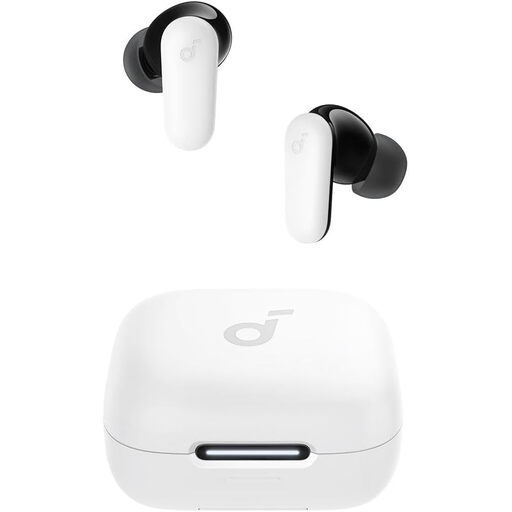
Soundcore R50i NC noise-cancelling earbuds (White)
These in-ear earbuds are another choice for wireless playback of talks. Confirm that your device can pair with them and check the available eartips and fit; the noise-cancelling description does not establish how much nearby conversation you will hear.
View on Joybuy
Common questions
Is a higher isolation figure always better for listening to museum talks at work?
No. More passive isolation may help when chatter masks the recording, but it depends on a comfortable seal and may make colleagues or alerts harder to hear. Shure’s SE215 fitting guidance emphasises the effect of fit on sound.
Will a wired in-ear monitor work with my phone or tablet?
It will work only with a compatible audio connection. Shure’s SE215 and Sennheiser’s IE 200 have 3.5 mm plugs; if your device lacks that socket, check which audio adapter it supports before ordering.
How can I keep the volume down during a long office listening session?
Start at a low volume and avoid raising it simply to overpower chatter. The World Health Organization advises setting device volume to no more than 60% of maximum; a comfortable seal may also reduce the urge to turn it up in a noisy place.
How should I look after isolating in-ear earphones?
Keep the eartips clean and dry, and check that each one remains secure. Follow the model’s instructions for clearing a blocked nozzle; Shure advises letting foam sleeves dry fully before reuse and not putting the cleaning tool in your ear.


