Pet owners checking a room
A view of the pet’s usual area and relevant alerts matter more than capturing every corner. In a shared living space, consider how to stop or limit recording when the camera is not needed.


For saved footage without making a cloud plan your default, consider a plug-in indoor camera with local card storage, and check the card requirements and privacy controls for the exact model. If you want to review recordings through a cloud service, check which features need a subscription and how long footage is kept; Ring says reviewing recorded video requires a subscription. A battery camera can help where a power cable is impractical, but check its charging needs and whether the recording history you want requires continuous power.
The useful setup depends on what you need to see while away and what the camera might record when people are at home.
A view of the pet’s usual area and relevant alerts matter more than capturing every corner. In a shared living space, consider how to stop or limit recording when the camera is not needed.
Decide whether a live alert is enough or whether you need to review a saved clip afterwards. That choice affects storage, subscription and connectivity checks.
Check placement, access to the account and recordings, and the manufacturer’s security-update period for the exact camera. A useful remote view should not come at the expense of recording areas you did not intend to cover.
Start with the view and alerts you need, then decide what must be recorded. Finally, check whether the power arrangement, privacy controls and account setup work in that room.
| Priority | What to check | Your needs |
|---|---|---|
| View and alerts | Check the view against the room layout and lighting. Look for alerts you can configure for the activity that matters, rather than assuming every detection type is available on every camera. | I want to tell whether my pet is in its usual area, or whether an alert points to an event worth checking. |
| Recording access | Distinguish live viewing, saved event clips and continuous history. Check the card requirements or cloud plan for the exact model, plus playback and retention terms; Ring says a subscription is required to review recorded video on its cameras. | An alert may arrive when I cannot open the app immediately, so I need to know whether I can review the event later. |
| Privacy and security | Check the camera’s cover, privacy mode or zones, and what each control actually stops. Use a unique account password and check the model’s security-update support; the National Cyber Security Centre advises keeping smart cameras updated. | When people are home, I want the camera aimed and configured so it does not record more of our living space than necessary. |
| Power and connection | For a plug-in camera, check cable placement and what happens during a power cut. For a battery model, check charging and recording behaviour; Google Home and Nest Help says Nest 24/7 cloud history depends on the camera being connected to power and streaming. | There may be no convenient socket where I need the view, but I also need to understand any gaps in the footage. |
Ring says its cameras need a subscription to review recorded video. Without one, you can still view live video and respond to alerts as they happen, which is a different arrangement if you need to check an event later.
Check the exact camera’s plan, playback features and retention setting before choosing a cloud-recording setup.
Recorded-video review on this Ring route brings an ongoing subscription commitment.
TP-Link lists a camera-side microSD slot of up to 512 GB for the Tapo C225. A card in the camera is not an off-site copy if the camera itself is lost or damaged.
Confirm the compatible card and capacity for the exact model and hardware version, and decide whether you need a separate copy of important footage.
A compatible microSD card may need to be purchased separately.
Remote viewing makes account access and software maintenance part of everyday camera use. The National Cyber Security Centre advises keeping smart cameras updated.
Set a unique account password, change any default device password and enable automatic updates where available. Check the manufacturer’s support period for your model.
A wide indoor view may also capture other people or a shared area. The Information Commissioner’s Office advises home CCTV owners to position cameras to capture only their own property where possible.
Aim at the smallest useful area, consider privacy zones or a cover, and reassess the position if it captures a communal space.
Compare the exact model and service terms, not just the brand: storage, privacy controls and update commitments can differ between products.
TP-Link’s Tapo C225 illustrates a plug-in, camera-side storage route with an optional cloud service.
Ring Indoor Cam (2nd Gen) is a mains-powered option with a built-in privacy cover and a cloud-recording service.
Google Nest offers a camera route tied to the Google Home app and cloud-based video history.
For an eufy indoor camera, make the model’s recording and privacy arrangements the starting point for comparison.
These options cover fixed indoor cameras for checking a room, including local-storage choices, plus a mobile camera for following a pet around suitable indoor floor space. Compare each listing’s recording and privacy arrangements with the checks above.
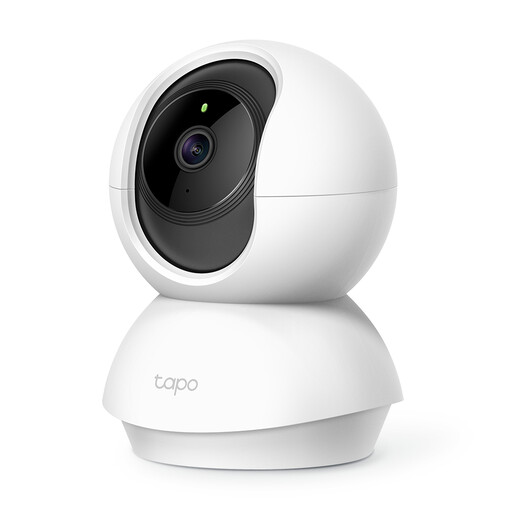 No image available
A fixed indoor option to consider for checking a pet’s room while away. Its name identifies pan-and-tilt movement; before relying on local recording, confirm the compatible microSD card and whether one is included. Check how its privacy mode works and the support period for this model.
 No image available
Its screen and pan-and-tilt format may be relevant if you also want to use the camera within the room. The title specifies 2K video and 360° PTZ; check the supported Wi-Fi connection rather than treating “5G WiFi” as a mobile-network specification. Confirm the card needed for local recording and the terms of any optional cloud service.
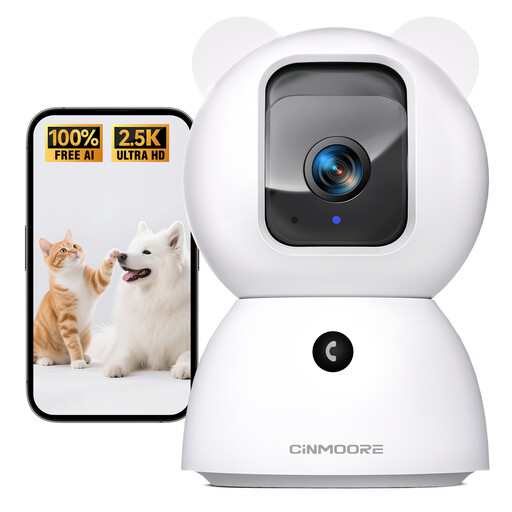 No image available
Consider this model if pet-related alerts are part of your room-monitoring needs. Its title specifies 2.5K, 4MP and 2.4GHz Wi-Fi; confirm that your intended connection supports the stated band. Check the card required for local recordings and the camera’s privacy and account controls before use.
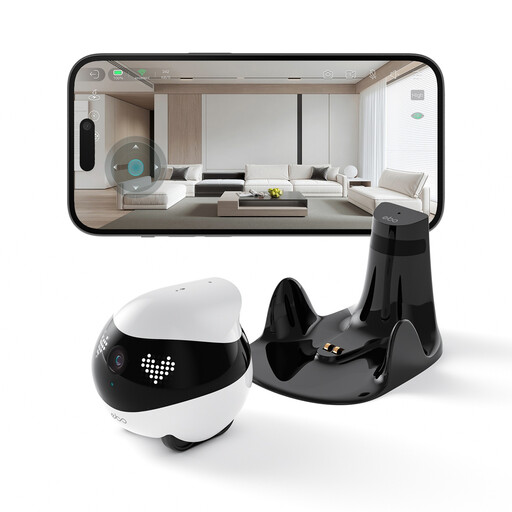 No image available
Remote movement offers a different way to check on a pet than a camera fixed in one position. Its usable view depends on a clear route across the floor; avoid blankets and cluttered areas, and leave a clear, flat place for its charging base. Check how recording and privacy controls behave while it moves.
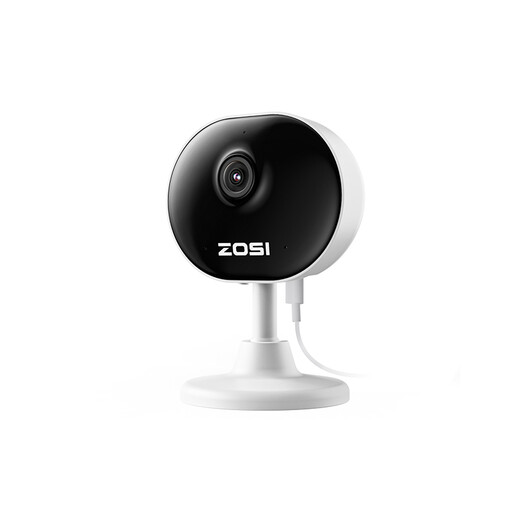 No image available
A fixed 1080P option for checking a pet or indoor room. If continuous recording matters, confirm the steady-power requirement and where recordings are saved, how they are played back and how long they remain available. Check the privacy settings for the intended position.
Aim it at your own indoor area instead where possible. The Information Commissioner’s Office advises home CCTV owners to position cameras to capture only their own property where possible; if a shared area could enter the view, reconsider the position and consult its home-CCTV guidance.
Explain what the camera covers and why it is used, and avoid recording more than the intended area. A cover, privacy mode or zones may help, but check what the exact control does and change the placement if visitors or a shared space would otherwise be captured unnecessarily.
Use a secure, unique account password, change any default device password and keep the software updated. The National Cyber Security Centre advises regular camera updates; if you do not need remote viewing, consider disabling it, while checking whether that also affects remote alerts or integrations you use.
A local-storage label alone does not tell you what happens during an outage. Check the exact model’s instructions for offline recording, the power it needs and whether you can access or retrieve footage before the connection returns.