Alert-focused flat renters
You want a phone notification when movement matters, rather than having to watch a live feed. Detection zones, selectable event types and notification controls are worth checking on the exact camera.


For a lived-in rented flat, prioritise motion alerts you can control and a way to stop monitoring when you want privacy. Consider battery-capable placement if a cable would be awkward, or a higher-detail camera if the activity you need to review is across a larger room. Check the exact model’s app, Wi-Fi and clip-storage requirements, and keep its view away from shared or neighbouring areas.
You want a phone notification when movement matters, rather than having to watch a live feed. Detection zones, selectable event types and notification controls are worth checking on the exact camera.
You want to stop monitoring deliberately while you are at home and keep the camera’s view out of communal or neighbouring areas.
You need a useful viewpoint without relying on a permanent mount or an inconvenient cable route. Battery-capable operation may help, provided its charging demands suit the amount of activity in the room.
Start with the alerts and privacy controls you will use day to day, then assess power and placement from the viewpoint you need.
| Concern | What to check | Who this matters to |
|---|---|---|
| Useful motion alerts | Check for phone notifications and configurable detection zones, event types or sensitivity on the exact model. | If I only need to know about movement in a particular part of the room, constant irrelevant alerts could make me stop paying attention. Around 31% of consumers put useful alerts first. |
| Privacy while at home | Check how a shutter or privacy mode stops monitoring and who can access the camera account. | When the camera is in a room I use every day, I want to stop it monitoring deliberately, accepting that it will not capture events while disabled. Roughly 25% of consumers make privacy control their primary concern. |
| Placement and power | Compare battery and wired operation, the stated battery-use conditions and the proposed position’s power and Wi-Fi access. | If my intended viewpoint has no convenient socket, flexible placement matters more to me than avoiding charging. Around 25% of consumers prioritise placement and power. |
| Detail across a larger room | Check the camera’s stated resolution, zoom and pan/tilt coverage against the distance and area you need to see. | If movement happens far from the camera, I need the resulting clip to show enough detail to review what happened. About 19% of consumers put room coverage and detail first. |
Notifications from activity outside the area you care about can become disruptive. A narrow detection zone, however, will not alert you to movement beyond it.
Check which zones and detection types the exact model offers, then test its notification settings in the room after setup. TP-Link notes that detection options vary between Tapo models.
A view through a doorway or window can capture people beyond your private-property boundary. GOV.UK says data-protection law applies when domestic CCTV captures people outside that boundary.
Aim the camera at the indoor area you need, and check its framing again after moving the camera or furniture.
Reolink’s claimed runtime of up to four months for the E1 Swift is based on five minutes of recordings per day; a busier position may demand more charging attention.
Consider how often movement will trigger recording at your chosen viewpoint, and compare that maintenance with a practical wired position.
Frequent motion events may mean charging the camera more often.
A phone notification and a recording you can review later are separate parts of the setup.
Check the exact model’s local-storage method, whether the required card or hub is included, and when a cloud plan is needed.
Tapo local storage requires separately purchased storage hardware, while its cloud clip storage requires a Tapo Care subscription.
Consider the Tapo C225 if you want a visible way to shield the lens in a frequently used room.
Its indoor pan/tilt models offer different answers to the placement question: the E1 Pro is a wired option, while the E1 Swift can use battery or wired power.
The Indoor Cam S350 is relevant when the activity you need to review is across a larger indoor area.
These indoor cameras cover phone-alert, adjustable-view and larger-room-detail needs. Compare their stated controls with the privacy and placement requirements of your flat.
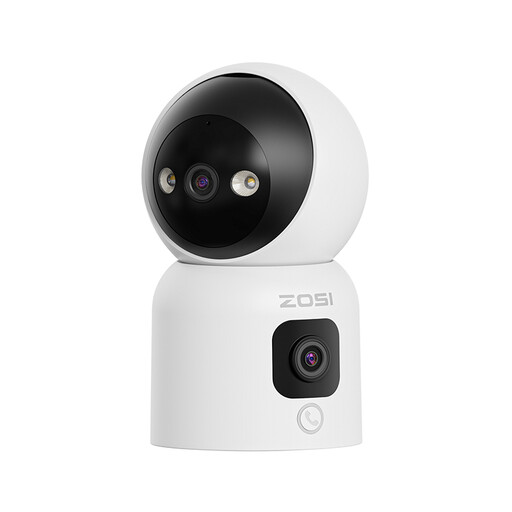 No image available
Consider this model if you want phone alerts and an adjustable view from a position with a suitable socket.
The title specifies two 2MP lenses, pan/tilt and two-way audio. Check whether its app offers the detection-zone and privacy controls you need.
 No image available
Consider this plug-in model if you want motion-detection picture alerts and app-based privacy masking in a room with accessible power.
The title specifies 2K video, auto tracking and two-way video. If stopping monitoring is important, check how its privacy masking works; also check the motion-zone controls.
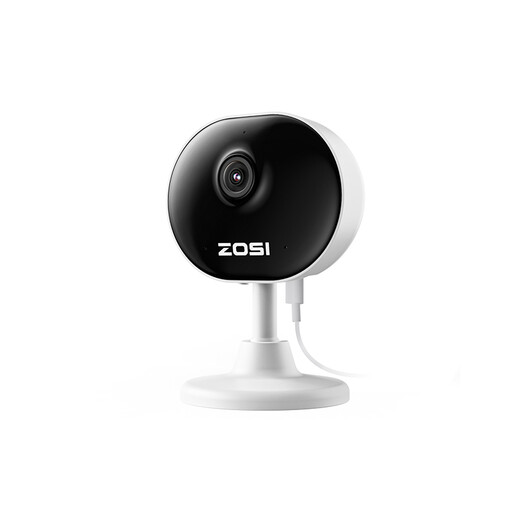 No image available
Consider this model if limiting alerts to a chosen part of the room is a priority; its listing describes customisable motion zones and phone notifications.
The title specifies 1080P video and human/motion detection. Check the power arrangement, how the proposed mounting surface will be affected, and whether you need a separate way to stop monitoring.
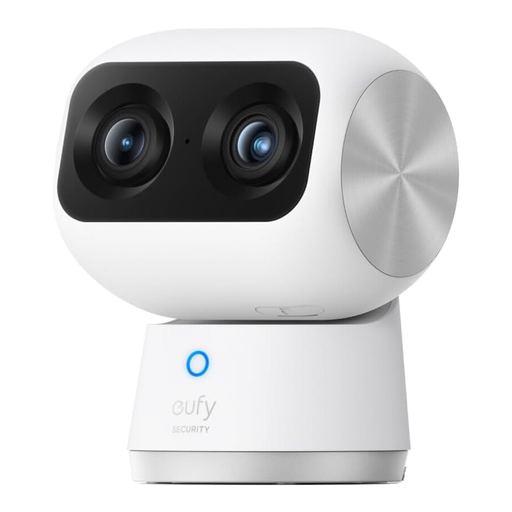 No image available
Consider the S350 when you need to review activity across a larger room and can place a corded camera near power.
eufy specifies a 4K wide-angle camera, 2K telephoto camera, 8× hybrid zoom and 355-degree pan and tilt. Check its detection-zone, privacy and clip-storage arrangements for your intended setup.
Keep its view within the area of your flat that you need to monitor. GOV.UK says UK GDPR and the Data Protection Act 2018 apply if domestic CCTV captures people beyond your private-property boundary, such as in a shared hallway. If installation would alter the property, check your tenancy agreement or seek permission.
Set a detection zone around the area that matters, choose the event types your camera supports and adjust sensitivity where available. Test notifications in the room after setup; TP-Link says detection-zone and event-type options vary between Tapo devices.
It depends on the camera and where you want to store clips. TP-Link says Tapo can save clips locally using compatible storage hardware purchased separately, while Tapo cloud uploads require a Tapo Care subscription. Check the exact model’s storage requirements and whether phone alerts need a plan.
Confirm that your phone can run the camera’s app and that your home Wi-Fi matches the exact model’s requirements. TP-Link says the Tapo app is available for iOS and Android; eufy specifies dual-band Wi-Fi 6 for the Indoor Cam S350.