
24/7 Customer Support

Free returns

Same-day & Next-day Delivery

Quality Guaranteed

Unlock Your Welcome Offers: FREE Delivery | Up to 80% OFF | Free 30-day JoyPlus trial
Download the APP
Keeping an eye on your home when you are not there provides a sense of security that is hard to put a price on. Whether you are a new parent wanting to check on your sleeping baby, a pet owner curious about your dog's daytime antics or a renter looking for a simple way to monitor your flat, an indoor security camera can offer valuable peace of mind.
However, the market is filled with options, each promising a host of features. This guide is designed to cut through the clutter, helping you understand the key features to look for and identify a camera that genuinely suits your needs. We will explore what makes a good wifi security camera and highlight a few models that stand out for their practical, user-friendly features.
Before diving into specific products, it helps to know what to look for. Here are a few key considerations to guide your decision.
The primary job of a security camera is to show you what is happening. Vague, grainy footage is of little use. Look for cameras with at least 1080p (Full HD) resolution, though many modern options now offer 2K or 4MP for even sharper detail. This clarity is essential whether you are trying to see if your baby is breathing peacefully or identifying an unexpected visitor.
Equally important is the camera's performance in the dark. A quality night vision camera is a must. Most use infrared (IR) LEDs to produce clear black-and-white images in total darkness. Some advanced models now offer full-colour night vision, which can capture crucial details like the colour of clothing, even in very low light.
Modern cameras are more than just passive recorders. Look for smart features that provide convenience and reduce unnecessary alerts.
For many, especially those in rented accommodation, ease of installation is paramount. Most indoor cameras are plug-and-play, requiring only a power socket and a connection to your home WiFi. If you want to monitor the outside from indoors, a dedicated window security camera with no-drill mounting and anti-glare technology is an excellent choice.
Consider how your footage will be stored. Many cameras offer local storage via a microSD card, which avoids monthly subscription fees. Cloud storage is also a popular option, providing secure, off-site backup of your recordings, often with a free trial period included.
Based on features that address common needs for parents, pet owners and renters, here are our recommendations.
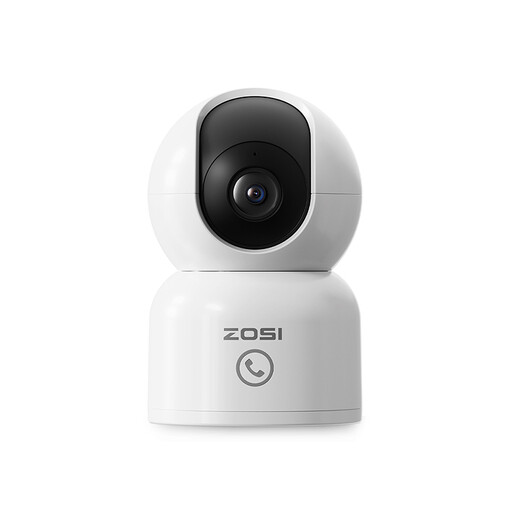
Why It Stands Out: This camera is a versatile all-rounder, combining high-resolution video with intelligent tracking and a unique communication feature. Its 2.5K 4MP resolution delivers crisp, clear images, making it an excellent choice for detailed monitoring.
Pros:
Who is it for?: This is a great option for parents looking for a high-quality baby monitor or pet owners who want a feature-rich pet camera to interact with and monitor their animals throughout the day.
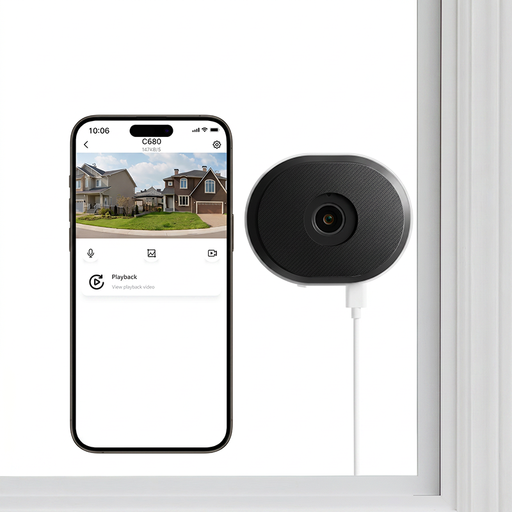
Why It Stands Out: This camera solves a common problem: recording clearly through glass. Its specialised anti-glare lens technology is designed to eliminate reflections from sunlight or indoor lights, delivering usable footage where other cameras fail.
Pros:
Who is it for?: Perfect for renters and homeowners in flats or houses who want to monitor their front garden, driveway or entrance from inside without drilling holes or compromising on image quality due to window glare.
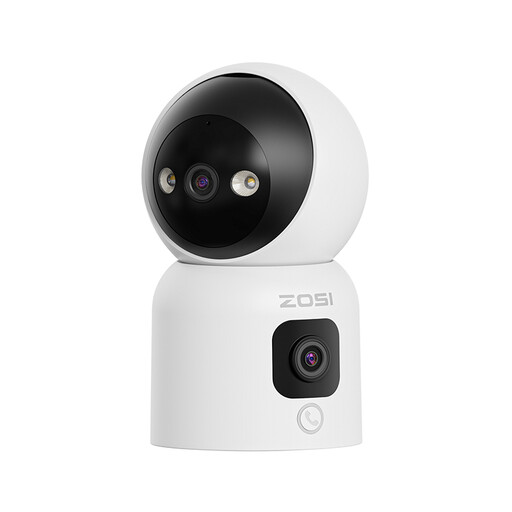
Why It Stands Out: This cctv camera indoor model offers comprehensive coverage with its innovative dual-lens system. One lens pans and tilts to cover every corner, while a second fixed lens provides a constant wide-angle view. Its gesture-calling feature is another standout for family-focused use.
Pros:
Who is it for?: An excellent choice for monitoring large, open-plan living areas or for families with children or elderly relatives, as the intuitive calling features make it easy for anyone to get in touch.
An indoor security camera is a key part of a modern smart home. While you are enhancing your home's security, consider completing your connected living space by exploring our range of home audio systems for immersive sound and smart control.
Not necessarily. Many models, including those featured here, support local storage via a microSD card (sold separately). This allows you to record and save footage without any monthly fees. Cloud storage is typically offered as an optional paid service for those who want the added security of off-site backups.
Yes, this is a core benefit. A security camera with app functionality connects to your smartphone or tablet via the internet. This means you can view the live feed, watch recorded clips and manage settings from anywhere in the world, as long as you have an internet connection.
Most modern indoor cameras are designed for simple, user-friendly installation. They are typically plug-in devices that connect to your home WiFi network. The setup process is guided by a mobile app and usually takes just a few minutes, with no need for professional assistance or complicated wiring.