
24/7 Customer Support

Free returns

Same-day & Next-day Delivery

Quality Guaranteed

Unlock Your Welcome Offers: FREE Delivery | Up to 80% OFF | Free 30-day JoyPlus trial
Download the APP
An indoor security camera can help you check on a sleeping baby, a pet left at home or activity in a hallway from your phone. However, product listings often make similar promises while hiding important differences in storage, Wi-Fi compatibility and subscription costs.
Joybuy Product Recommendation Officer guidance focuses on the details that affect everyday use, rather than promotional wording. Before choosing a camera, check these common pitfalls.
Some cameras offer free AI detection but charge for cloud video storage. Others allow recording to a Micro SD card, but the card is not included. Check exactly which functions are free:
A no-subscription security camera can reduce ongoing costs when local storage is supported, but you may need to buy a compatible card separately.
A 2K or 3K label describes image resolution, not the area visible in the room. A fixed camera may leave corners uncovered, while a pan and tilt security camera can be adjusted through the app.
Also check whether the stated resolution is native, the viewing angle and whether digital zoom reduces detail. For a nursery or living room, placement at the correct height may matter as much as the pixel count.
Many affordable indoor Wi-Fi cameras support only 2.4GHz Wi-Fi, which generally offers better range through walls but may require a separate network setting during installation. Some newer models support both 2.4GHz and 5GHz.
Before ordering, confirm that:
For general room monitoring, look for a clear live feed and IR night vision camera capability. Infrared night vision may show monochrome footage in darkness, while colour night vision requires some available light and may use an integrated light source.
A higher resolution can make faces, pet activity and small objects easier to distinguish, but lighting, lens quality and camera position still influence the result.
AI person and pet detection can reduce unnecessary alerts caused by shadows, curtains or moving toys. Some models also identify crying, smoke alarms or gas alarms. Treat these notifications as convenience features rather than a replacement for a dedicated smoke or carbon monoxide alarm.
Review whether detection happens locally on the camera or depends on cloud processing. Local processing may reduce the amount of footage uploaded, but privacy and security settings should still be checked.
A 2-way audio camera allows you to listen and speak through the app. Full-duplex audio can allow both sides to speak at the same time, although performance depends on network quality and microphone placement.
For recording, compare:
In the UK, consider household privacy as well as security. Avoid pointing an indoor camera towards windows, neighbours’ property or shared areas without a clear reason. Use strong, unique account credentials and enable two-factor authentication where available.
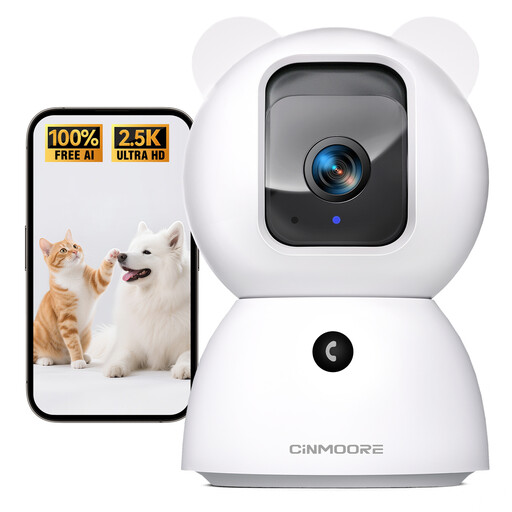
Why This Fits Their Persona: A practical starting point for renters, flat owners and families wanting app access, room coverage and local detection without committing to a monthly plan for AI features.
The listing specifies free local person, pet and baby-cry detection. Cloud storage may still involve a monthly fee, so buyers can use a Micro SD card for local recording instead.
2.5K video, pan and tilt control, full-duplex 2-way audio, IR and colour night vision, plus support for Micro SD recording up to 256GB.
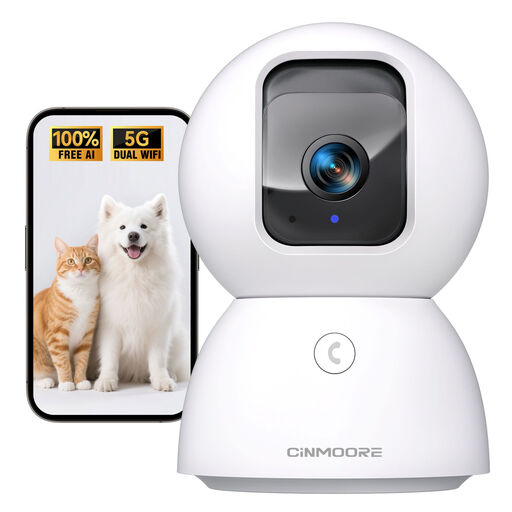
Why This Fits Their Persona: Suited to households prioritising higher stated resolution, broader Wi-Fi compatibility and local handling of selected detection features.
The product details specify 2.4GHz and 5GHz Wi-Fi support, helping avoid a purchase that cannot connect to a dual-band home network. Confirm app compatibility before ordering.
3K video, pan and tilt, full-duplex audio, night vision and Micro SD recording support up to 512GB. The listing also describes local storage for selected recognition features.
Why This Fits Their Persona: A suitable specification match for frequent monitoring of pets, children or several indoor areas where stable connectivity and extended local recording are priorities.
Its stated dual-band Wi-Fi support can be useful in homes where a 2.4GHz-only camera would be inconvenient. Local Micro SD recording also provides an alternative to relying solely on cloud plans.
Supports 24/7 recording to a Micro SD card, pan and tilt viewing, AI person/pet and cry detection features listed by the seller, and full-duplex 2-way audio.
We have compiled a complete, real-time list of products that fully satisfy these strict selection criteria and UK safety regulations.
Many indoor models can sit on a shelf, desk or cabinet and connect through a mobile app. Check the supplied mounting hardware and power-cable length. A mains-powered camera may need to remain near a socket, while cable placement should not create a trip or strangulation hazard around children and pets.
A mains-powered indoor Wi-Fi camera normally uses a small amount of electricity continuously, but actual running cost depends on its power rating and your tariff. Continuous recording, night lighting and frequent two-way audio may increase consumption. A camera with local motion recording can avoid unnecessary cloud usage, although it still requires power.
Lifespan varies with heat, dust, power quality, software support and how frequently the camera operates. Keep the unit ventilated, use the recommended adapter and update the app or firmware when appropriate. Before buying, check the warranty, replacement availability and whether the storage card is suitable for repeated recording.