
24/7 Customer Support

Free returns

Same-day & Next-day Delivery

Quality Guaranteed

Unlock Your Welcome Offers: FREE Delivery | Up to 80% OFF | Free 30-day JoyPlus trial
Download the APP
Keeping an eye on your home, whether you're in the next room or across the country, offers valuable peace of mind. You might be a new parent wanting to check on your sleeping baby, a pet owner curious about what your furry friend gets up to or simply someone looking to add an extra layer of security to your living space. With so many options available, finding the right indoor security camera can feel overwhelming.
This guide is designed to help you navigate the key features and find a camera that suits your specific needs and budget, without the confusing marketing jargon. We'll look at what matters most when choosing a device and highlight some practical recommendations.
Before diving into specific models, let's break down a few key considerations. Understanding these will help you make a more informed choice.
The clarity of the video feed is paramount. While 1080p (Full HD) is a common standard and provides clear, detailed images for general monitoring, a 2K indoor camera offers a significant step up in sharpness. This extra detail can be useful for zooming in on specific areas without losing clarity.
Beyond resolution, consider the camera's field of view. A static camera covers one fixed area, which might be all you need for a small room or entryway. However, a pan tilt security camera offers far greater flexibility. These models can be remotely controlled to rotate horizontally (pan) and vertically (tilt), allowing you to survey an entire room with a single device.
How your camera is powered and where it stores footage are practical details that impact convenience and cost.
Today's cameras do more than just record. Smart features can provide more relevant and timely information.
Here are a few standout options that cater to different needs and priorities, from all-round performers to specialised devices.
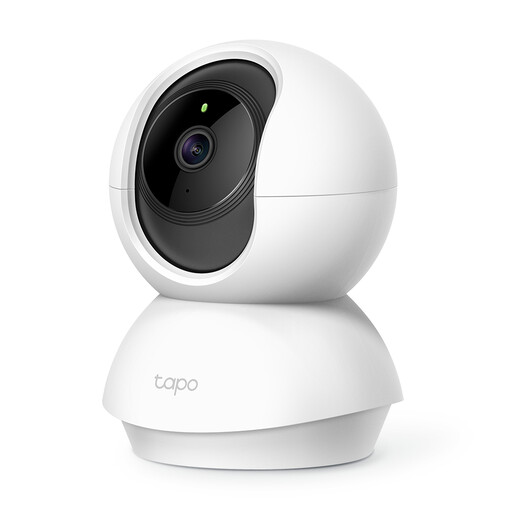
Why It Stands Out: The Tapo C200 is a versatile and accessible choice that covers all the essential bases. Its pan and tilt functionality provides a complete 360° view, ensuring no blind spots in a room. The inclusion of baby crying detection makes it a dual-purpose device for both security and nursery monitoring.
Pros:
Who is it for? An excellent starting point for anyone needing reliable, whole-room coverage without a hefty price tag. It's particularly well-suited for new parents or those wanting a general-purpose WiFi camera for home.
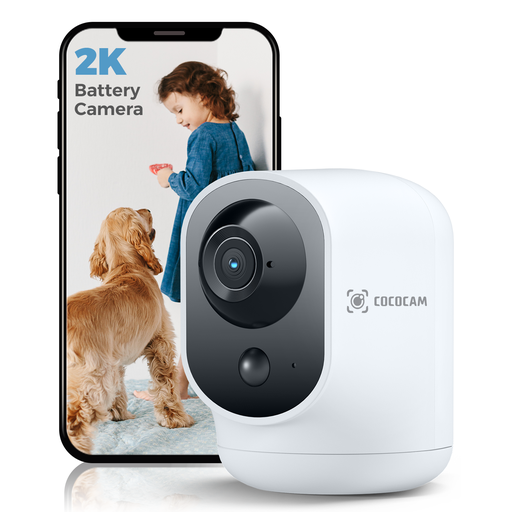
Why It Stands Out: This camera’s main advantage is its built-in 5200mAh rechargeable battery. This liberates you from power cables, allowing you to place it anywhere you need—on a bookshelf, a mantelpiece or in a temporary spot to watch a pet. Combined with its sharp 2K resolution, it offers both high quality and high flexibility.
Pros:
Who is it for? Ideal for renters or homeowners who need the freedom to place a camera without being tied to a power socket. Its higher resolution and smart detection make it a great choice for security-conscious users.
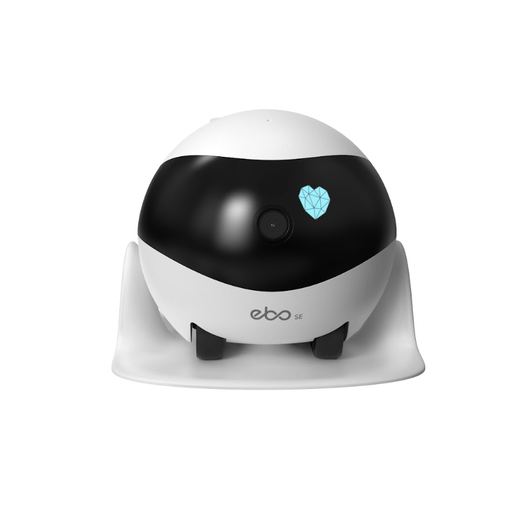
Why It Stands Out: The Enabot EBO SE is more than just a static camera; it's a mobile monitoring robot. You can drive it remotely around your home using a smartphone app to check on pets or look for security issues. Its auto-patrol function can automatically tour your home and return to its dock to charge, offering a unique, interactive way to monitor your space.
Pros:
Who is it for? Primarily designed for pet owners who want to interact with their animals while away. It's also a compelling gadget for tech enthusiasts looking for a dynamic and engaging security solution.
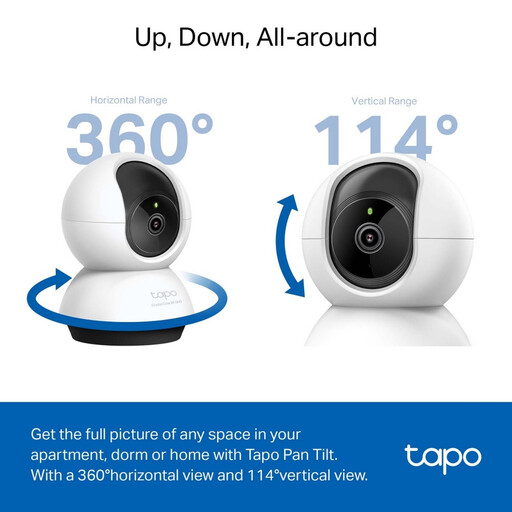
Why It Stands Out: The Tapo C220 builds on the strengths of the C200 by upgrading the resolution to a very sharp 2K QHD (1440p) and incorporating more advanced Smart AI Detection. It can intelligently identify people, pets and specific sounds, sending you more meaningful notifications. The physical privacy mode, which rotates the lens into the housing, is a welcome addition for guaranteed privacy.
Pros:
Who is it for? Users who prioritise image clarity and intelligent, specific alerts. It’s an excellent upgrade for those who want a more powerful and smarter monitoring tool for their home.
If you haven't found the perfect match here, or if you're interested in exploring different types of cameras, there are many other models to consider.
? Explore our full range of Smart Home Cameras to find a device that fits your exact requirements.
1. Do indoor security cameras require a monthly subscription? Not necessarily. While many brands offer optional cloud storage subscriptions, all the cameras recommended above support local storage via a microSD card. This allows you to record and store footage without any recurring monthly fees, giving you a cost-effective and private solution.
2. Can I use an indoor security camera as a baby monitor? Yes, many modern indoor cameras are excellent for this purpose. Look for models with features like baby crying detection, high-quality night vision and two-way audio to soothe your child from another room. A pan tilt security camera is also useful for scanning the entire nursery.
3. How difficult is it to set up a WiFi camera for home use? Setup is generally straightforward. Most cameras are configured using a dedicated smartphone app. The process typically involves creating an account, plugging in the camera and following the on-screen instructions to connect it to your home's 2.4GHz Wi-Fi network. You can usually be up and running in just a few minutes.