Schedule coordinators with limited desk space
If one shared desk must accommodate A4 printing, copying and scanning, measure the space needed to load paper, collect output and open the scanner as well as the printer body.


For frequently revised A4 room schedules, choose a print, copy and scan inkjet with automatic double-sided printing if it fits the desk while in use. An Epson Expression Home XP-4200 offers that combination in a compact model; a Brother DCP-J1360DW adds a larger paper tray and document feeder for shared administration, but its working space needs checking. For occasional one-sided schedules, those extra paper-handling features may matter less.
If one shared desk must accommodate A4 printing, copying and scanning, measure the space needed to load paper, collect output and open the scanner as well as the printer body.
Automatic double-sided printing avoids turning sheets by hand when schedules need regular reprinting. Epson specifies it for the XP-4200 and Brother for the DCP-J1360DW; HP lists no duplexer for the DeskJet 2820.
If schedules come with forms or other documents to copy or scan, paper handling may matter more than the smallest closed footprint. Brother specifies a 150-sheet tray and 20-sheet automatic document feeder for the DCP-J1360DW.
For A4 schedules on a limited shared desk, establish the working space first, then decide how often double-sided printing, access from several devices and document handling will be needed.
| Concern | What to check | Who this matters to |
|---|---|---|
| Working footprint | Check body dimensions and the clearance needed for trays, cables and the scanner lid. | If the printer stays on a crowded shared desk, I need to use it without moving other equipment; roughly 31% of consumers would put working space first. |
| Repeated schedule printing | Confirm automatic double-sided printing for the A4 paper you intend to use. | When schedules change often, turning sheets by hand interrupts each print run. Around 31% of consumers would make easier double-sided printing their primary concern. |
| Shared wireless access | Check the supported connection methods and compatibility with the devices used to edit schedules. | If several people send updates from different devices, I need a connection each of them can use; approximately 23% of consumers would prioritise shared access. |
| Document handling | Compare paper capacity and whether an automatic document feeder is needed for scanning or copying. | Schedules accompanied by multi-page forms make repeated paper loading and scanning inconvenient. For about 15% of consumers, document handling would come first. |
A printer that fits while idle may need substantially more depth when printing. HP Support lists maximum dimensions of 425 × 546 × 250 mm for the DeskJet 2820 with its output extension fully out.
Measure the desk with room for paper movement, the extended output support, scanner access and cables before ordering.
Print, copy and scan functions do not establish duplex capability. Epson and Brother specify automatic double-sided printing for the XP-4200 and DCP-J1360DW respectively, while HP Support lists no duplexer for the DeskJet 2820.
Check for an explicit automatic double-sided specification that covers A4 and your intended paper type.
Without automatic duplex, making double-sided schedules requires turning sheets by hand.
An introductory subscription offer is separate from the printer’s everyday functions. Plan conditions can affect page allowances, ink supply and what happens after a trial.
Check the allowance, cancellation conditions and whether the exact printer can be used without enrolling.
Canon UK Store marks the PIXMA TS5150 as discontinued and permanently unavailable. Its features may still help frame a comparison, but that listing is not a current purchase option.
Confirm the availability and exact variant of a model you intend to order.
The Expression Home XP-4200 is a compact A4 print, copy and scan option for regular schedule updates.
The DCP-J1360DW is relevant when a shared workspace also handles supporting documents.
The DeskJet 2820 provides an A4 print, copy and scan reference for less frequent, one-sided schedules.
These inkjets span compact wireless printing and models to consider when shared document handling matters. Compare each one’s double-sided printing requirements and working space with the way you issue room schedules.
 Image unavailable
Consider this model if schedules are part of broader shared-office printing. Confirm its A4 double-sided printing and paper-handling features for your tasks, and measure the space needed with trays and scanner access in use.
 Image unavailable
Wireless printing is relevant if several people update the schedules. Before choosing it for frequent double-sided A4 runs, confirm the supported duplex paper conditions and allow room to load and collect sheets.
 Image unavailable
An A4 multifunction option with Wi-Fi for schedules and related paperwork. Confirm its double-sided printing and document-feeding features for your workload; check the actual footprint and operating clearance before assigning it a small desk.
 Image unavailable
For regularly revised schedules, Epson specifies automatic double-sided A4 printing, wireless access, copying and scanning for the XP-4200. Confirm the correct dimensions for this listing and leave room for paper handling and the scanner lid.
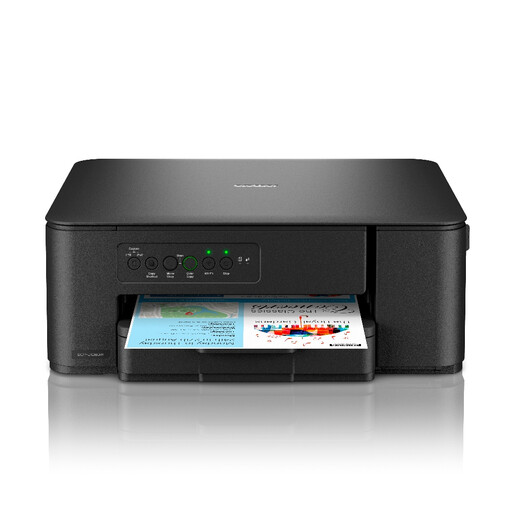 Image unavailable
Consider this wireless model for occasional schedules if manually turning sheets for double-sided copies is acceptable. Check its working clearance before placing it on a shared desk.
Prioritise it if schedules are revised or distributed often and you want to avoid turning sheets by hand. Epson specifies automatic double-sided A4 printing for the XP-4200 and Brother for the DCP-J1360DW; HP Support lists no duplexer for the DeskJet 2820, which is more appropriate when one-sided printing meets your needs.
Measure the space it needs while working, including the paper path, output extension, scanner lid and connections. For perspective, HP Support lists a maximum depth of 546 mm for the DeskJet 2820 with its output extension fully out; use the dimensions and clearances of the exact model you plan to buy.
Check the contents of the exact listing before relying on a cable. A Joybuy listing for the Epson Expression Home XP-4200 says a USB printer cable is not included; also confirm that your chosen printer supports the wired connection you need.
Check the page allowance, what happens when an introductory period ends, cancellation terms and whether the printer can be used without the plan. If considering HP+, check its internet-connection and Original HP Ink cartridge conditions for the exact model and offer.