What matters when choosing
Start with the exact game’s input requirements, then narrow the choice by device and connection. Once those fit, consider which controls you can use comfortably without looking down.
| Concern |
What to check |
Who this matters to |
| Game and device compatibility |
Check the exact game edition’s controller-support label and whether its main interactions require typing. Match the controller’s stated connection to your device. |
If my story game needs typed responses, a controller that connects to my device may still leave me reaching for another input. Around 38% of consumers would put game-and-device compatibility first. |
| Finding controls by touch |
Try locating the D-pad, face buttons, bumpers and menu controls without looking; assess the grip and button spacing for your hands. |
During a reading-led session in the dark, I want to find the next choice without searching for a button. For around 37% of consumers, touch-friendly control is the primary concern. |
| Remapping and setup |
Confirm how mapping works on your platform and connection, and whether the cable or adapter you need is included. |
If confirm or back feels awkward to reach, I would rather simplify those inputs than choose features the game cannot use. Around 25% of consumers would prioritise configurable, straightforward controls. |
Controllers on Joybuy
These controllers cover several possible setups for story games, including Xbox or PC, a compatible Type-C phone, PS4 or PC, and PS5 with other supported devices. Choose by your actual device and game before considering how the controls feel in the dark.
 No image available
Xbox Wireless Controller – Robot White
Consider this standard Xbox controller for an Xbox or Windows story game once you have checked that the game accepts controller input.
Xbox lists a hybrid D-pad, textured controls, Xbox Wireless and Bluetooth for this controller line. The standard controller uses AA batteries; for remapping on Windows, check the connection required by the Xbox Accessories app.
View on Joybuy
 No image available
Microsoft Xbox Elite Wireless Controller Series 2
This is an Xbox One, Xbox Series X/S and PC option if adjusting your controls matters to you; check which configuration features you would use for your game.
Xbox says most Accessories app features on Windows are not supported over Bluetooth. Check the connection you will use for setup rather than assuming wireless play and configuration work in the same way.
View on Joybuy
 No image available
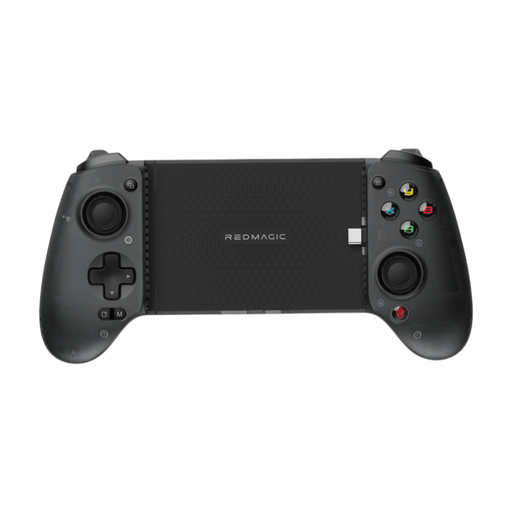
REDMAGIC Shadow Blade Gamepad 2.0 – Type-C
Consider this mobile gamepad only if your intended iPhone or Android setup has a compatible Type-C connection and the game accepts controller input.
Check the fit of your particular phone and any adapter needed before choosing it for reading-led play.
View on Joybuy
 No image available
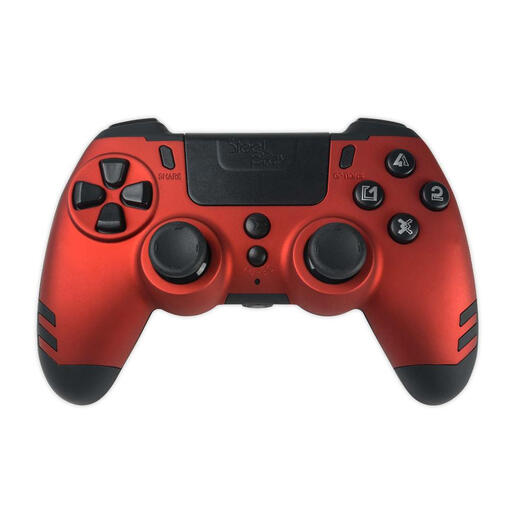
Lexip SteelPlay Slim Pack Wireless Controller – Ruby Red
This PS4 and PC controller is worth considering if those are your play devices and you prefer a wireless model.
Confirm support for the exact game. If you intend to use it with an Android device, check that device-and-game combination separately.
View on Joybuy
 No image available
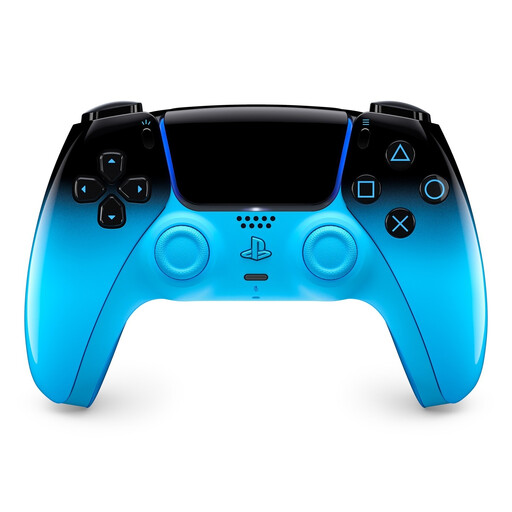
Sony DualSense Wireless Controller – HYPERPOP Rhythm Blue
Consider DualSense if you play on PS5 and want a controller Sony also lists for PC, Mac and mobile devices, subject to each game’s support.
Sony says haptics and adaptive triggers may require USB and a compatible game. Confirm the colour variant before purchase, as the product information gives differing colour names.
View on Joybuy
Frequently asked questions
Will every interactive-fiction game work well with a controller?
No: check the exact title’s controls, not just its genre. Steam lists full controller support for Herald: The Interactive Period Drama, but OMEA describes typing or speaking actions, so another input may remain important even where controller support is listed.
Which controller makes sense for both Xbox and Windows?
An Xbox Wireless Controller is a straightforward place to start because Xbox lists it for both platforms. If you want to remap buttons on Windows, note Xbox’s warning that most Accessories app features are not supported over Bluetooth; check whether USB or an Xbox Wireless Adapter fits your setup.
Do DualSense haptics and adaptive triggers matter for interactive fiction?
Treat them as optional unless your chosen game supports them and you want those effects. Sony says these features may require a USB connection and a compatible game, so they should not take priority over working controls for the title you intend to play.
How can I use a controller more easily in a dark room?
Learn where the D-pad, face buttons, bumpers and menu buttons sit while the room is lit, then check whether you can find them by touch. If reaching an action remains awkward, look at supported remapping options; do not assume a controller’s lights illuminate its button labels.


