Buy a controller only after checking that your interactive-fiction game accepts gamepad input; otherwise, keyboard and mouse may be the more useful choice. If the game supports a controller, match one to your device and preferred connection before considering features such as haptics or remappable buttons. In a student room, also plan for power, cables and considerate audio.
Who might use a controller?
Laptop or Android players
If you play interactive fiction on Windows or Android, choose a connection mode specified for your device and check the game’s controls before buying. Microsoft and 8BitDo list different device and connection options for their controllers.
PS5-first story-game players
If PS5 is your main device, DualSense is the PlayStation controller route. PlayStation also describes use with supported computers and mobile devices, but some features depend on the game and connection.
Players in shared accommodation
A controller can suit a compact student-room setup, but wireless play does not make game audio quiet. Use headphones where needed and follow your own accommodation’s noise rules; the University of Edinburgh’s policy is an example of a residence-specific rule, not a rule for every student room.
What matters when choosing?
Start with the game’s input options, then check device compatibility. Connection, power and room setup matter once you know a controller will be usable.
| Concern |
What to check |
Who this matters to |
| Game and device compatibility |
Check the title’s gamepad controls, then the controller’s stated platform and connection mode. Steam says gamepad-only input styles work only with games that support a gamepad. |
If I mainly play a text-heavy game on my laptop, I need to know whether its actions work with a controller at all. Around 39% of consumers put game and device compatibility first. |
| Room setup and power |
Check the required cable or wireless receiver, available ports, and whether the controller uses charging or replaceable batteries. Plan to use headphones when audio could disturb others. |
In a shared room, I want controls that fit my desk without overlooking charging or disturbing a neighbour. For around 23% of consumers, the room setup and power arrangement are the primary concern. |
| PS5 and DualSense features |
Confirm the device and game. PlayStation says adaptive triggers need game support; PC haptic feedback needs both game support and USB. |
If PS5 is where I usually play, I want the same controller to make sense on my other supported devices without assuming identical features. Around 23% of consumers put PS5 use and supported DualSense features first. |
| Windows or Android customisation |
For the 8BitDo Ultimate 2C Wireless, check your operating-system version, the specified connection mode and whether remapping would help with your game’s controls. |
When I play on Windows or Android, I may value adjustable buttons and a connection that suits that device more than console-specific features. Customisation is the leading need for around 15% of consumers. |
Mistakes to avoid
-
Buying before checking the game’s controls
A controller connecting to your PC does not mean an interactive-fiction title has usable gamepad controls. Steam notes that gamepad-only input styles require a game that supports them.
Check the game’s stated controller support and control scheme. Keep keyboard and mouse as your primary option if the title relies on text entry or lacks suitable gamepad input.
-
Expecting every DualSense feature over Bluetooth on PC
PlayStation says adaptive triggers require game support, while PC haptic feedback requires both game support and a USB connection.
If either feature matters to you, check the individual game’s support and whether you can use USB on your PC.
-
Assuming wireless play solves late-night noise
Removing a controller cable does not reduce audible game sound. Noise requirements also depend on your own accommodation.
Use headphones when needed, consider whether vibration carries through your desk or bed frame, and follow your residence’s rules rather than another institution’s policy.
-
Overlooking seller and product information
An unclear listing makes it harder to assess an electrical controller before ordering. GOV.UK advises consumers to look for appropriate marking and the manufacturer’s name and address.
Check the seller and the available product information, including instructions and warnings, before purchase.
Brands to consider for these devices
Xbox
The Xbox Wireless Controller is relevant if you use an Xbox console, Windows PC, Android or iOS.
- Microsoft lists Xbox Wireless and Bluetooth connectivity, a hybrid D-pad and button mapping for the controller.
- Its device compatibility does not establish gamepad support in a particular interactive-fiction title.
PlayStation
DualSense is the PS5 controller route and can connect to supported computers and mobile devices.
- PlayStation describes Bluetooth and USB-C connection options for supported devices.
- Adaptive triggers need game support, and PC haptic feedback also requires USB; do not assume the same features work in every game or connection mode.
8BitDo
The Ultimate 2C Wireless is a Windows and Android route for readers interested in connection choices and button mapping.
- 8BitDo specifies 2.4G and wired use on Windows, Bluetooth use on Android, and custom mapping for this model.
- Those stated device options do not make the Ultimate 2C Wireless a PS5 or Xbox console controller.
Joybuy controller choices
These controllers cover different ways to play on consoles, computers or compatible mobile devices. Choose the device and game first: a controller’s connection options cannot add gamepad controls to a title that lacks them.
 No image available
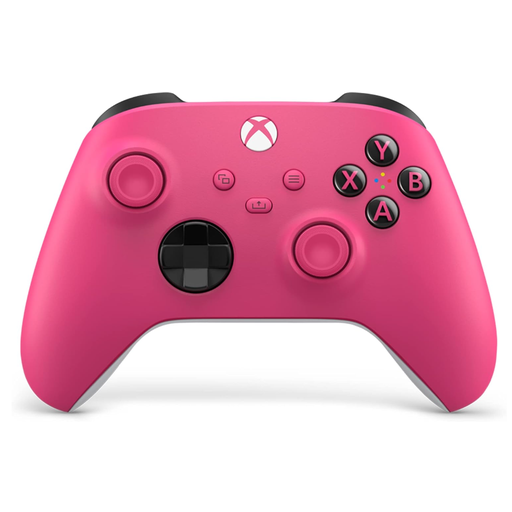
Xbox Wireless Controller – Deep Pink
Consider this model if you play on an Xbox console or another device listed by Microsoft for the Xbox Wireless Controller. Check your game’s input support and the power arrangement you want for your room setup.
View on Joybuy
 No image available
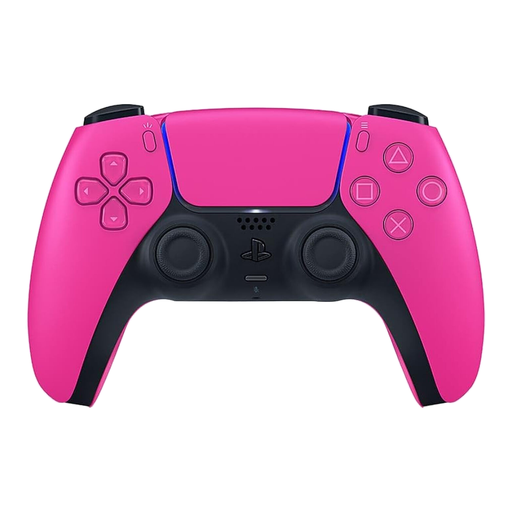
Sony PlayStation DualSense Wireless Controller V3 – Nova Pink
This PS5 controller is a route for players who may also use a supported computer or mobile device. Check the game before relying on adaptive triggers; PlayStation says PC haptic feedback requires game support and USB.
View on Joybuy
 No image available
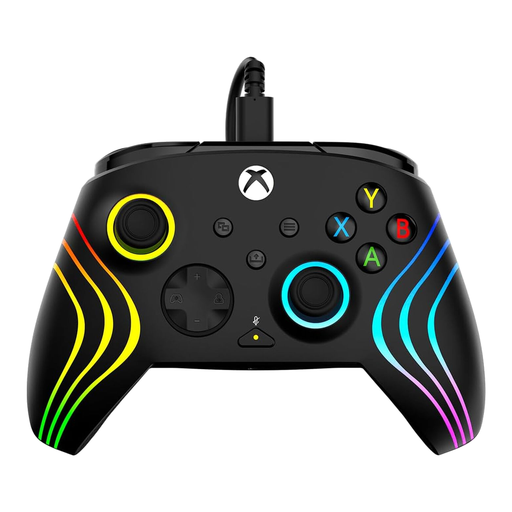
Turtle Beach Afterglow Wave Wired Controller for Xbox – Black
A wired Xbox controller may suit a setup where keeping a cable connected is convenient. If you plan to play on a PC, check its connection requirements, the available port and your game’s controller support.
View on Joybuy
 No image available
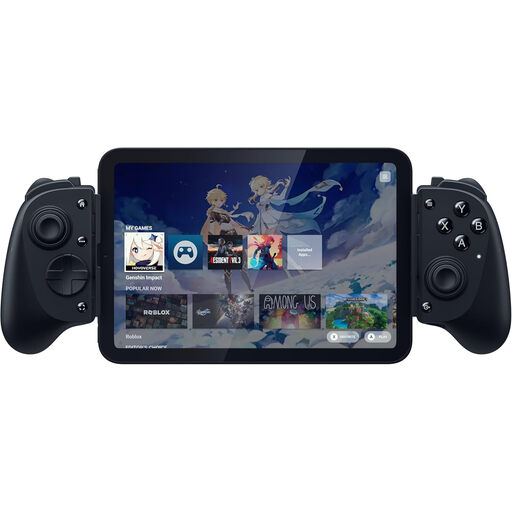
Razer Kishi V3 Pro Full-Size Mobile Controller (8-inch)
Consider this mobile controller if you play on a compatible phone or tablet. Confirm your exact device’s physical fit and USB-C connection; if you intend to use it directly with a PC, check the cable requirement as well.
View on Joybuy
 No image available
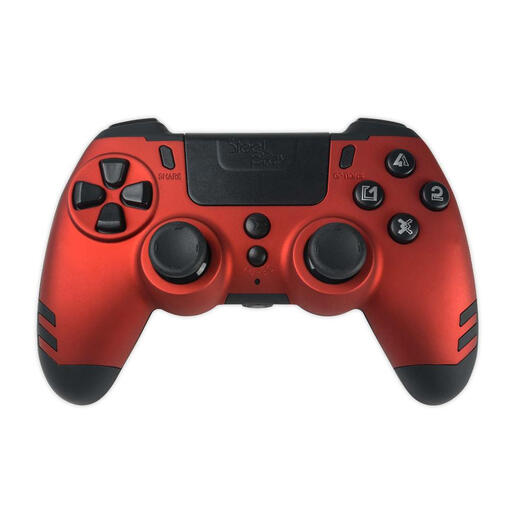
Lexip SteelPlay Slim Pack Wireless Controller – Ruby Red (PS4, PC)
This PS4 and PC controller is worth considering if those are your playing devices. Before choosing wireless use for a student room, confirm its connection and power requirements alongside your game’s controller support.
View on Joybuy
Common questions
Will any controller work with interactive fiction on PC?
No: the individual game needs usable controller input. Steam says gamepad-only input styles work only with games that support a gamepad, so check the title’s controls and keep keyboard and mouse in mind for text-heavy or unsupported games.
Can I connect DualSense to a laptop or phone?
Yes, on devices PlayStation lists as supported, using the applicable Bluetooth or USB-C connection. Check your device and game before buying, and expect to pair the controller again when switching devices.
Do DualSense haptics and adaptive triggers work in every PC game?
No. PlayStation says adaptive triggers need game support, while haptic feedback on PC needs both game support and a USB connection; Bluetooth pairing alone does not establish that those features will work.
What should I check on a UK controller listing?
Check the seller and the product information, including appropriate marking and the manufacturer’s name and address. GOV.UK identifies those details as important checks when buying consumer products; do not assume a listing’s compatibility claims answer every safety or device question.
Can an old controller or battery go in household rubbish?
No. GOV.UK advises against putting electrical products and batteries in household rubbish; use an appropriate electrical or battery recycling collection point.


