For interactive fiction at a small desk, start by checking whether a compact monitor and its stand will fit at a comfortable viewing distance. At around 24 inches, QHD gives you more room for a game alongside notes or a guide, while Full HD favours larger default text; an adjustable stand matters whichever resolution you choose. Consider USB-C hub features separately if you use a compatible laptop.
Who this choice affects
Text-first interactive-fiction players
If most of your session involves passages, choices, maps and notes, focus on text size, screen placement and reflections before gaming-oriented motion specifications. The Health and Safety Executive’s screen-positioning guidance is useful when planning longer seated sessions.
Small-desk laptop users
A monitor has to leave room for the laptop, keyboard and a workable viewing distance. Measure the space taken by the stand; if a single-cable connection appeals, check the laptop’s video output and charging requirements against the exact monitor.
Players who also use conventional games
Text-led games may be the main use, but scrolling, video and occasional motion-heavy games can make refresh rate more relevant. Decide how much those other uses matter before choosing a display chiefly for its refresh specification.
What to prioritise
Settle the screen’s position and text scale first, then check whether its stand and connections work on your desk. QHD and Full HD are alternative resolutions at this size; USB-C is a separate connection choice that can accompany either one.
| Concern |
What to check |
Who it matters to |
| Reading position |
Check stand height and tilt against your seating position; consider mounting only after confirming the monitor, arm and desk are compatible. |
For long passages, I need to place the screen where I can read without an awkward posture. Roughly 42% of consumers put reading position first. |
| Text workspace |
Compare QHD and Full HD at the same screen size, then check operating-system scaling and the game’s text controls. |
When I keep notes or a map beside the game, I want enough room without making the words too small. About 33% of consumers prioritise text workspace. |
| Desk fit and connections |
Measure usable desk depth against the monitor-with-stand dimensions; for USB-C, check laptop video output and required charging power. |
On a crowded desk, I need the display to fit and my laptop connections to work without getting in the way. For around 25% of consumers, desk fit and connections are the primary concern. |
Buying pitfalls
-
Choosing by refresh rate alone
For predominantly text-led play, the difference between the reviewed 75 Hz and 100 Hz models may matter less to your decision than resolution, screen position or connectivity. Refresh rate becomes more important if you also regularly play motion-heavy games.
Choose a comfortable text scale and workable physical setup first; then compare refresh rates for your other games.
-
Assuming QHD always makes text easier to read
At the same 23.8-inch size, QHD offers more pixels than Full HD, but unscaled text and interface elements can appear smaller.
Check the game’s text-size controls and your preferred operating-system scaling. If larger default text matters more than fitting extra windows, consider Full HD.
-
Checking screen size but not stand depth
A compact diagonal does not establish whether the base leaves enough desk space or places the screen at a suitable distance. The Health and Safety Executive advises positioning a computer screen directly in front of you, with its top around eye level and the screen roughly an arm’s length away.
Compare the exact with-stand dimensions with your usable desk space. If considering an arm, check the monitor’s VESA pattern and the arm’s and desk’s compatibility.
A compatible arm may be needed if the supplied stand cannot put the screen in a suitable position.
-
Assuming any USB-C port will provide a single-cable setup
A hub monitor only simplifies a laptop setup when the laptop supports the required video connection and the monitor’s power delivery meets its charging needs.
Check the laptop’s USB-C display-output capability and charging requirement against the exact monitor’s specifications before ordering.
Brands to consider
These model-specific examples illustrate the resolution, adjustment and connection choices; a brand name alone does not establish how another model will fit your desk.
Dell
Dell’s P2425D and P2425HE illustrate different compact-monitor routes, according to Dell UK’s model information.
- The 23.8-inch P2425D pairs 2560 × 1440 QHD at 100 Hz with 150 mm height adjustment, swivel and pivot.
- The P2425HE is a distinct Full HD USB-C hub model with power delivery up to 90 W; do not assume it has the P2425D’s QHD resolution, or that the P2425D has the same hub features.
BenQ
BenQ’s GW2490T is a 23.8-inch Full HD IPS example with adjustable positioning and text-oriented display modes, according to BenQ UK.
- It lists 100 Hz refresh, a matte coating, 110 mm height adjustment, pivot and 100 × 100 mm VESA mounting.
- Its 1920 × 1080 resolution gives less pixel workspace than a same-size QHD screen. Its display modes do not replace suitable text sizing and screen placement.
ASUS
The ASUS VA24EQSB is a 23.8-inch Full HD IPS example for comparing adjustment and connection options.
- ASUS lists 130 mm height adjustment, swivel, pivot, 100 × 100 mm VESA mounting, HDMI, DisplayPort, VGA and a USB hub for this model.
- Its listed maximum refresh rate is 75 Hz, and Full HD offers less pixel workspace than the 23.8-inch QHD Dell P2425D.
Joybuy monitors for this setup
These Joybuy-listed monitors offer compact QHD, WUXGA or Full HD choices to consider for text-led play. Compare each model’s with-stand dimensions and any laptop connection requirements before deciding which fits your desk.
 Image unavailable
ASUS ProArt PA24ACRV IPS QHD
Consider this QHD model if you want room for game text alongside notes or a browser; check that scaling keeps the text comfortable to read.
Measure its with-stand footprint against your desk before ordering.
View on Joybuy
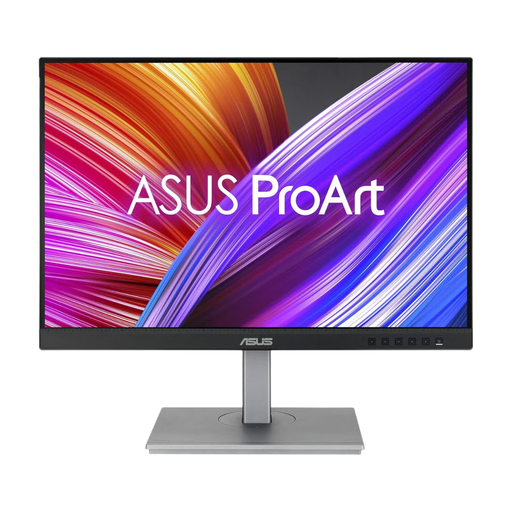 Image unavailable
ASUS ProArt PA248CNV IPS WUXGA
The WUXGA format is worth considering if vertical room for passages and notes is a priority.
Compare the monitor’s with-stand dimensions with your desk; if using a laptop over USB-C, confirm its video-output and charging compatibility.
View on Joybuy
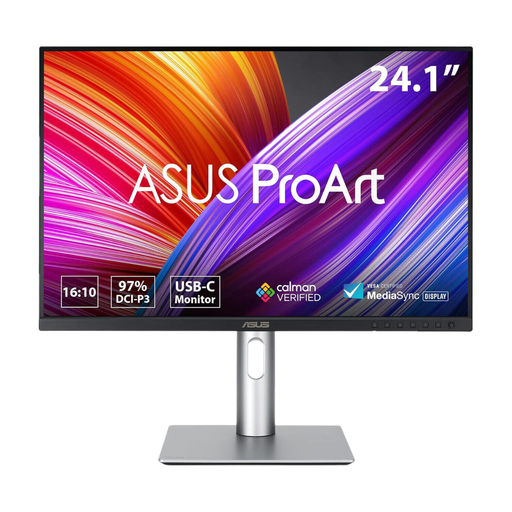 Image unavailable
ASUS ProArt PA248CRV IPS WUXGA
This WUXGA option may suit a reading setup where vertical text space matters; assess its text scale at your intended viewing distance.
Check its with-stand dimensions before choosing it for a shallow desk. Confirm laptop compatibility and regional hub features if those connections are part of your plan.
View on Joybuy
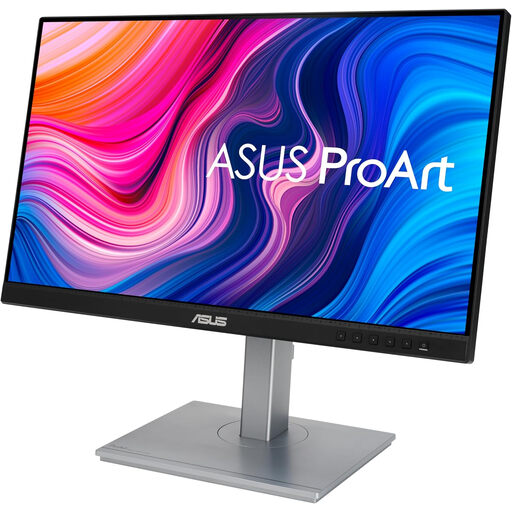 Image unavailable
ASUS ProArt PA247CV IPS Full HD 75 Hz
Consider this Full HD model if larger default text matters more to you than the extra pixel workspace of QHD at a similar size.
Its title specifies 75 Hz. Check the listed with-stand dimensions against your available depth and intended viewing distance.
View on Joybuy
 Image unavailable
Dell 24 Monitor P2425, 61 cm (24.0 in)
If this model interests you for reading and notes, check its display format and the approximate with-stand dimensions against your preferred setup.
Confirm the exact refresh rate before relying on it for motion-heavy games, and check USB-C charging capability separately if your laptop needs it.
View on Joybuy
Common questions
Do I need a high-refresh gaming monitor for interactive fiction?
Not for predominantly text-led play. Prioritise readable text, desk fit and screen adjustment; compare higher refresh rates if you also regularly play motion-heavy games.
Should I choose QHD or Full HD at around 24 inches?
Choose QHD when extra room for notes, maps or a browser matters and you can keep text comfortably sized through scaling or game settings. Full HD is worth considering if larger default interface elements matter more; neither choice removes the need to check your viewing distance and text preference.
How do I check whether a monitor will work on my small desk?
Compare the exact monitor-with-stand dimensions with your usable width and depth, leaving room for a comfortable viewing distance. The Health and Safety Executive advises placing a screen directly in front of you, with its top around eye level and roughly an arm’s length away; check stand adjustment or compatible mounting against that position.
Do UK display-screen rules matter if I also use the monitor for work?
They can matter for work use, not simply because you bought a monitor for personal gaming. The Health and Safety Executive says the Display Screen Equipment Regulations apply to workers who use display screen equipment daily for continuous periods of an hour or more; assess your work pattern against that scope.


