Choose the link to the outbuilding before selecting equipment for Wi-Fi inside it. If a suitable cable route is feasible, Ethernet paired with a room-side access point avoids relying on a wireless link across the garden; otherwise assess a paired bridge, an outdoor access point only where it has usable backhaul, or a mobile router if reception at the workspace is adequate. Ofcom says a wired connection is usually faster and more reliable, but distance, walls, installation and power arrangements still affect what will work at a particular property.
Who may need a separate-workspace connection?
People who work regularly in an outbuilding
If calls or connected work depend on the separate room, establish a dependable link to it before choosing its local Wi-Fi equipment. A BT Community question about a stable-yard room illustrates how coverage outside a house may still fall short of the workspace.
Households looking to avoid a cable between buildings
If routing a cable across the property is not practical, a paired wireless bridge may be worth assessing. Premitel notes that distance and the walls of both buildings can obstruct a garden-office connection, so the proposed path and mounting positions matter.
Households considering mobile internet
If extending the home network does not suit the property, a mobile router is another route to consider. Ofcom's Map Your Mobile can help shortlist networks, but its coverage predictions may differ from reception at the workspace.
What matters when choosing a connection?
Decide how internet will reach the outbuilding, then check what equipment, power and installation the chosen route requires.
| Concern |
What to check when buying |
Who this matters to |
| Dependable link for regular work |
Measure the full cable route and check whether it can be installed suitably. Confirm the access point and power arrangement needed at the far end. For a conventional four-connector copper Ethernet channel, Fluke Networks describes a 100 m limit including patch leads. |
If I rely on the room for regular work, I need a dependable connection for calls and connected tasks. About 36% of consumers put a dependable fixed link first. |
| Connecting the buildings without a cable |
Inspect the path and mounting positions for obstructions. Confirm that the bridge kit includes a pair of units and check the power and room-side network connection; TP-Link notes that obstacles, interference and weather affect rated range and throughput. |
If I cannot readily route a cable between buildings, I need a suitable wireless path and mounting positions at both ends. Around 29% of consumers prioritise crossing the separation without a cable run. |
| Outdoor position and coverage |
Check the exact model's outdoor rating, power method and wired or compatible wireless backhaul. Test whether the connection reaches inside the outbuilding; an outdoor enclosure does not establish a usable link to the home network. |
If I want to place equipment outdoors, I need that position to have a usable connection back to the home network. About 21% of consumers prioritise an outdoor coverage position. |
| Mobile internet as a separate route |
Check the router and SIM requirements, then assess reception where the router will sit. Ofcom's coverage predictions can help shortlist networks, but actual reception may differ. |
If extending the fixed home network does not suit my property, I need mobile reception where the router will be used. Around 14% of consumers prioritise an independent mobile route. |
Common buying pitfalls
-
Treating an outbuilding as an ordinary indoor Wi-Fi dead zone
A stronger signal near the house does not establish a working connection inside a separate building. A BT Community stable-yard discussion describes coverage outside the house that did not reach the room.
Plan how the network will reach the building first, then choose how to provide Wi-Fi inside.
-
Taking a bridge's rated range as a guarantee for the property
TP-Link says actual bridge range and throughput depend on factors including obstacles, interference and weather, so a rated figure cannot predict performance along a particular garden path.
Inspect the route and possible mounting positions before selecting a paired kit.
If the proposed path proves unsuitable, the mounting arrangement or installation may need to change.
-
Overlooking the access point's power and backhaul
An outdoor rating concerns the specified exposure; it does not supply a connection to the home network. Models can also have different power and connection requirements.
Check the exact model and version, its power method and the connection available at the planned mounting position.
A compatible power source or network connection may also be needed at that position.
-
Assuming predicted mobile coverage guarantees reception indoors
Ofcom cautions that coverage predictions may differ from the experience at a particular location, including inside an outbuilding.
Use predictions to shortlist networks, then assess reception at the intended router position before choosing a mobile route.
Brands to consider for different network routes
TP-Link
Its listed EAP610 V4, EAP610-Outdoor V1, EAP211-Bridge KIT V1 and Archer NX200 illustrate different ways to connect or provide Wi-Fi at a separate workspace; they are not interchangeable.
- TP-Link's specifications cover indoor and outdoor access points, a paired bridge kit and a SIM-based router, giving distinct routes to assess.
- Check the exact version, power method and backhaul. TP-Link's bridge range and throughput are rated figures that depend on environmental conditions.
Ubiquiti
The Building-to-Building Bridge is a paired-link option for a suitable path between buildings.
- Ubiquiti specifies 60 GHz with 5 GHz backup and a rated 500 m link range.
- The rated range does not establish performance at a particular property. Ubiquiti distinguishes a single replacement unit from a two-unit pack, and separate local Wi-Fi may be needed inside the workspace.
NETGEAR
The WAX610Y is an outdoor access-point option where a suitable backhaul and PoE+ power are available.
- NETGEAR lists an IP55 rating and one year of Insight management subscription with this model.
- The outdoor rating and management feature do not establish that the home network reaches the mounting position. Check the power arrangement and whether ongoing management features suit your needs.
Joybuy products for mobile internet
These Joybuy products are mobile broadband routers and hotspots for a detached workspace where extending the home's fixed network is unsuitable.
 Image unavailable
TP-Link Archer NX500 5G AX3000 Wireless Dual Band Gigabit Router
Consider this mobile-router route if extending the home's fixed network is unsuitable for the workspace.
The product name specifies 5G, AX3000, dual-band wireless and Gigabit networking.
Requires a SIM and suitable mobile reception where the router will be placed. Ofcom notes that coverage predictions may differ from actual experience.
View on Joybuy
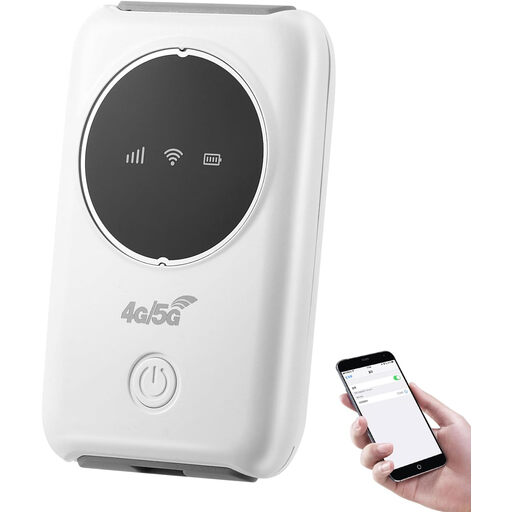 Image unavailable
Portable 4G Mobile MiFi Hotspot, SIM Slot, Supports 10 Devices
Consider this portable hotspot when a separate mobile connection is more suitable than extending the home network.
The product name lists 4G, a SIM slot and support for up to 10 devices.
Requires a Nano SIM and suitable mobile reception at the workspace. Ofcom notes that coverage predictions may differ from actual experience.
View on Joybuy
 Image unavailable
D-Link DWR-932W 4G LTE AX300 Wi-Fi 6 Mobile Hotspot
This mobile hotspot is a route to consider if a separate mobile connection suits the outbuilding better than extending the home network.
The product name specifies 4G LTE, AX300 and Wi-Fi 6.
Requires a Nano SIM and suitable mobile reception at the workspace. Ofcom notes that coverage predictions may differ from actual experience.
View on Joybuy
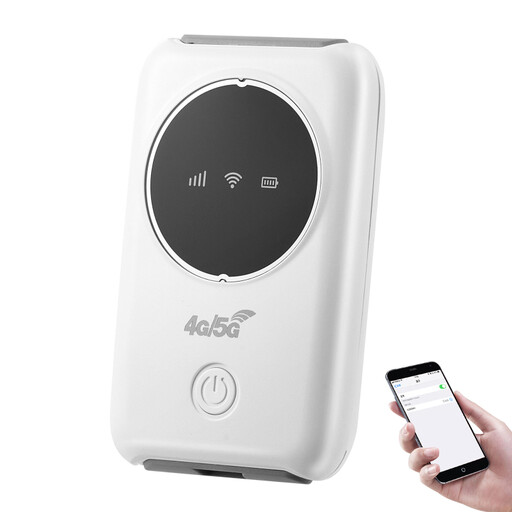 Image unavailable
Portable 4G/5G Wi-Fi Hotspot, 3200mAh, Type-C
Consider this portable hotspot when the workspace needs a separate mobile connection rather than an extension of the home network.
The product name specifies 4G/5G, a 3200mAh battery, Type-C charging and support for up to 10 devices.
Requires a compatible Micro-SIM and suitable mobile reception at the workspace. Ofcom notes that coverage predictions may differ from actual experience.
View on Joybuy
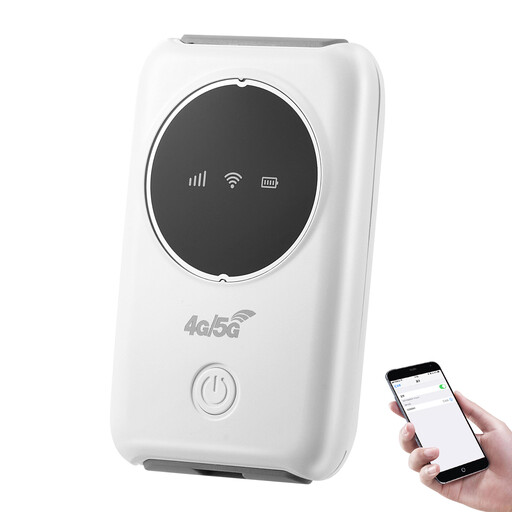 Image unavailable
Portable 4G/5G Wi-Fi Router, SIM Slot, Up to 10 Users
This portable router is a mobile-internet option when extending the fixed home network is unsuitable.
The product name specifies 4G/5G, a SIM slot, battery power and support for up to 10 users.
Requires a SIM and suitable mobile reception at the workspace. Ofcom notes that coverage predictions may differ from actual experience.
View on Joybuy
Frequently asked questions
Will a weatherproof outdoor access point automatically provide Wi-Fi in the workspace?
No. Its enclosure rating concerns the specified outdoor exposure; the access point still needs a usable wired or supported wireless connection to the home network. Check the backhaul and reception inside the separate room.
What should I check before arranging a cable across the garden?
Measure the full network route, not just the gap between buildings. For a conventional four-connector copper Ethernet channel, Fluke Networks describes a 100 m limit including patch leads. If excavation is planned, the Health and Safety Executive advises obtaining and reviewing information about buried services before work starts; arrange a competent assessment of the proposed installation.
Might outdoor equipment or new power arrangements need permission?
That depends on the property and proposed work. In England, GOV.UK's Approved Document P addresses electrical safety in dwellings, and listed-building alterations affecting special character may require consent, as West Northamptonshire Council explains. Tenants and leaseholders should check the terms that apply to their property; these England-specific examples do not establish one rule for every UK nation.
Does a point-to-point bridge always need a radio licence in the UK?
The answer depends on the band and equipment configuration. Ofcom's guidance dated 4 May 2026 states that 5.8 GHz fixed wireless access in the 5725–5850 MHz band is licence-exempt subject to technical conditions. Check the selected equipment's UK operating configuration against those conditions.
Does Ofcom's mobile coverage map guarantee reception inside an outbuilding?
No. Ofcom says coverage predictions may differ from the experience at a particular location. Use them to shortlist networks, then assess reception where the router will actually be placed.


