
24/7 Customer Support

Free returns

Same-day & Next-day Delivery

Quality Guaranteed

Unlock Your Welcome Offers: FREE Delivery | Up to 80% OFF | Free 30-day JoyPlus trial
Download the APP
For creative and business professionals in the UK, the search for a device that balances desktop-class power with genuine portability is a constant challenge. The arrival of the new iPad Pro M5 presents a compelling option, promising significant performance gains for demanding tasks. But with various sizes, screen types and storage options, choosing the right model can be confusing.
This guide is designed to cut through the clutter. We will walk you through the key features of the new iPad Pro, offer practical advice to help you select the configuration that fits your needs and highlight a few specific models to consider.
Making an informed decision comes down to understanding how you will use the device day-to-day. Here are a few points to consider.
The new iPad Pro is available in two sizes, each catering to different priorities. The new iPad Pro 11-inch is compact and lightweight, making it an excellent companion for those who are frequently on the move, working from cafes or commuting. It offers the full power of the M5 chip in a form factor that is easy to handle and pack.
In contrast, the Apple iPad Pro 13-inch M5 provides a much larger digital canvas. This extra screen real estate is invaluable for tasks that benefit from more space, such as split-screen multitasking, detailed illustration or timeline-based video editing. It offers a more immersive experience, closer to that of a laptop, while remaining significantly more portable.
For the first time on some configurations, the iPad Pro is available with an optional iPad Pro nano-texture glass. This surface is etched at a nanometre scale to scatter ambient light, drastically reducing glare while maintaining image quality and contrast. It is a feature aimed squarely at professionals who work in environments with uncontrolled lighting, such as bright studios, sunlit offices or outdoors.
The standard glass display continues to offer superb colour accuracy and brightness, making it a perfectly suitable choice for most users who primarily work indoors in typical lighting conditions. The decision here hinges on your specific work environment.
At the heart of the new lineup is the M5 chip, which brings notable advancements in processing and graphics capabilities. This enhanced M5 chip performance is particularly beneficial for resource-intensive workflows. If your work involves tasks like multi-layer editing in Affinity Photo, complex 3D modelling or using the iPad Pro for 4K video editing, the M5 chip is engineered to provide a smoother, more responsive experience.
When it comes to storage, your choice should align with your file sizes and reliance on cloud services. A 256GB model may be sufficient for light productivity and cloud-based workflows. However, for professionals storing large project files, high-resolution assets or extensive video footage directly on the device, configurations with 1TB or 2TB of storage are a more practical long-term investment.
Based on common professional and creative needs, here are a few configurations from the new lineup that stand out.
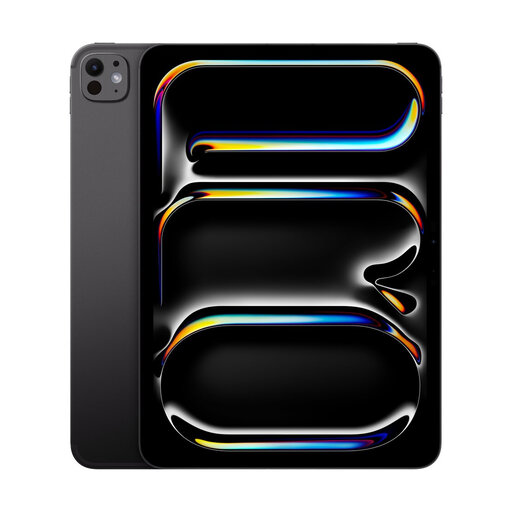
Why It Stands Out: This model represents the peak of portable performance. It combines the manageable 11-inch size with the maximum 2TB of internal storage and the professional-grade Nano-Texture Glass, making it a formidable tool for creators on the go.
Pros:
Who is it for? This is a strong choice for photographers, filmmakers and digital artists who frequently work on-site or travel, and require a glare-free screen and substantial local storage for their projects.
Why It Stands Out: This configuration serves as an excellent entry point to the iPad Pro M5 experience. It provides the same core processing power in the highly portable 11-inch size, making pro-level performance more accessible.
Pros:
Who is it for? Students in demanding fields, business professionals and casual creators who want a fast, responsive tablet for notes, presentations and design work without needing the highest storage or a specialised screen.
Why It Stands Out: This model is a premier tablet for creative professionals who prioritise screen size. The expansive 13-inch display offers a generous workspace, complemented by a substantial 1TB of storage for handling large, complex projects with ease.
Pros:
Who is it for? Illustrators, graphic designers, architects and video editors who need a large, high-quality display to do their work effectively and require significant storage for their professional files.
The models highlighted here are just a few of the available configurations. If you are looking for a different storage capacity, connectivity option or simply appreciate a consistent aesthetic across your devices, there are more choices to explore.
For those who favour a sleek, understated look, browse our curated collection of Space black device options to find the perfect fit for your setup.
Is the M5 chip a significant upgrade for creative work? The M5 chip is engineered with a more powerful CPU and GPU compared to previous generations. For creative professionals, this can translate to tangible improvements in workflow efficiency, such as faster rendering times in video projects, smoother performance when working with high-resolution canvases and multiple layers in design apps and quicker processing of complex 3D models.
Do I need the nano-texture glass on the iPad Pro? The iPad Pro nano-texture glass is a specialised feature designed to minimise glare by scattering light. It is most beneficial for users who frequently work in brightly lit environments, near windows or outdoors. For general use in typical indoor settings, the standard glass display provides excellent clarity and vibrant colours and is sufficient for most users.
How much storage is enough for an iPad Pro M5? This depends entirely on your workflow. If you primarily stream media and use cloud services like iCloud or Dropbox for your files, 256GB or 512GB may be adequate. However, if you are a professional who works with large files—such as RAW photos, 4K video footage or complex design files—opting for 1TB or 2TB is a practical choice to ensure you have enough space without constantly managing storage.