What matters when choosing?
iPad
Consider it when: your work fits iPad apps and direct pen input.
Trade-off: an iPad app need not have every desktop feature; Adobe says Photoshop for iPad cannot export a PSD document larger than 2GB.
Android tablet
Consider it when: the Android versions of your apps meet your needs and Samsung’s pen and DeX features suit your way of working.
Trade-off: DeX does not establish that a required desktop application is available on Android.
Windows tablet
Consider it when: Windows applications and a detachable keyboard are central to your work.
Trade-off: Microsoft says some software or peripherals may not run or install on an ARM-based Surface.
Once you have identified a workable software route, check the input tools, files and configuration that your own projects require.
| Concern |
What to check |
Who this matters to |
| Apps, files and peripherals |
Check essential app features and export formats; confirm any required drivers or peripherals on the exact operating system and processor architecture. |
If a client requires a particular file or device, I need to know I can complete the hand-off. Around 29% of consumers put workflow compatibility first. |
| Pen and display |
Match the pen to the tablet model, then assess screen size and the display characteristics your visual work requires. |
When I draw or mark up work on screen, the pen and visible workspace shape my choice. Around 29% of consumers chiefly prioritise pen-led creative work and display suitability. |
| Keyboard-led work |
Check the keyboard and trackpad configuration, shortcuts and how your apps handle several documents or windows. |
For sustained writing or moving between documents, I need controls that fit my desk workflow. Keyboard use and multitasking come first for around 24% of consumers. |
| Storage and updates |
Allow for active projects and offline files; check the update policy for the exact model rather than assuming all tablet lines share one. |
If I keep project files locally and plan to use the tablet for years, capacity and continued software support matter most. Around 18% of consumers give those needs priority. |
Joybuy product choices
These tablets cover pen-based work, local project storage and portable note-taking. Match each model to the applications and file workflow you actually need; the note-taking model serves a narrower purpose than a general creative-work tablet.
 No image available
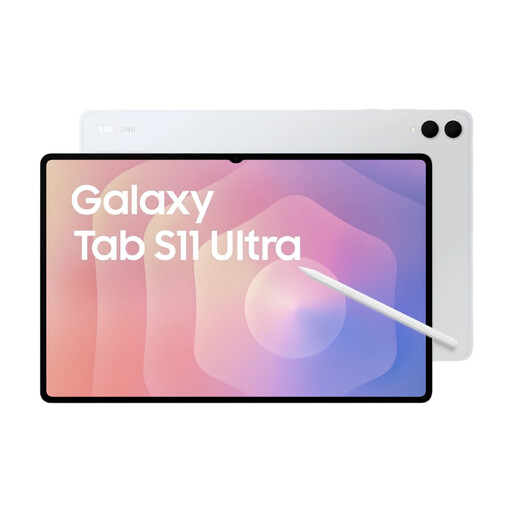
Samsung Galaxy Tab S11 Ultra X930 WiFi, 12GB/256GB, Silver
Consider this configuration for pen-led visual work when the applications you need run on the tablet. Samsung specifies a 14.6-inch Dynamic AMOLED 2X display and S Pen support for the Galaxy Tab S11 Ultra; the listed variant has 12GB RAM and 256GB storage. Check the exact accessory bundle and whether its size suits how often you carry it.
View on Joybuy
 No image available
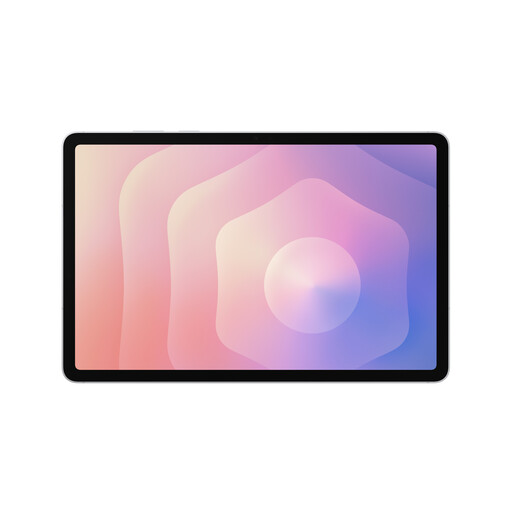
Samsung Galaxy Tab S11 WiFi, 12GB/128GB, Silver
This Galaxy Tab S11 is an Android option to assess for portable pen work and document review. The named variant has 12GB RAM and 128GB internal storage; check whether that capacity, the available apps and the exact pen-and-keyboard setup meet your working needs.
View on Joybuy
 No image available
Xiaomi Pad 8 Pro, 12G RAM/512G ROM, Gray
Consider this variant if keeping project files on the tablet is a priority: its name specifies 512G ROM and 12G RAM. Check the operating system, required apps and file handling for your work, and confirm the compatible pen and bundle contents if drawing is part of your plan.
View on Joybuy
 No image available
TECLAST ArtPad Pro, 12.7-inch 2K, 256GB, 2025 Edition
This Android 15 tablet is worth assessing for drawing or mark-up if your creative apps meet your needs. Its title specifies a 12.7-inch 2K display, 256GB storage and support for 4096 pressure levels with T-Pen drawing. Confirm the exact pen pairing and whether a T-Pen comes with this variant.
View on Joybuy
 No image available
iFLYTEK AINOTE 2, 10.65-inch E Ink, with protective case
Consider this narrower note-taking option if handwritten notes and text transcription matter more to you than a general-purpose creative display. Its name specifies a 10.65-inch E Ink screen and 16-language transcription. Check the apps and document workflow you require before relying on it for other professional tasks.
View on Joybuy
Common questions
Can I use Photoshop on an iPad for professional files?
You can use Photoshop on an iPad for supported editing tasks, but check the features and export steps your files require. Adobe says Photoshop for iPad cannot export a PSD when the document exceeds 2GB, so that limit matters if PSD hand-off is essential.
Can a Surface Pro take the place of my laptop?
A Surface Pro is worth assessing if Windows applications, keyboard use and touch input match your work, but replacement depends on your exact software and peripherals. Microsoft says some applications or peripherals may not run or install on ARM-based Surface devices; check every essential item before relying on one as your only computer.
How long does the Galaxy Tab S11 series receive updates?
Samsung states that the Galaxy Tab S11 series is eligible for up to seven generations of Android OS upgrades and seven years of security updates from global launch. Check the policy separately if you choose another Galaxy Tab series.
What should I check about the tablet and seller before ordering?
Confirm the exact model, supplied charger and plug, seller identity and warranty terms for the listing you intend to use. For goods bought from a trader in the UK, GOV.UK explains that the Consumer Rights Act 2015 addresses faulty goods; those rights are distinct from a seller’s voluntary warranty or change-of-mind policy.


