A portable hard drive suits a journal backup that normally stays at the desk; consider a portable SSD if you carry the drive often or regularly back up larger files. Whichever you choose, check that it works with your computer’s backup method, test that you can restore the journal, and keep another copy away from the workstation.
Who needs a journal backup drive?
Journal keepers focused on recovery
If losing entries to deletion or a failed workstation is your main concern, you need a separate copy that you can actually restore. The National Cyber Security Centre advises keeping important data in a separate safe location.
Writers with sensitive entries
If the drive might be lost or accessed by someone else, consider how you will encrypt the backup and retain its recovery password or key. Storage capacity alone does not address that risk.
Windows and Mac users seeking routine backups
If you do not want to remember to copy the journal manually, choose a drive you can set up with your computer’s backup tool. Microsoft supports an external drive for File History; Apple has specific disk-format preferences for Time Machine.
What matters when choosing a drive?
Decide how you will restore the journal and run regular backups before weighing capacity against portability. An external drive is one backup destination, not a substitute for another copy stored separately.
| Concern | What to check | Who this matters to |
|---|
| Recovery and separation |
Plan when to disconnect the drive and where to keep another copy; test a journal restore. |
If my workstation or its files are lost, I need a usable journal copy that is not exposed to the same incident. Around 36% of consumers put recoverability and separation first. |
| Automatic backups |
Check your Windows File History or Mac Time Machine setup, the available port and any formatting needed. |
I want new entries backed up regularly without relying on manual copying. For around 29% of consumers, a backup routine that works with their computer is the primary need. |
| Capacity for other files |
Check the size of the journal and any photos, attachments or workstation folders you intend to include. |
My journal may be small, but I also want space for other selected files and their revisions. Sufficient capacity is the main concern for around 21% of consumers. |
| Carrying and privacy |
Check the exact drive’s connection, stated protection ratings and available encryption method. |
If I take the backup away from my desk, I care about handling damage and keeping private entries inaccessible if the drive is lost. Around 14% of consumers place those portable-use needs first. |
Backup mistakes to avoid
-
Leaving the backup drive connected all the time
A connected drive can be affected along with the workstation during malware or physical-loss incidents.
Run the backup, check that you can restore the journal, then disconnect and store the drive separately when practical.
-
Keeping the only backup beside the computer
A fire, theft or other incident at home could affect both the workstation and a nearby external drive.
Keep another copy in a different location or use a secure cloud backup. The NI Cyber Security Centre recommends three copies on two devices, with one kept offline in a different location.
-
Overlooking the drive format before using Time Machine
Apple prefers APFS or APFS Encrypted for a Time Machine disk. Preparing a drive for that use may affect files already stored on it.
Copy existing files elsewhere before reformatting. If you also need ordinary file storage on the same physical drive, check Apple’s guidance on creating a separate APFS volume.
Reformatting erases the drive’s existing data.
-
Treating protection ratings as a recovery guarantee
Samsung’s IP65 and drop-test claims for the T7 Shield describe controlled conditions; its stated warranty notice excludes liquid, dust and drop damage.
Handle a carried drive carefully and retain another backup copy regardless of its protection rating.
Relevant brands to consider
Seagate
The Expansion Portable line is relevant if a desk-based journal backup will also hold other home-workstation files.
- Seagate’s EMEA data sheet lists 2TB and 4TB variants with USB-C connectivity.
- Check the exact model and UK warranty terms; regional service arrangements can differ.
Samsung
The 1TB T7 Shield is relevant when the journal backup will be carried and stated physical protection matters.
- Samsung lists up to 1,050MB/s read and 1,000MB/s write for MU-PE1T0S/EU, alongside IP65 and 3-metre drop-test claims.
- Speed depends on the host and connection; the protection claims do not mean liquid, dust or drop damage is covered by its stated warranty notice.
Crucial
The X9 Pro 1TB is relevant if you want a portable SSD for a Windows or Mac backup workflow with host-managed encryption.
- Crucial lists compatibility with BitLocker To Go and FileVault for this model, which ships formatted as exFAT.
- Check the format required by your backup tool before use; reformatting erases existing drive data.
SanDisk
The Extreme Portable SSD 1TB is relevant to buyers considering a carried drive with built-in password and encryption features.
- SanDisk lists up to 2,000MB/s, IP65 protection and password protection with built-in 256-bit AES encryption for SDSSDE70-1T00-G25.
- Confirm the exact model and capacity on the listing; those manufacturer specifications do not replace a second backup copy.
Joybuy drives for journal backups
These portable hard drives and SSDs offer local storage for a journal backup. Choose by whether the drive will stay near the workstation or travel with you, then confirm its setup for your backup tool.
 No image available
Western Digital My Passport 2TB portable hard drive, black
Consider this portable hard drive for a local journal backup that normally stays at the home workstation. Its listed capacity is 2TB; check the required format before setting it up with Time Machine.
View on Joybuy
 No image available
Samsung MU-PE1T0S 1TB portable SSD, black
Consider this portable SSD if you expect to carry the journal backup. The listed connection is USB Type-C 3.2 Gen 2; check your workstation’s port and the format required by its backup tool.
View on Joybuy
 No image available
Samsung Portable SSD T7 4TB, grey
The 4TB capacity may suit a journal backup that also includes a larger collection of workstation files. This portable SSD lists a USB Type-C 3.2 Gen 2 connection; check the backup format you need before use.
View on Joybuy
No image available
Western Digital Elements Portable 4TB hard drive, black
Consider this portable hard drive if the journal backup will share space with other home-workstation files. It has a listed 4TB capacity and USB 3.0 connection; confirm the format needed for a Mac backup.
View on Joybuy
 No image available
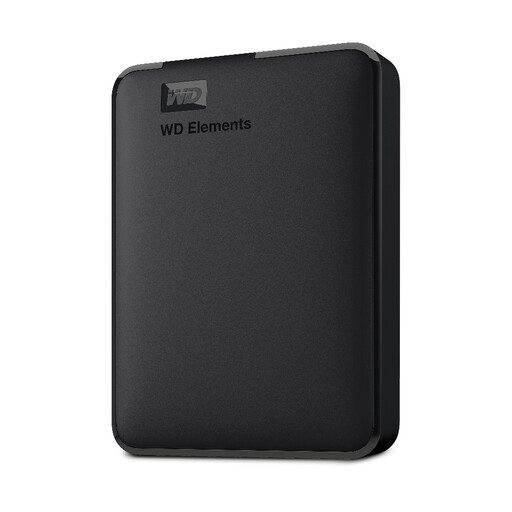
Western Digital Elements Portable 1TB hard drive
Consider this 1TB portable hard drive for a local journal backup with some room for additional files. Check its connection against your workstation and confirm the required format before using a Mac backup tool.
View on Joybuy
Journal backup questions
Is one external drive enough to protect my journal?
No: use an external drive as one copy, not the only copy. The NI Cyber Security Centre recommends three copies on two devices, with one kept offline in a different location.
Can Windows back up my journal automatically?
Yes, Microsoft File History can make regular backups to an external drive or network location. Check that your journal folder is included in what File History backs up and that the drive is connected when backups run.
Can I use one drive for Time Machine and ordinary files?
Yes, but plan the volumes before setting it up. Apple prefers APFS or APFS Encrypted for a Time Machine disk and advises using a separate APFS volume for ordinary files on the same physical drive; copy existing data elsewhere before reformatting.
Can I cancel a UK online drive order if I change my mind?
For an eligible UK online goods purchase, GOV.UK says you can cancel up to 14 days after delivery. Check the applicable exceptions and the seller’s cancellation procedure; remedies for faulty, damaged or misdescribed goods are a separate question.


