Club organisers with few spare sockets
If laptops and other club equipment need the available wall sockets, you may prefer infrequent charging or a keyboard that can charge from a suitable computer USB port.


Start with how the keyboard will get power: a rechargeable model that can use an available computer USB port may suit a desk with few wall sockets, while a longer-runtime wireless model may need charging less often. If the timetable involves frequent number entry, prioritise a full-size layout or confirmed numeric keypad over a smaller footprint; then check the exact UK layout, connection method and supplied charging accessories.
If laptops and other club equipment need the available wall sockets, you may prefer infrequent charging or a keyboard that can charge from a suitable computer USB port.
Repeated times, dates and room numbers can make a full-size layout or dedicated numeric keypad more important than having the smallest keyboard.
If timetable work moves between a club computer, laptop or tablet, check whether the keyboard can switch between the devices and connection methods you actually use.
For a club timetable desk, settle the power arrangement first, then decide whether number entry or space and device switching should shape the layout.
| Concern | What to check | Who this matters to |
|---|---|---|
| Access to power | Check the charging connection, supplied accessories and whether an available computer USB port can provide power. | If I cannot spare a wall socket, I need charging to fit around the club's existing equipment. Around 40% of consumers would put access to power first. |
| Repeated number entry | Confirm the exact layout and whether it has a dedicated numeric keypad; allow room for a larger keyboard. | Entering times and room numbers repeatedly makes direct numeric entry my priority, even if the keyboard takes more desk space. For around 30% of consumers, number entry comes first. |
| Devices and desk space | Check device compatibility, Bluetooth or receiver requirements, and the footprint of the chosen layout. | When I move between club devices or work at a small shared desk, switching and space matter most. Those needs would come first for around 30% of consumers. |
A rechargeable keyboard still needs a suitable power source and cable. HP's UK store, for example, says a charger is not included with the HP 975.
Check the chosen keyboard's charging port, supplied cable and charger, and whether the club computer offers a convenient powered USB connection.
A smaller keyboard saves desk space, but its layout may be less convenient if timetable edits repeatedly involve times and room numbers.
Compare the exact compact layout with a full-size keyboard or one explicitly equipped with a numeric keypad.
Keychron offers multiple ISO layouts, and Logitech lists distinct English UK variants. A familiar model name alone does not establish which layout or connection you are selecting.
Confirm the selected variant's UK layout and check whether each intended device has compatible Bluetooth or the required receiver port.
Dell states that Microsoft Teams support for the KB900's collaboration touch controls ended after 30 June 2026.
Consider the KB900 for features you can still use, such as its listed numeric keypad and rechargeable design, rather than those Teams controls.
HP has rechargeable multi-device keyboards relevant to a shared club desk.
The B6 Pro is a full-size wireless option offered in UK-ISO.
The rechargeable KB900 may interest desk-based editors seeking a numeric keypad.
The MX Keys Mini for Business offers a compact route where desk space and device switching matter.
These keyboards offer different layouts and connection choices for timetable editing. Check each variant's power arrangement and key layout against the club's devices before choosing.
 No image available
Consider this UK variant if a Bluetooth connection suits the club's computer. Confirm its numeric layout, charging method and supplied accessories before relying on it for number-heavy work with limited sockets.
 No image available
Its wired, Bluetooth and 2.4 GHz modes offer connection choices if the club's devices support them. This is a US-layout variant; check whether its keys suit your timetable workflow, along with its charging accessories and expected runtime.
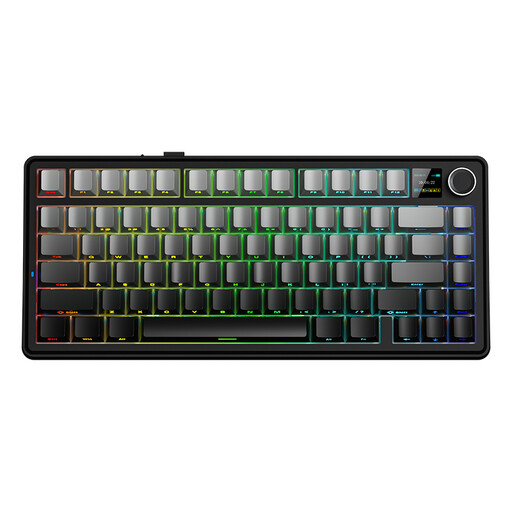 No image available
The 75% layout may suit a crowded desk if a dedicated numeric keypad is not essential. Its title specifies wired, Bluetooth and 2.4 GHz modes and a US layout; confirm its power arrangement rather than assuming it uses either charging or replaceable batteries.
 No image available
This UK-layout wireless model is worth considering if a 96% layout appeals for timetable work. Check the exact key arrangement, charging method and supplied accessories before deciding how it would fit a desk with few sockets.
 No image available
Consider the 108-key layout if a larger keyboard fits the club desk, but confirm that its key arrangement supports the numeric entry you need. The title specifies an 8000 mAh battery and a US layout; check the charging method and included accessories.
Yes, if you have another suitable way to charge it. HP Store UK says its 720 can charge through a USB-C cable while in use; check whether the club computer has a powered USB connection you can use.
It can be if desk space matters more than direct number entry. If you frequently enter times and room numbers, compare its exact key arrangement with a full-size model or one with a confirmed numeric keypad.
No; the device must support the keyboard's connection method. HP Store UK lists Bluetooth and a 2.4 GHz dongle connection for the 720, while Logitech lists Bluetooth Low Energy or Logi Bolt for the MX Keys Mini for Business. Check compatibility and any receiver port needed by the chosen variant.
Use an appropriate electrical or battery recycling collection point rather than putting marked electrical products or batteries in household rubbish, as advised by the UK Office for Product Safety and Standards. Check the local collection instructions for whether a battery should be removed first.