What matters at a shared desk?
Start with the constraint you notice most while preparing slides: nearby people, available desk space, switching devices or the position you can maintain during longer sessions. Then check the exact keyboard variant against the keys and connections you use.
| Concern |
What to check |
Who this matters to |
| Typing noise |
Look for an explicit quiet-key description for the exact model; consider whether its key feel will suit you. |
I edit slides beside other people and want my typing to be less distracting. Around 31% of consumers put quiet typing first. |
| Desk space |
Compare dimensions and decide whether you need a number pad or readily accessible function keys. |
My mouse, laptop and notes all need space on the shared desk, so a smaller keyboard is my priority. Roughly 25% of consumers place desk space first. |
| Devices and shortcuts |
Check connection modes, device-switching controls, operating-system support and the physical key layout. |
I move between devices while preparing a presentation and need switching to fit that workflow. About 25% of consumers make multi-device use their primary concern. |
| Long-session fit |
Check the keyboard’s width and support features against your desk setup, including where the mouse will sit. |
When I spend long sessions editing slides and notes, I care most about fitting the keyboard into a workable desk arrangement. Around 19% of consumers prioritise long-session fit. |
Joybuy keyboard choices
These keyboards offer full-size, split or number-pad-retaining layouts for slide work at a shared desk. Compare their stated layouts and desk footprint carefully if keeping the workspace clear is your main priority.
 No image available
Targus EcoSmart Full Size Wireless Keyboard (UK)
Consider this if you want a full-size keyboard for slide editing and have room for it beside your mouse and notes.
The product name identifies a wireless, full-size UK variant. Check its dimensions and connection requirements for your desk.
View on Joybuy
 No image available
HP 960 Ergonomic Split Layout Wireless Keyboard with Padded Wrist Rest
Consider the split layout and padded wrist rest if you spend regular, longer sessions editing slides; check that the keyboard fits your desk arrangement.
The product name specifies wireless operation. Confirm the physical key layout if you normally use a UK keyboard.
View on Joybuy
 No image available
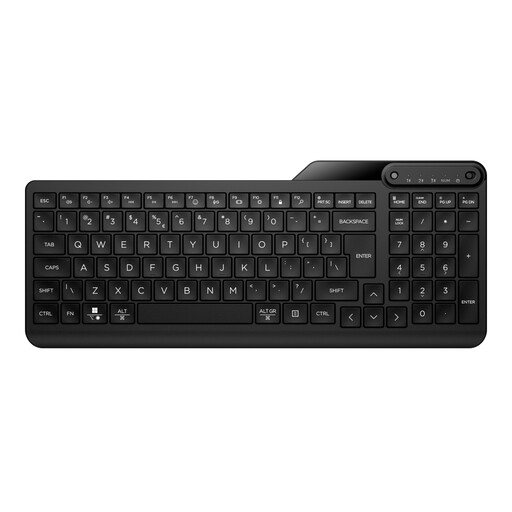
HP 460 Multi-Device BT Keyboard
Consider this keyboard if moving between devices is central to how you prepare and review slides.
Its name identifies Bluetooth and multi-device use. Check the switching controls, supported devices, physical layout and dimensions against your setup.
View on Joybuy
 No image available
ASUS ROG Strix Scope II 96 Wireless Keyboard, White, UK Layout
Consider its 96 layout if you want to compare a smaller arrangement with conventional full-size keyboards for your slide-work desk.
The product name specifies a white wireless UK-layout variant. If noise matters beside other people, check the switch option for this exact keyboard rather than assuming it types quietly.
View on Joybuy
 No image available
Ticktype DP104 Wireless Mechanical Keyboard, Gecha Gray, US Layout, Silent Tactile Switches
Consider this 108-key, full-size option if its US layout suits your typing and shortcut habits; allow room for the keyboard on a shared desk.
The product name specifies Silent Tactile switches and Bluetooth, 2.4 GHz and wired USB-C modes. Check how the switches sound to you and how the US layout maps to your computer’s input settings.
View on Joybuy
Common questions
Should I choose a UK-layout keyboard for presentation work?
A UK-layout keyboard is a sensible choice if that is the layout you normally use. Microsoft notes that its PowerPoint shortcut instructions refer to the US layout and that keys on other layouts might not correspond exactly; check both the physical variant and your computer’s input language.
Do I need a specialist keyboard for PowerPoint shortcuts?
No specialist presentation keyboard is required for the standard shortcuts Microsoft lists for PowerPoint on Windows. These include Ctrl+M for a new slide, F5 to start a slide show and Esc to end it; check how the relevant keys work on your chosen layout.
How should I position a keyboard when I move between shared desks?
Place the keyboard centrally and just below elbow height, following Health and Safety Executive guidance, and keep the mouse nearby. For prolonged laptop use, HSE advises separate input devices so you can raise the laptop screen.
Does display-screen-equipment guidance apply when I hot-desk?
It can apply to employees who use display screen equipment daily for continuous periods of an hour or more. The Health and Safety Executive includes hot-desking in its guidance and advises workers who change desks regularly to carry out a basic risk assessment; buying a keyboard does not replace the wider workstation assessment.


