What matters when choosing?
Start with the keys used most often for booking entries, then consider device switching and the space available at your desk. A smaller keyboard is useful only if its layout still works for your routine.
| Concern |
What to check |
Who this matters to |
| Numeric entry |
Confirm whether the exact layout has a dedicated number pad and the English UK keys you use. |
If I enter dates and attendance figures repeatedly, I want number keys that suit my established typing routine. Around 27% of consumers would put numeric entry first. |
| Device switching |
Check how many devices can stay paired and whether the connection method and operating systems match yours. |
When bookings move between my computer and mobile devices, I want to change devices without disrupting the task. For around 27% of consumers, switching would be the primary concern. |
| Desk space |
Compare the keyboard’s dimensions with the space needed for your mouse and paperwork; inspect any reduced navigation keys. |
On a crowded desk, I need room to work alongside the keyboard without losing keys I use regularly. Preserving desk space would come first for around 20% of consumers. |
| Typing fit and noise |
Consider key feel and noise alongside keyboard position, screen, chair and desk arrangement. |
For sustained booking work in a shared room, I care about how typing feels and sounds within my workstation. Around 26% of consumers would prioritise typing fit or noise. |
Joybuy keyboard options for booking work
These keyboards offer different wireless, split and compact layouts for a home-office booking desk. Check each model’s actual keys and connections against the tasks and devices you use.
 Image unavailable
Hyper HyperSpace Next Bluetooth Wireless Keyboard (UK), White
Consider this UK-labelled wireless keyboard if you want a Bluetooth connection at your booking desk.
Confirm the exact key legends and the presence of any dedicated number keys you need.
View on Joybuy
 Image unavailable
HP 960 Ergonomic Split Layout Wireless Keyboard with Padded Wrist Rest
Consider the split layout if you want a different key arrangement for booking work and can assess how it fits your typing habits.
The title specifies a padded wrist rest. Check the selected regional layout and compatibility with your devices before ordering.
View on Joybuy
 Image unavailable
AULA F99 Wireless Mechanical Keyboard, US QWERTY, Light Blue/Reaper Switch
This model is an option if you want a mechanical keyboard and can work with its stated US key layout.
Its title specifies wired, Bluetooth and 2.4 GHz connection modes. Confirm operating-system compatibility and whether the US legends suit the symbols you type.
View on Joybuy
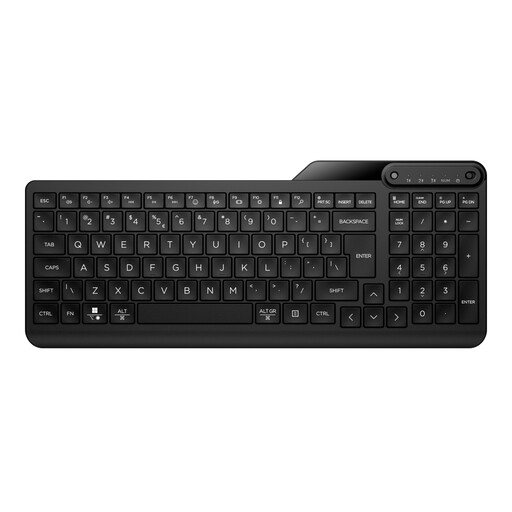 Image unavailable
HP 460 Multi-Device BT KBD
Consider this Bluetooth model if switching devices is part of your booking routine.
Joybuy describes its keys as quiet and low-profile. If numeric entry or UK key legends are important, confirm the exact arrangement before choosing it.
View on Joybuy
 Image unavailable
Rapoo E9050L 75% Wireless Membrane Keyboard, US QWERTY, White
Consider this 78-key compact model when working space and switching devices matter more than retaining a familiar larger layout.
Its title lists 2.4 GHz and Bluetooth 5.0/4.0 connections, support for four devices, and Windows, Mac, Linux and Chrome compatibility. Check its US key legends and whether its reduced layout has the number keys you need.
View on Joybuy
Frequently asked questions
Do I need a full-size keyboard for hall bookings?
Not necessarily: choose a layout with a dedicated number pad if repeated entry of dates and attendance figures makes those keys important to you. If desk space matters more, check that a compact model retains the other keys you use regularly.
Can one keyboard switch between my laptop, phone and tablet?
Some can: Logitech lists switching across up to three devices for MX Keys S, while HP lists pairing with up to three for its 350 Compact and Keychron describes multi-device connections for K3 Max. Check each model’s connection method and operating-system support against your own devices.
Is buying a new keyboard enough to address home-office workstation needs?
No: keyboard choice is only one part of arranging a workstation. The Health and Safety Executive says employers must carry out a workstation assessment when workers use display screen equipment daily as part of normal work continuously for an hour or more; the assessment considers the workstation, task and individual requirements.
Should I choose an English UK or UK-ISO keyboard?
Choose one if you need that familiar arrangement of keys and symbols for booking work. Confirm the layout of the exact variant you are ordering: Keychron, for example, offers UK-ISO as a selectable K3 Max variant, while some other keyboards here are explicitly labelled US QWERTY.


