What matters when choosing
Decide how much room your mouse needs, then check which keys you want to reach directly. Compare comfort and connections once a layout works for your controls.
| Concern | What to check | Who this matters to |
|---|
| Mouse room |
Measure your available desk width and compare 60%, 75% and TKL layouts. SCAN UK notes that 75% is more compact than TKL, while 60% removes more dedicated keys. |
If mouse movement feels cramped while placing objects or moving the camera, I would put free desk space ahead of direct key access. Around 42% of consumers put mouse room first. |
| Direct controls |
Check for dedicated arrow, function and navigation keys, and whether any needed shortcuts can be assigned to other controls. |
When I move between building tools and menus often, I would rather reach a key directly than remember another combination. Direct control access comes first for around 33% of consumers. |
| Comfort and cables |
Consider keyboard height and switch feel, then check whether the listed connection modes fit your desk and charging routine. |
At a desk used for other activities too, I may care most about how the keyboard feels, sounds and fits among the cables. Around 25% of consumers prioritise those setup concerns. |
Joybuy keyboard choices
These keyboards cover compact 75% and 60% choices, plus a 68-key option. Compare each model’s physical layout and desk fit before choosing it for zoo-building controls.
 No image available
AULA F75 75% Wireless Gaming Keyboard, US QWERTY
Consider this compact option if you want room for a mouse and a choice of wired or wireless connections.
The product name lists Bluetooth, 2.4G and wired modes, plus PBT keycaps. Check the exact key arrangement and desk width; its stated US QWERTY layout may not suit your typing setup.
View on Joybuy
 No image available
HyperX Alloy Rise 75 Wireless Keyboard UK
Consider this 75% option if you want a compact keyboard with wireless use.
Check its physical key arrangement, available desk width and charging requirements before buying. The UK designation in its name is worth checking against the listing’s key images if UK legends matter to you.
View on Joybuy
 No image available
MACHENIKE KT84-B84W 75% Tri-Mode Keyboard, Gateron White, US QWERTY
Consider this 75% model if a compact layout and a choice of connection modes suit your desk.
Its name specifies Gateron White switches and a US QWERTY layout. Check which arrow, function and navigation keys are directly available, as well as the keyboard’s width and physical legends.
View on Joybuy
 No image available
Redragon M68 68-Key Magnetic-Switch Keyboard, US Layout
Consider this compact option if desk space matters but you want to assess a layout beyond the 60% and 75% choices.
The product name specifies 68 keys, magnetic switches and a metal top plate. Check its width, physical legends and how you would reach the arrow, function and navigation commands used in your game.
View on Joybuy
 No image available
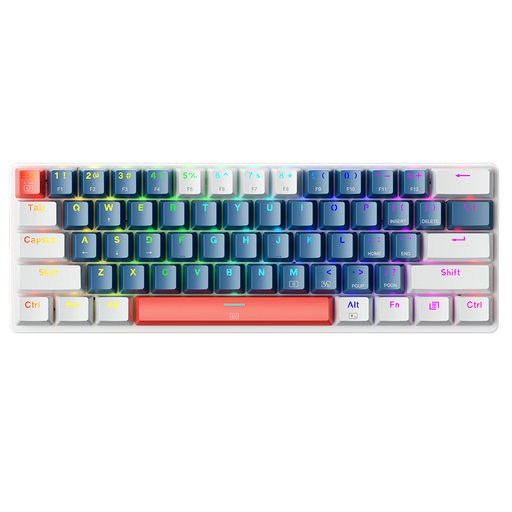
MACHENIKE K500-B61 60% Wired Keyboard, Brown Switch, US QWERTY
Consider this 60% model if freeing desk space matters more than having dedicated keys for every command.
The product name specifies a wired connection, Brown switches and RGB lighting. Check the keyboard’s width, its US QWERTY legends and how its key combinations handle the commands you use frequently.
View on Joybuy
Common questions
Will a 60% keyboard work for building a virtual zoo?
A 60% keyboard can work if mouse room matters more to you than direct key access. SCAN UK notes that this layout lacks dedicated function, arrow and navigation keys, so check whether using key combinations suits your building and menu commands.
Should I choose 75% or TKL for a small desk?
Choose 75% if you want a more tightly packed layout while retaining arrow and utility keys; choose TKL if you prefer a less compressed arrangement and have room for it. SCAN UK’s layout guidance describes 75% as more compact than TKL, but measure the exact model against your desk before ordering.
Do I need a wireless keyboard for a small desk?
No: wireless is useful if reducing cable clutter matters to you, but a wired keyboard can suit a fixed desk. If you choose wireless, check its connection modes and how you will manage charging.
How should I dispose of an old keyboard in the UK?
Take an unwanted keyboard to an appropriate electrical-waste collection point rather than putting it in household rubbish. That follows guidance from the UK Office for Product Safety and Standards for electrical products.


