What matters when choosing?
Choose the layout and connection that fit your test machine and data-entry work, then check that you can perform the entire checkout using ordinary keyboard commands.
| Concern | What to check | Who this matters to |
|---|
| Form entry |
Check the exact UK layout, connection and presence of a dedicated number pad if you enter numeric test values frequently. |
If I enter test values throughout a checkout, I want a familiar layout and readily available numeric keys. Around 50% of consumers put straightforward form entry first. |
| Keyboard-only coverage |
Check that the layout lets you use the navigation and activation keys required by your test plan without relying on remaps. |
When I test without a mouse, I need to notice whether I can reach every control and leave dialogs. Roughly 38% of consumers prioritise that keyboard-only coverage. |
| Repeatable shortcuts |
Check whether the model offers the remapping you need and whether you can also use it in an ordinary configuration. |
If I repeat the same setup tasks, shortcuts could reduce those steps, provided they do not replace a standard checkout pass. About 12% of consumers put shortcut workflows first. |
Joybuy product choices
These full-size and compact keyboard choices suit different checkout-test setups. Compare their stated layouts and connections with your test machine, and check the keys your test plan requires.
 No image available
MSI GK-701 Office Keyboard and Mouse Set, USB, UK Layout, CoPilot Key, Black
Consider this keyboard-and-mouse set if a UK-layout USB keyboard fits your desktop test setup. Check that your machine has a compatible connection and that the keys needed for your checkout tests are present.
View on Joybuy
 No image available
ASUS ROG Falchion Ace HFX 65 Analog Keyboard, UK Layout
Consider this UK-layout model if you prefer a compact keyboard for testing. Check its exact key arrangement against your navigation and numeric-entry tasks, and confirm compatibility with your test machine.
View on Joybuy
 No image available
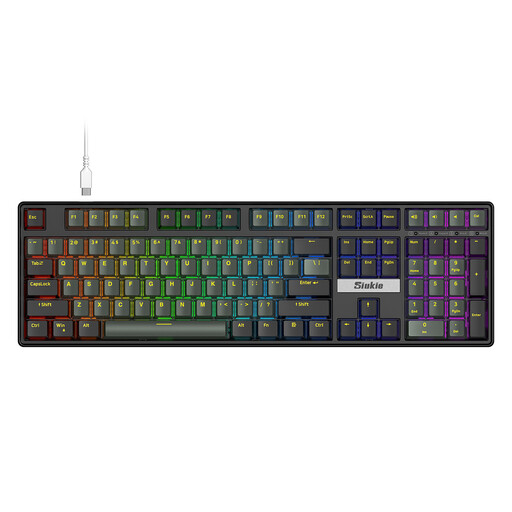
Siukie CR108 108-key Detachable-Switch Wired Mechanical Keyboard
Its wired, 108-key configuration is worth considering for a desktop test station. Check the exact regional layout, required navigation keys and connection against your setup before choosing it.
View on Joybuy
 No image available
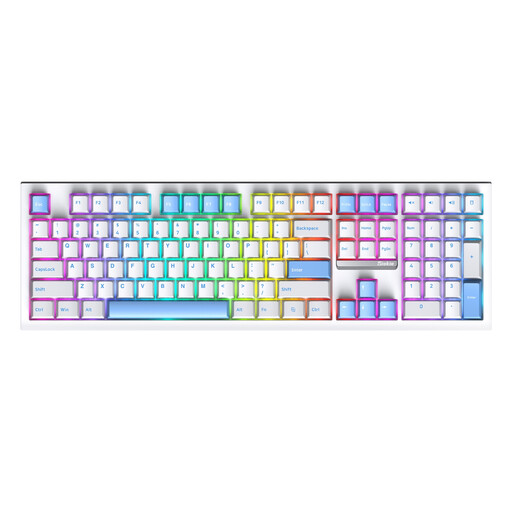
Siukie PL108W 108-key Detachable-Switch 3MODE RGB Mechanical Keyboard, White
Consider this 108-key model if you want to assess a multi-mode keyboard for repeated checkout tests. Confirm the exact regional layout, the keys you need and how its connection modes work with your test machine.
View on Joybuy
 No image available
HyperX Alloy Rise 75 Wireless Keyboard UK
Consider this wireless model if that connection suits your test station. Confirm its precise UK layout and key arrangement, particularly if you need frequent numeric entry or a wired test setup.
View on Joybuy
Common questions
Which keys should I use to test a checkout without a mouse?
Use Tab and Shift+Tab to move between interactive elements, then use the appropriate activation keys for each control. The Department for Work and Pensions Accessibility Manual describes Tab, Shift+Tab and Enter; also check Space, arrow keys and Escape where the checkout’s controls call for them. Follow the whole journey rather than testing only the final button.
Does a more advanced keyboard prove that a checkout is accessible?
No. The checkout itself must allow keyboard users to reach and operate its controls without getting trapped. Check visible, logical focus and test dialogs and menus with ordinary keyboard commands, even if you use shortcuts during other parts of your workflow.
Should I choose a full-size or tenkeyless keyboard?
Choose a full-size layout if a dedicated number pad matters for repeated test-value entry; consider tenkeyless if desk space matters more. A tenkeyless board omits that number pad, so check that its remaining keys suit your checkout test plan.
Do I need to check the UK layout if a keyboard says QWERTY?
Yes, if the physical key layout needs to match your UK-oriented test setup. QWERTY alone does not confirm the regional variant; check the exact designation for the model you intend to buy. RS, for example, identifies its Logitech K120 listing as QWERTY (UK).


