Teachers with no spare plug socket
If chargers and classroom equipment occupy the available outlets, decide whether a keyboard connected to the computer by USB is sufficient or whether a wireless power arrangement better suits the desk.


A shortage of plug sockets does not, by itself, call for a wireless keyboard: a wired USB model avoids a separate wall outlet but takes up a computer USB port. If that port is needed for lesson resources, consider Bluetooth after checking the school device permits pairing; if routine charging is the bigger concern, compare the power arrangements of specific wireless models alongside their layout and connection options.
If chargers and classroom equipment occupy the available outlets, decide whether a keyboard connected to the computer by USB is sufficient or whether a wireless power arrangement better suits the desk.
When lesson resources move between a school computer, laptop or tablet, check which devices allow Bluetooth pairing and which have a free port for a USB receiver.
At a shared workstation, familiar key placement, typing noise and the exact model’s cleaning instructions may matter as much as its power source.
Separate the wall-socket question from USB-port availability, then check the keyboard’s layout and how it will be maintained at the desks where it is used.
| Concern | Buying check | Who this matters to |
|---|---|---|
| Power maintenance | Check whether the model is wired, uses replaceable batteries, needs USB charging or relies on light; confirm where charging could take place. | If outlets are occupied all day, I want to keep keyboard charging or battery changes manageable. Around 33% of consumers put power maintenance first. |
| Ports and devices | Confirm Bluetooth access on each intended device, or check that a suitable port is free for the receiver. | When I move lesson files between devices, I need a connection that works without taking a port reserved for another accessory. Roughly 27% of consumers prioritise port and device flexibility. |
| Key layout | Check the selected variant’s UK key placement and whether it has the number pad or other keys you use regularly. | Entering resource lists and numbers is easier for me when the keys are where I expect them. Around 20% of consumers make familiar resource entry their primary concern. |
| Shared-desk use | Read the exact model’s spill limits and cleaning instructions; consider typing noise where the desk is shared. | At a shared desk, I need a keyboard that fits our cleaning routine and does not distract nearby colleagues. Roughly 20% of consumers put shared-workspace use first. |
A wired keyboard avoids a separate wall outlet but occupies a USB port; a receiver-based wireless keyboard occupies one too. Bluetooth can leave that port free when the host supports it.
Count available outlets and ports separately before choosing a connection type.
A Bluetooth keyboard needs access to the host’s pairing settings, which may be restricted on a managed device.
Confirm pairing access on the device you will use, or consider a model with another connection mode if an appropriate port is available.
Replaceable-battery, rechargeable and light-powered keyboards have different upkeep requirements. Manufacturer runtime claims apply to particular models and conditions.
Choose the power arrangement around the charging or battery-changing routine you can accommodate.
Depending on that arrangement, you may need replacement batteries or access to a suitable USB charging cable and connection.
Spill resistance does not mean a keyboard can be immersed, and a stated tolerance for cleaning wipes applies only to the model making that claim.
Follow the selected keyboard’s cleaning instructions and check the limits of any spill claim.
Its cited keyboard lines offer different ways to avoid occupying a wall outlet, including USB-receiver, Bluetooth and light-powered models.
The B6 Pro line is relevant when a UK-ISO layout and more than one connection mode are priorities.
The cited HP models cover wired USB, rechargeable wireless and keyboards with model-specific shared-desk features.
These keyboards offer wired, Bluetooth or other wireless connection choices for a lesson-resource desk. Check each model’s layout and power arrangement against the ports and charging access you actually have.
 Image unavailable
Consider this UK-designated, full-size model if you want a wireless keyboard for a fixed resource desk. If you plan to use its receiver connection, allow for a USB port; confirm the expected battery-changing routine before buying.
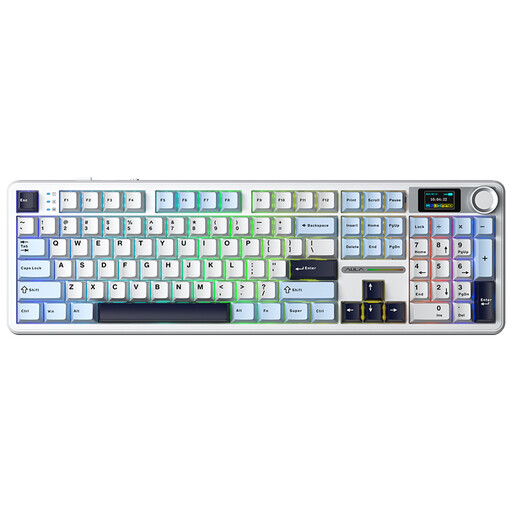 Image unavailable
Its Bluetooth, 2.4G and USB-C modes offer connection choices where access differs between desks or devices. Check that its key placement suits UK typing, whether a receiver is supplied for 2.4G use, and how often it would need charging under your settings.
 Image unavailable
This UK-designated wireless model is worth considering if desk space and connection choice matter. Confirm the keys you need for number entry, receiver arrangements if using 2.4 GHz, and battery runtime with your chosen lighting settings.
 Image unavailable
Wired, Bluetooth and 2.4G modes may suit work across devices with different connection options. Its stated US layout needs a deliberate check if you expect UK key placement; also confirm receiver inclusion and a workable charging routine.
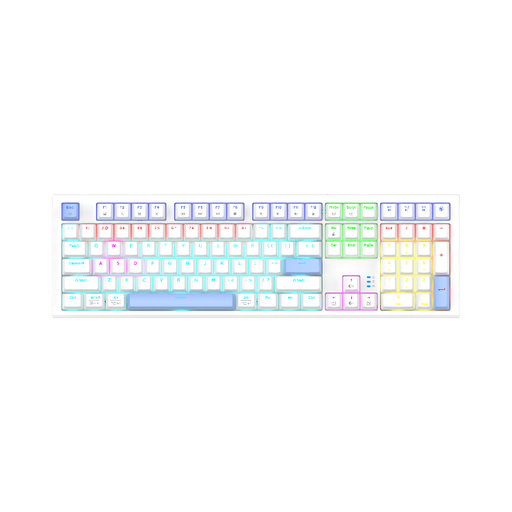 Image unavailable
A wired USB-A connection suits a fixed desk with a free computer port and no spare wall socket for a keyboard charger. The cable stays on the desk, and the stated US QWERTY layout may differ from the UK key placement you expect.
No: a wired USB keyboard connects through the computer without a separate wall outlet. It does take up a USB port and leaves a cable on the desk, so wireless becomes more useful when those are the constraints.
A Bluetooth keyboard can leave a USB port free when the host supports Bluetooth and permits pairing. Logitech says its MK250 needs no dongle; check the settings on the school device you intend to use before choosing a Bluetooth-only connection.
Yes, if you rely on familiar UK key placement and legends for lesson documents. Check the selected variant rather than the brand or photograph alone: Keychron lists a UK-ISO B6 Pro option, while some keyboards in the product choices above explicitly specify a US layout.
No. Logitech says its MK250 should not be immersed, and HP’s stated sanitisation-wipe tolerance applies specifically to its 495 keyboard. Follow the cleaning instructions for the exact model you buy.
For UK disposal, government guidance says electrical products and batteries marked with the crossed-out wheelie-bin symbol should not go in household rubbish. Check an appropriate local collection or recycling option for each item.