For sustained scriptwriting near colleagues, start with a keyboard whose exact model has a quiet-key claim, then choose a layout that leaves room for the mouse and the keys you use to edit. A compact board can suit a crowded desk, while a full-size board retains a numpad; neither its size nor a low-profile design establishes how quiet it will sound. For long sessions, follow Health and Safety Executive guidance by placing the keyboard centrally and just below elbow height.
Who needs which features?
Noise-conscious shared-office scriptwriters
If colleagues sit close enough to hear extended typing, the sound of the exact keyboard and mouse matters more than a general description such as slim. Logitech markets its MK295 Silent Wireless Combo specifically around reduced keyboard and mouse noise.
Writers working for long sessions
If drafting and revising scripts takes hours, consider how the keyboard fits with the chair, screen and mouse. The Health and Safety Executive advises positioning the keyboard centrally and just below elbow height.
Writers using shared desks or several devices
If desk width is tight or work moves between devices, a compact layout or device switching may be useful. Check that the smaller layout still has the navigation keys and shortcuts your script software requires.
What should you check?
Decide whether nearby colleagues, your workstation setup, desk space or editing shortcuts place the greatest demand on the keyboard. Check sound and key layout for the exact variant rather than relying on its size or switch category.
| Concern |
What to check |
Who this matters to |
| Typing noise |
Look for a claim about the exact model and check whether it covers the keyboard, mouse or both. Consider whether you can assess its sound before keeping it. |
If colleagues hear every extended draft, I would put less disruptive typing ahead of extra features. Around 40% of consumers put noise reduction first. |
| Long-session setup |
Check keyboard height, angle and mouse reach against your desk and chair. The Health and Safety Executive advises a central keyboard position just below elbow height. |
When revisions keep me at the desk for long stretches, I need a layout I can position comfortably rather than an ergonomic label alone. Long-session setup comes first for around 30% of consumers. |
| Desk space and devices |
Compare the space taken by full-size and compact layouts, then confirm the exact model's connections and device-switching options. |
At a crowded shared desk, I may need room for notes and a mouse while moving between devices. Around 20% of consumers prioritise that flexibility. |
| Editing shortcuts |
Compare the key map with your script software's commands; confirm operating-system support and whether workplace rules permit any required customisation tool. |
If I repeatedly format cues or use application commands, accessible shortcuts matter more than additional connection options. Configurable workflow is the first concern for around 10% of consumers. |
Buying pitfalls
-
Assuming low-profile or mechanical keys will be quiet
Low profile describes a keyboard's shape, not a consistent sound level. Logitech makes a model-specific SilentTouch noise-reduction claim for its MK295 combo; Keychron describes the K3 Max as low-profile mechanical without establishing a comparable quietness result.
If sound is decisive, assess the exact keyboard where possible and check the applicable return terms before purchase.
-
Choosing a compact layout without checking editing keys
A smaller board may leave more mouse room but can omit a numpad or change access to navigation and function keys.
Compare the exact layout and key map with the commands you use in your script software, including any UK punctuation keys you need.
-
Treating the keyboard as the whole workstation
Keyboard shape alone cannot determine how the desk, chair, screen and mouse fit together. The Health and Safety Executive advises considering the workstation as a whole.
Place the keyboard centrally and just below elbow height, then check screen position and mouse reach in the actual workspace.
-
Overlooking workplace device restrictions
A keyboard's advertised connection or remapping feature may not fit the operating system or permissions on a managed work computer.
Confirm the exact model's connection methods and software requirements, and ask whether workplace rules allow personal wireless peripherals or customisation software.
Brands to consider
These brands offer different keyboard features relevant to shared-office writing; the choice still depends on the exact model and layout.
Logitech
The MK295 Silent Wireless Combo addresses a quiet-first need, while MX Keys S and MX Keys Mini offer different low-profile and desk-space options.
- According to Logitech, the MK295 combo produces over 90% less keyboard and mouse noise with SilentTouch. MX Keys S supports switching across up to three devices, while Logitech describes MX Keys Mini as compact enough to allow closer mouse placement.
- The MK295 figure is Logitech's own claim for that combo, not a sound rating for every Logitech keyboard or every office setup.
Keychron
The K3 Max offers a low-profile mechanical route for writers interested in a UK-ISO variant and remapping.
- Keychron lists a 75% layout, wired, Bluetooth and 2.4 GHz connections, and QMK/VIA remapping for the K3 Max ISO range.
- Mechanical key feel does not establish that this model will be quiet enough beside colleagues; check the exact switch variant and key map.
Rapoo
The E9310M is a slim wireless option to consider when desk footprint and switching between devices matter.
- Rapoo lists 99 scissor keys, Bluetooth 4.0/5.0 and 2.4 GHz connectivity for the E9310M.
- Check the exact keyboard layout and sound before choosing this model for UK scriptwriting in a shared office.
Joybuy keyboard choices
These keyboards cover full-size, split-layout and compact options for shared-office writing. Compare each listing's layout with your editing keys, and treat quiet-key wording as a product claim rather than a measured office sound level.
 No image available
HP 960 Ergonomic Split Layout Wireless Keyboard with Padded Wrist Rest
Consider the split layout if keyboard placement is a priority during long writing sessions. The product name specifies a wireless keyboard and padded wrist rest; check the exact key map and whether its shape fits your workstation.
View on Joybuy
 No image available
Targus EcoSmart Full-Size Wireless Keyboard (UK)
A full-size layout is worth considering if you want a conventional spread of keys for drafting and editing. The name identifies a UK wireless variant; compare its exact key map with the punctuation and shortcuts you use.
View on Joybuy
 No image available
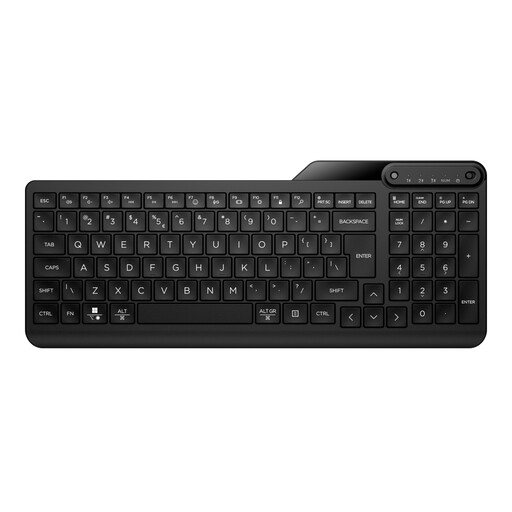
HP 460 Multi-Device BT KBD
Consider this multi-device keyboard if script work moves between devices. Its name identifies Bluetooth connectivity; confirm the exact key map, device compatibility and workplace pairing permissions before choosing it.
View on Joybuy
 No image available
Rapoo E9050L 75% Wireless Membrane Keyboard, US Layout, White
The 75% layout may suit a desk where mouse space matters more than a full-size key arrangement. This is a US-layout variant, so check its punctuation and editing keys before using it for UK scriptwriting.
View on Joybuy
 No image available
ET Silent Wireless Keyboard and Mouse Combo, US Layout
Consider this set if you want to assess a keyboard and mouse together for a shared desk. Its name identifies a wireless US-layout bundle; silent is a product claim, so check the sound and key arrangement for your workspace.
View on Joybuy
Frequently asked questions
Do I need a silent keyboard in a shared office?
Not necessarily: prioritise an explicitly quiet model if nearby colleagues can hear sustained typing, but check layout and workstation fit as well. Logitech claims over 90% less keyboard and mouse noise for its MK295 Silent Wireless Combo; that manufacturer figure is not a universal sound rating for keyboards.
Is a full-size or compact keyboard better for radio scripts?
Choose by the keys and desk space you need: a full-size layout retains a numpad, while a compact one can leave more room for a mouse. Check the exact navigation keys, punctuation and shortcuts against your script software before deciding.
Where should I place the keyboard for long writing sessions?
Place it centrally and just below elbow height, as the Health and Safety Executive advises. Check its position alongside the screen, chair and mouse rather than expecting a particular keyboard shape to resolve the whole setup.
Can I switch one keyboard between a work computer and other devices?
Yes, if the exact model supports the connections and devices you use and your workplace permits them. Logitech says MX Keys S switches across up to three devices; Keychron lists wired, Bluetooth and 2.4 GHz connections for the K3 Max. Confirm operating-system support and workplace pairing rules before buying.


