Start with a 4G keypad phone if your relative mainly needs calls and texts and finds physical controls easier to use. Consider an accessibility-configured smartphone if they also need apps, photos or video calls and can use it after setup and a practical trial. Choose the SIM separately: compare occasional-use airtime with a 30-day allowance, then check renewal, inactivity rules, coverage and calling compatibility with the handset.
Who is this setup for?
A relative who prefers physical controls
If calls and occasional texts are the main tasks, try a keypad, saved contacts and the charging routine together. For continuing use in the UK, Ofcom advises moving away from 2G-only devices as those networks are retired.
A relative who wants smartphone communication with fewer steps
Apps, photos or video calls may make a smartphone worth considering, provided the person can use the configured screen and call controls. Apple offers Assistive Access, while Google offers Android Action Blocks for compatible setups; neither replaces a trial with the intended user.
A household managing a little-used SIM
For occasional calls away from home, decide who will handle renewal and keep track of inactivity. giffgaff, for example, says a SIM can be deactivated after six months without qualifying use.
What should you check first?
Choose the call interface with your relative before settling on a SIM. A short trial of everyday tasks is more useful than assuming that either a keypad or a simplified home screen will suit them.
4G keypad phone
Consider it when: Calls, occasional texts and physical keys are the priorities.
Trade-off: It may not cover the apps or video calling the person wants.
Configured smartphone
Consider it when: The person needs smartphone functions and can use a customised interface after setup.
Trade-off: Accounts, settings and updates need someone willing to help manage them.
| Concern |
What to check |
Who this matters to |
| Straightforward calling |
Try answering and ending a call, finding a saved contact and charging the handset. Confirm 4G support and calling compatibility with the intended network. |
If I mainly need to reach family by phone, I want controls I can use without working through several screens. Around 36% of consumers would put straightforward calling first. |
| Accessibility and setup |
Try the text size, contrast, volume, unlock method and essential calling steps with the intended user. |
When the usual screen or controls are difficult for me to use, I need a setup that fits my own vision, hearing, dexterity or confidence. Around 29% of consumers would make that fit their primary concern. |
| Use away from home |
Check coverage where the phone will be used, the charging routine and how any trusted-contact function works after setup. |
Out of the house, I need to notice a call and reach a trusted contact without someone beside me to explain the phone. For around 21% of consumers, that is the first concern. |
| Low-use SIM upkeep |
Compare airtime use with a 30-day allowance; check renewal and the activity required to keep the SIM active. |
If I make calls only occasionally, I need someone to keep the arrangement active without having to remember every detail myself. Around 14% of consumers would prioritise that upkeep. |
Mistakes to avoid
-
Choosing a 2G-only phone because it looks familiar
Ofcom says the UK’s 3G networks have switched off and its 2G networks are being retired. A newly bought 2G-only handset is therefore a poor choice for continuing use.
Check for 4G support, then ask the intended provider whether calls will work on the exact handset and whether any settings need updating.
A 2G-only handset will need replacing as legacy network support ends.
-
Assuming a simple-looking phone needs no trial
Large keys or simplified software help only if the intended person can use the phone for their own essential tasks.
Set up key contacts together, then practise answering a call, placing one, reading a text and charging the phone before relying on it away from home.
-
Choosing a SIM on low usage alone
Infrequent use still calls for a renewal and inactivity routine. giffgaff says a SIM can be deactivated after six months without qualifying use.
Compare expected call length and frequency with the available airtime or 30-day options, and agree who will monitor renewal and activity.
-
Treating an assistance button as a monitored alert service
Doro describes model-specific functions for contacting trusted people. Their usefulness depends on the exact handset, its setup, signal and whether a recipient can respond.
Configure and test the contact sequence with everyone involved. If a monitored medical-alert service is needed, assess that separately.
Relevant brands to consider
Doro
Doro’s Leva feature phones are relevant when calls, texts and physical controls are the main requirements.
- Doro describes 4G models with physical buttons and assistance functions; check the exact model for the controls your relative needs.
- Location sharing differs by model: Doro describes it for the Leva L10 but says the Leva E10 does not offer it.
Apple
An iPhone may suit someone who wants smartphone communication and can benefit from a deliberately configured interface.
- Apple offers Assistive Access for selected app experiences, alongside distinct tools such as VoiceOver and Magnifier.
- Check device and feature availability, then confirm the person can unlock, charge and call using the finished setup.
Google / Android
Android is another configurable route for someone who wants smartphone functions and repeat actions on the home screen.
- Google says Action Blocks can create labelled or picture-led actions, including one for calling a contact.
- Action Blocks requires Android 5.0 or later, Google Assistant, a qualifying Google app version and internet access; menus also vary by device.
Keypad phones to consider on Joybuy
These handsets relate to the physical-control route for a relative who mainly needs calls. Choose a compatible low-use SIM separately, and test the call steps with the person who will use the phone.
 No image available
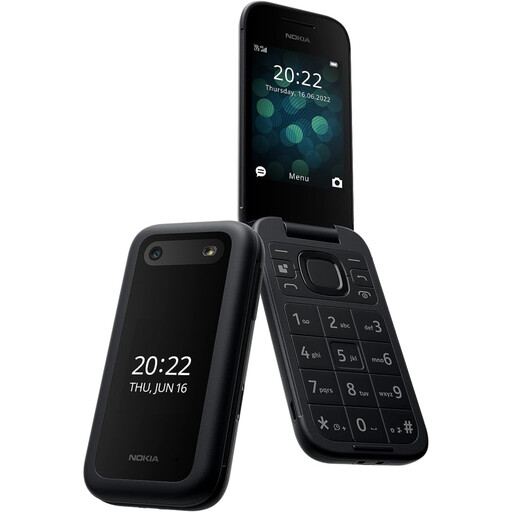
Nokia 2660 TA-1469
For a call-first setup, try answering, dialling and finding contacts with the intended user. Confirm 4G calling compatibility with their chosen network before relying on it.
View on Joybuy
 No image available
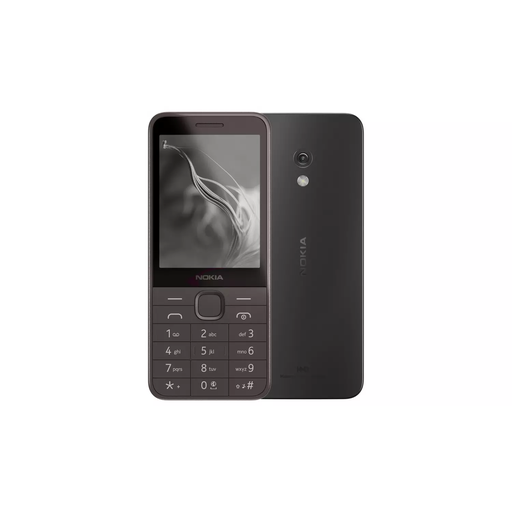
Nokia 235 4G (TA-1614)
A 4G handset to consider for a call-first arrangement. Check whether its controls and display suit the intended user, and confirm calling compatibility with the chosen network.
View on Joybuy
 No image available
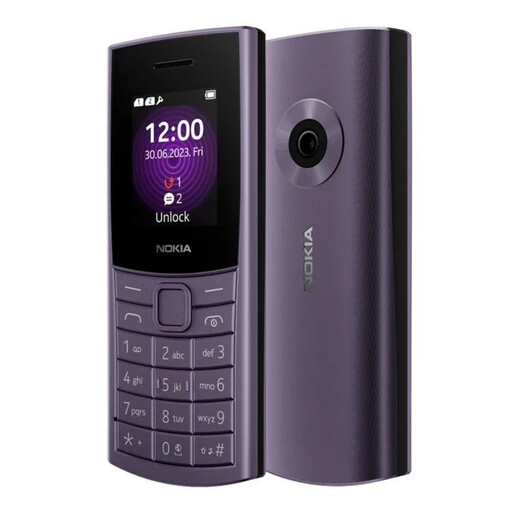
Nokia 110 4G TA-1543 DS Purple
For someone considering a 4G phone for basic communication, test text readability and call handling together. Confirm compatibility with the SIM provider before use away from home.
View on Joybuy
 No image available
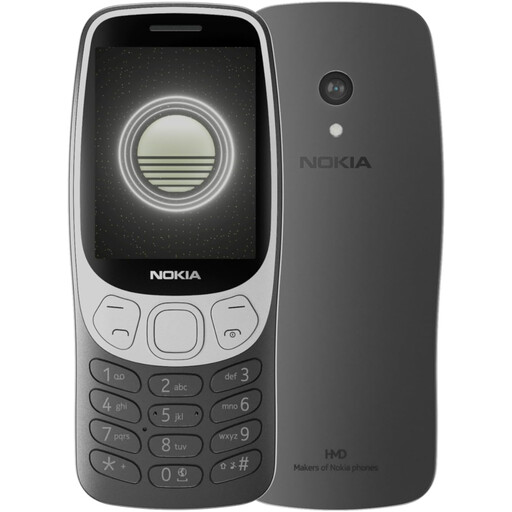
Nokia 3210 4G TA-1618 DS Grunge Black
A 4G option for the call-first route. Have the intended user try the display and saved-contact calling steps, and check network calling compatibility.
View on Joybuy
 No image available
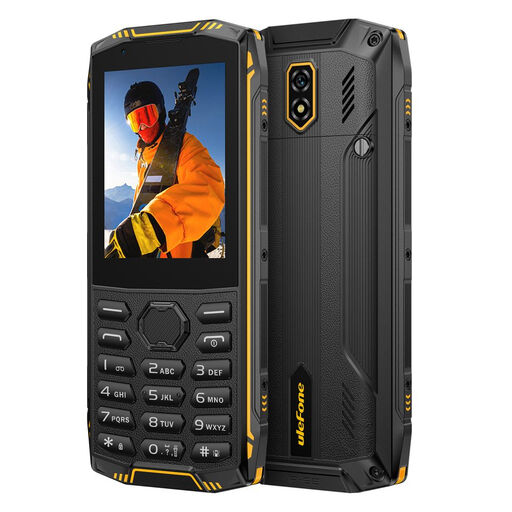
Ulefone Armor Mini 5, 1GB+8GB, 2.8-inch Touch Display, 4G LTE, No Charger
Consider it only if its calling steps suit the intended user; try those steps rather than assuming the interface is simple. The named variant has 1GB+8GB, a 2.8-inch touch display and 4G LTE. Check network calling compatibility and arrange a suitable charger separately.
View on Joybuy
Common questions
Should a new simple phone support 4G?
Yes, for a new handset intended for continuing use in the UK, choose one that supports 4G rather than a 2G-only model. Ofcom says UK 3G networks have switched off and 2G networks are being retired; also confirm that the chosen network supports calls on the exact handset.
Can my relative keep their mobile number with a new SIM?
They can request to keep it when switching provider. Ofcom says to text PAC to 65075 to request the code; check the account-holder details and the new provider’s switching instructions before proceeding.
Can a little-used giffgaff SIM be deactivated?
Yes. giffgaff says a SIM is considered inactive and deactivated after six months without qualifying use. Its listed qualifying actions include a call, SMS or MMS, a mobile-data connection, or an airtime-credit or plan purchase, so arrange a reminder if this is the chosen SIM.
Is a Doro assistance button a replacement for a monitored alert service?
No. Doro describes functions for contacting selected people, but they differ by model: the Leva L10 offers location sharing, while Doro says the Leva E10 does not. Check the exact contact sequence and test it with the recipients; assess a specialist monitored service separately if one is needed.


