People who mainly call and text
A physical keypad and a short menu may suit someone who does not need messaging apps or video calls. Check that the buttons, text and call controls are comfortable to use on the particular handset.


Choose a 4G- or 5G-capable phone around the person’s routine: a keypad phone for calls and texts, a simplified smartphone for photos and apps with fewer onscreen choices, or a conventional smartphone if its accessibility settings can be set up and used comfortably. Check calling with the intended UK provider and test any essential hearing, display and charging arrangements on the exact model rather than assuming they work across a range.
A physical keypad and a short menu may suit someone who does not need messaging apps or video calls. Check that the buttons, text and call controls are comfortable to use on the particular handset.
A smartphone with larger controls or a guided home screen can keep photos, messaging apps and video calls within reach without requiring the person to navigate a crowded standard layout.
A supporter can help set up contacts, chosen apps and controls for hearing, vision or dexterity, then try everyday tasks with the user. Apple notes that setting up Assistive Access may be easier with a trusted supporter; Android settings vary by device.
Start with the calls, messages and apps the person actually uses; then try the controls and confirm that the phone works with their network and any essential accessories.
Consider it when: Ordinary calls and texts are the main tasks, and physical buttons are easier to manage.
Trade-off: A call-focused handset is not a substitute for required messaging apps or video calls.
Consider it when: Photos, apps or video calls matter, but a guided screen and larger controls would help.
Trade-off: Accounts, permissions and updates may still need help from a supporter.
Consider it when: The person can use a standard iPhone or Android layout, perhaps with selected accessibility settings.
Trade-off: Controls and hearing-device functions depend on the exact phone, software and accessories; Apple, Google and Samsung document different conditions for their features.
| Priority | What to check | Your needs |
|---|---|---|
| Everyday tasks | List required calls, texts, photos, apps and video calls. Check those functions on the exact handset. | Will calls and texts cover my routine, or do I also keep in touch through photos, messaging apps and video? |
| Network calling | Check 4G or 5G capability and ask the intended UK provider about calling compatibility and any required settings. Ofcom says UK 3G networks have closed and 2G is being phased out. | I want a phone I can continue using for ordinary calls on my chosen network. |
| Screen and controls | Try reading a message, finding a contact and answering a call. Check text size, screen controls or physical buttons on the model itself. | Can I see the labels and reach the controls without struggling through menus I will not use? |
| Hearing and interaction | Test call volume and any required captions, voice controls or hearing-device pairing. Apple, Google and Samsung say relevant functions have device or software conditions. | If I rely on a hearing device or an alternative way to control the phone, it needs to work with my own equipment and routine. |
| Charging | Try the connector or confirm a cradle fits the exact model. Check which cable and adaptor come with the chosen accessory; Doro says these are not included with its charging cradle. | A fixed place to put the phone may help if plugging in a cable is difficult. |
Ofcom says UK 3G networks have closed and 2G networks are being phased out. A 2G-only phone is therefore a poor choice for continued UK use.
Choose a 4G- or 5G-capable model and confirm calling compatibility with the intended provider, including any required settings update.
Apple, Google and Samsung describe features whose availability or hearing-device compatibility depends on the equipment or software involved.
Try unlocking the phone, answering a call, reading a message and adjusting the volume. If hearing-device use matters, test the exact pairing.
A call-and-text-focused phone may leave out the app-based contact the person uses with family or services.
Write down their regular communication tasks before choosing between a keypad phone and a smartphone.
Doro identifies its cradles by compatible phone model and says its cradle does not include a USB cable or power adaptor.
Match the cradle to the exact handset and check the complete charging arrangement before ordering.
A separate cable or adaptor may be needed to use the cradle.
Doro describes call-and-text-focused feature phones alongside simplified smartphones for people who want apps, photos and video calls.
emporia offers keypad phones and smartphones with an optional simplified interface.
An iPhone is a conventional smartphone option that can be configured with Assistive Access.
Samsung documents accessibility controls for vision, hearing and interaction on its smartphones.
These options include keypad phones for call-focused use and smartphones for people who also want a screen for apps and photos. Check the exact phone’s controls and network calling before choosing.
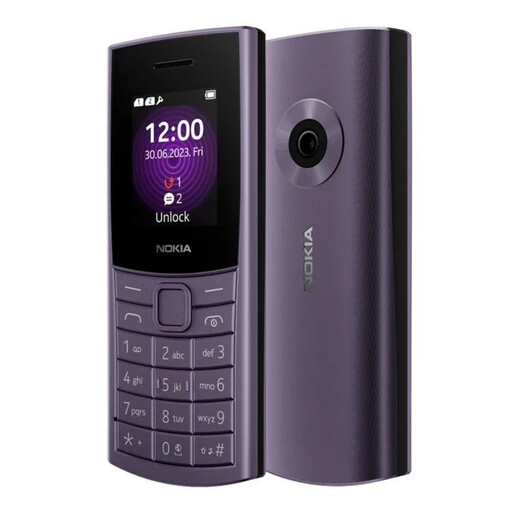 No image available
A keypad option to consider when calls and texts matter more than smartphone apps. Confirm 4G calling with the intended UK provider and test any required hearing-device connection.
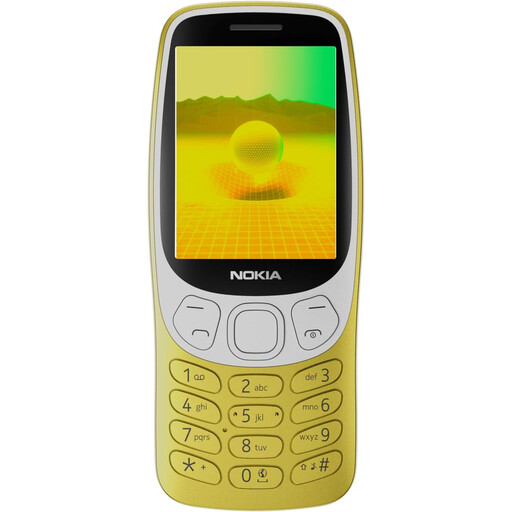 No image available
A call-and-text-focused option for someone who prefers a physical keypad. Confirm the exact variant and 4G calling with the intended UK provider; check app or video-call needs separately.
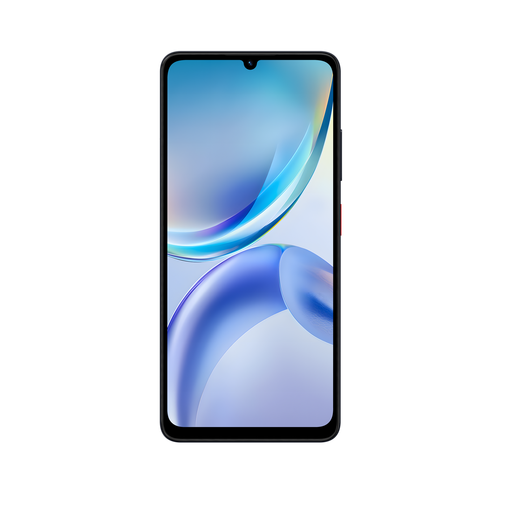 No image available
A smartphone option for someone who wants apps as well as calls. Try its text and navigation controls, and confirm provider calling and any essential hearing-device compatibility on this model.
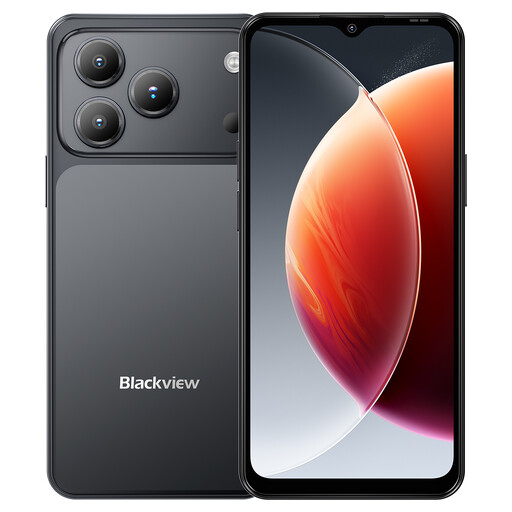 No image available
A 4G dual-SIM smartphone for considering apps and photos alongside calls. The stated specifications include a 6.56-inch display and 32MP rear camera; try screen readability and controls yourself, and confirm provider calling.
No image availableA 4G dual-SIM smartphone for considering apps and photos alongside calls, distinguished here by its 128GB storage variant. Its stated 6.56-inch display does not establish how readable the screen will feel; try the controls and confirm provider calling.
Choose a 4G- or 5G-capable phone instead. Ofcom says UK 3G networks have closed and 2G networks are being phased out; ask the intended provider to confirm calling on the exact handset.
Do not assume it will. Apple says Made for iPhone devices must meet its compatibility and system requirements, while Google notes that some Android hearing-aid steps require Android 14 or later. Check the exact hearing device, phone and software, and test them together where possible.
Consider one when the person wants selected calling, messaging, photo or app functions but finds a standard home screen difficult to navigate. Apple describes larger, more focused controls in Assistive Access, and emporia describes structured navigation on its SMART.7 mini; try the particular setup before deciding.
Check it against the exact handset rather than assuming it fits. Doro lists model-specific cradles and says USB cables and power adaptors are not included with its cradle.
Set up the contacts and apps the person will use, adjust the controls they need, and practise calls, messages and charging together. Apple says a trusted supporter may make Assistive Access setup easier; Android accessibility settings can vary by device.