What to check before buying
For a child’s tablet or phone, identify the control your family would use most, then check its account setup and whether it applies to the child’s actual connections.
| Concern | What to check | Who this matters to |
|---|
| Coverage across connections |
Check which settings apply to apps, mobile data and Wi-Fi. Ofcom says UK provider controls may need activating; EE says its network control does not work on Wi-Fi. |
I need controls that still make sense when my child moves between mobile data and Wi-Fi, rather than relying on one content lock. Around 33% of consumers put coverage across connections first. |
| Screen time and app use |
Confirm the child-account setup and software version. Google says Android app time limits require Android 7.0 or later; Apple requires Family Sharing and individual Apple Accounts for a child’s Screen Time controls. |
When device use needs to fit a daily routine, I want limits I can manage from the parent account. For around 27% of consumers, time and app limits are the primary concern. |
| Child-profile experience |
Check the child profile’s age fit and whether essential apps are available. Amazon’s Fire tablets do not support Google Play. |
I would rather start with an approved child space, provided it has the school and family apps we need. A bounded profile comes first for around 20% of consumers. |
| Downloads and purchases |
Check how app requests and purchase approvals work, and keep control credentials with the parent. Google documents Play purchase approvals for supervised child accounts. |
Before handing over the device, I want to approve new downloads and purchases instead of sorting out unwanted changes later. Around 20% of consumers prioritise these approvals. |
Joybuy Android tablets for children
These Android tablets are options for a child’s personal Wi-Fi tablet. Compare their stated child-control features with the account setup and app availability your family needs; neither tablet replaces a mobile-provider control for a child’s phone.
 No image available
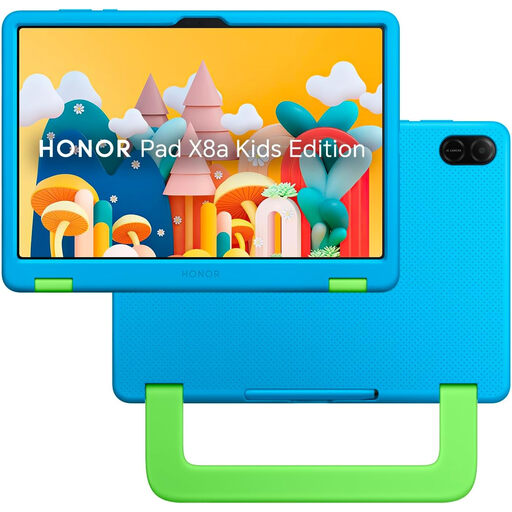
HONOR X8A Kids 11-inch Wi-Fi tablet, 128GB, Space Grey
Consider this tablet if you want to set up a child account and manage time and content settings; its listing describes those controls, but you should confirm the parent-account requirements before buying.
The named variant has an 11-inch display, Wi-Fi connectivity and 128GB storage. Check the exact software version and whether the controls you need work with your parent device.
Joybuy
 No image available
Alldocube Kido 8-inch Android 15 tablet, 3GB+32GB, blue case
This is a child-oriented tablet with a stated child-lock feature. Before choosing it for parental controls, confirm how an adult manages the lock and whether it covers the apps and purchases that matter to you.
The named variant has an 8-inch display, Android 15, 3GB RAM, 32GB storage, 5G Wi-Fi and a blue protective case. Its title says no adapter is included, so check what compatible charging equipment you have.
Joybuy
Common questions
Will a mobile-network content lock work on home or school Wi-Fi?
Do not rely on it for Wi-Fi. EE says its parental control works when a device uses the EE mobile network, not Wi-Fi, so check device settings and each Wi-Fi connection separately.
What do I need before managing a child’s iPad or iPhone with Screen Time?
Apple says to set up Family Sharing with an individual Apple Account for each family member. The organiser or parent or guardian should set the child’s Screen Time passcode on their own device.
Can Google Play restrictions block every unsuitable link?
No. Google says restricted content can still appear through search results or direct links, and its Play restrictions apply to the Android device where they are configured. Check browser and connection controls separately.
What should I check before buying a Fire Kids tablet?
Check that the child’s essential apps are available, because Amazon says Fire tablets do not support Google Play. For a bundle with Amazon Kids+, also check when the included period ends and how renewal works.
Should I activate a UK mobile provider’s parental control myself?
Check its status before giving the child the SIM. Ofcom says UK mobile providers offer free parental-control services, but they may not be enabled automatically; confirm the activation steps with your provider.


