
24/7 Customer Support

Free returns

Same-day & Next-day Delivery

Quality Guaranteed

Unlock Your Welcome Offers: FREE Delivery | Up to 80% OFF | Free 30-day JoyPlus trial
Download the APP
Choosing a kids digital camera can seem straightforward until you compare image resolutions, zoom claims, accessories and age guidance. A camera may look appealing online yet prove awkward for small hands, fragile during family trips or expensive to keep supplied with paper and storage cards.
This guide from the Joybuy Product Recommendation Officer focuses on the details that matter in everyday UK use, helping parents, grandparents and relatives choose a suitable children’s camera for birthdays, Christmas and other celebrations.
Some children’s and beginner cameras advertise figures such as 48MP, 64MP or 80MP. These numbers describe the stated image output, but they do not automatically indicate better-looking photographs. Lens quality, lighting, focusing and image processing also affect results.
For a child, a simple camera that focuses reliably and has clear controls may be more useful than one with an impressive specification that produces blurred images or requires complicated menus.
Digital zoom enlarges part of an image and can reduce detail, particularly when the camera is handheld. Optical zoom uses the lens to magnify the subject before capture. Check the wording carefully: an advertised “18X zoom” may combine optical and digital zoom.
For photographing wildlife, school events or distant subjects, the type of zoom matters more than the headline number.
An instant print camera for kids needs thermal paper, while a standard digital camera normally needs a MicroSD card for storage. Paper rolls, replacement batteries, charging equipment and protective accessories can affect the real cost over time.
MicroSD cards, battery covers, paper rolls and detachable accessories may also present choking risks. Always follow the stated age guidance and supervise younger children.
Look for a clearly stated minimum age, sturdy construction and a size that suits the child’s hands. A kids’ camera with soft case can provide additional protection against everyday bumps, although a silicone cover does not make a device waterproof or impact-proof.
For children under three, cameras containing small parts are generally unsuitable. Older children should still be shown how to handle charging cables, memory cards and wrist straps safely. Check that products display the appropriate conformity marking, such as CE or UKCA where applicable, and read the supplied safety instructions.
A basic camera for younger children may only need photo capture, video recording and a straightforward screen. For a beginner camera for teenagers, useful additions can include autofocus, image stabilisation, Wi-Fi transfer, a front-facing lens or a tripod mount.
Check whether a memory card is included. If not, confirm the supported card type and capacity before ordering. Video files use considerably more storage than photographs, so a camera with video recording benefits from a suitable card and regular file transfers.
Instant print models offer physical photographs without a separate printer, but printed images are usually produced by thermal printing rather than traditional ink photography. Confirm the paper format and availability before purchase.
For rechargeable cameras, check the charging method and use the recommended adapter. Avoid exposing lithium batteries to high heat, crushing them or attempting to open them. Keep lenses clean with a soft cloth, and remember that most children’s cameras in this category are not waterproof.
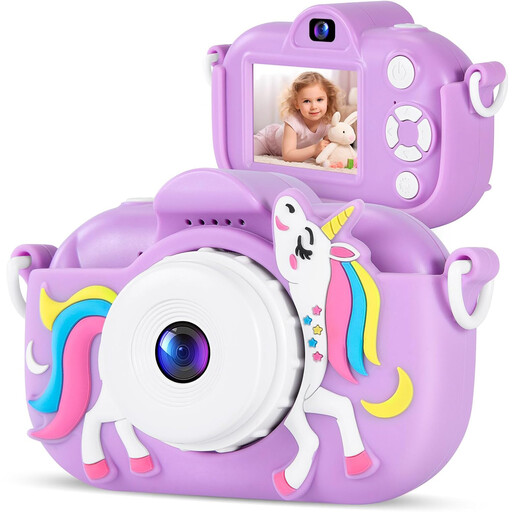
Why This Fits Their Persona: A straightforward choice for younger children beginning to take photographs at home, on day trips or during family holidays.
The soft cartoon case helps protect the camera during ordinary handling, while the simple format avoids unnecessary advanced controls.
FHD video recording, USB-C charging and stated photo and video battery-use times of up to 150 and 90 minutes respectively.
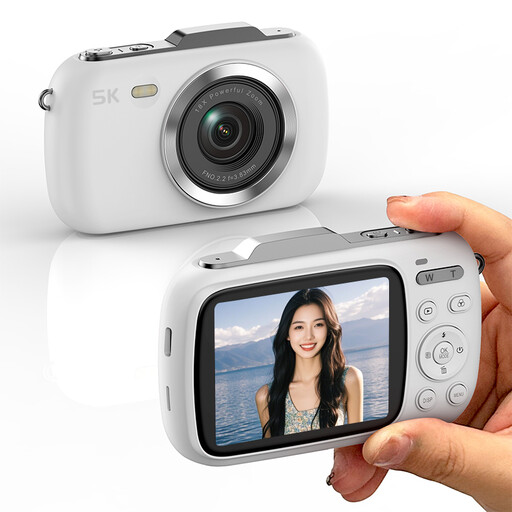
Why This Fits Their Persona: Suits teenagers and students who want a more traditional portable digital camera for photography, travel and video creation.
Its stated 18X zoom is identified as digital zoom, making it easier to set realistic expectations about distant subjects and camera shake.
Supports up to 80MP stated image output, 5K video, USB-C data transfer, face detection and a rechargeable lithium-ion battery.
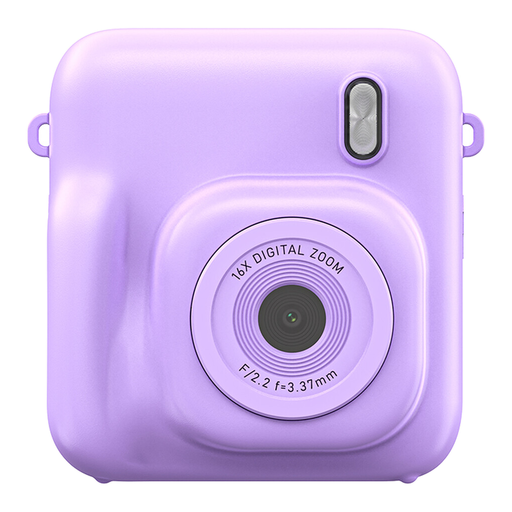
Why This Fits Their Persona: Designed for children who enjoy sharing physical pictures immediately at parties, family gatherings and creative activities.
The listing identifies thermal paper and MicroSD storage, so buyers can plan for consumables and supervise paper loading and card handling.
Includes Full HD video recording, a 2.4-inch screen and several selectable image resolutions.
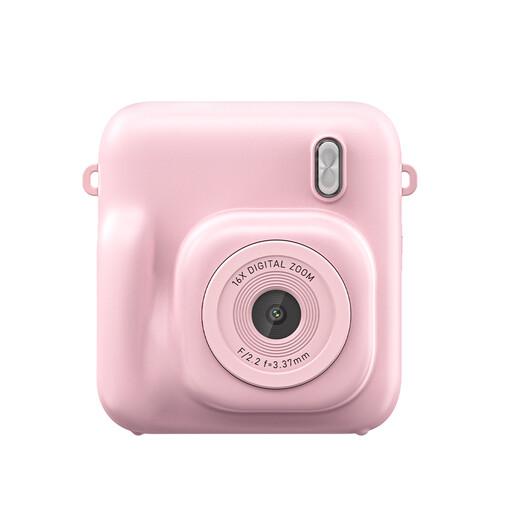
Why This Fits Their Persona: A gift-oriented option for children who value colour, simple snapshots and immediate printed keepsakes.
The product information highlights the need for standard charging, careful paper handling and protection from moisture, making its limitations clear.
Provides Full HD video, a 2.4-inch display and thermal printing in a compact children’s format.
We have compiled a complete, real-time list of products that fully satisfy these strict selection criteria and UK safety regulations.
It can be, but teenagers may prefer a more advanced children’s photography camera with autofocus, stabilisation, higher video resolution, Wi-Fi transfer or zoom. Entry-level models such as the KOMERY G7 or X9 are closer to compact travel and vlogging cameras than simple toy cameras.
The ongoing cost depends mainly on the number of photographs printed and the price of compatible thermal paper. Digital photos stored on a MicroSD card do not require paper, but the card may need replacing or clearing. Check consumable compatibility before purchasing.
Lifespan depends on handling, battery care, storage conditions and whether the camera is exposed to water or severe impacts. A protective case can reduce everyday scuffs, but it cannot prevent all damage. Following the manual and supervising charging can help maintain safe, reliable use.