What matters when choosing?
Start with the games and video services children will actually use, then check how the chosen device handles individual accounts and everyday sharing.
Family tablet
Consider it when: Portable video and touch-screen apps are the main activities.
Account trade-off: Supervision depends on the operating system: Google says Family Link cannot supervise iPads, while Apple’s family controls use Apple accounts and Family Sharing.
Games console
Consider it when: Dedicated gaming, particularly with a controller or TV, takes priority.
Account trade-off: Family settings differ across Nintendo, PlayStation and Xbox; adults also need to protect their own profiles and review online features separately.
Shared computer
Consider it when: Children need a keyboard, browser-based services or software that does not suit a tablet or console.
Account trade-off: Check operating-system, browser and service settings individually; Google says Family Link cannot supervise computers other than Chromebooks.
| Concern |
What to check |
Who this matters to |
| Child accounts and controls |
Confirm separate child accounts and the controls available for content, communication, time and purchases on the intended platform. |
When children share a connected device, I want settings attached to each child rather than an adult login. Around 31% of consumers put individual account controls first. |
| Sharing between children |
Check how children switch profiles and whether guest access or new-user creation can be restricted where needed. |
If siblings have different ages or permissions, I need their rules to stay distinct as they take turns. Keeping those rules separate is the primary concern for around 25% of consumers. |
| Games and video fit |
Check the planned games and video services against the device, required accounts, online features and controller needs. |
I do not want to choose a device before knowing whether the children’s usual entertainment will work on it. That activity fit comes first for around 25% of consumers. |
| Protection, charging and storage |
Check capacity against planned downloads, the charging arrangement and whether a case fits the exact model without obstructing ports or controls. |
With a device passed between children, I need it ready to use and enough room for their chosen apps or games. Around 19% of consumers make that practical readiness their main concern. |
Joybuy products for tablets and gaming
These tablets suit households considering portable video and apps; the Xbox consoles suit households focused on dedicated gaming. Check the games, video services and child-account setup you need before choosing between them.
 No image available
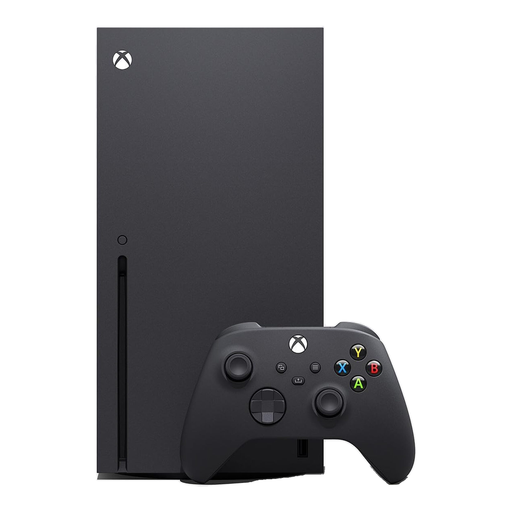
Xbox Series X Console, 1TB, Black
Consider this for shared console gaming if the household plans to use a Series X and needs to check its chosen games and services. The listed variant has 1TB storage; set up individual profiles and review the Xbox family settings that apply to your accounts.
View on Joybuy
 No image available
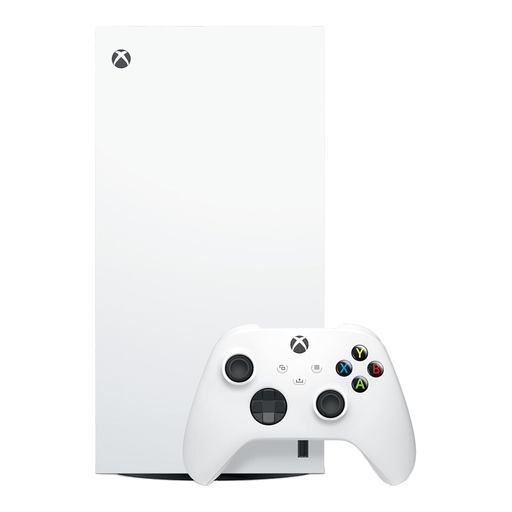
Xbox Series X 1TB Digital Edition, White
Consider this console if the household intends to use digital games. This 1TB Digital Edition has no disc drive, so check digital availability and account requirements for the planned games, as well as the relevant Xbox family settings.
View on Joybuy
 No image available
Alldocube Kido 8-inch Tablet, 3GB+32GB, Blue Case
Consider this Android 15 tablet for portable video and apps if its 32GB storage suits the planned downloads. The named variant includes a blue protective case and states that no adapter is included; confirm the required charger, child-account setup and compatibility with the intended services.
View on Joybuy
 No image available
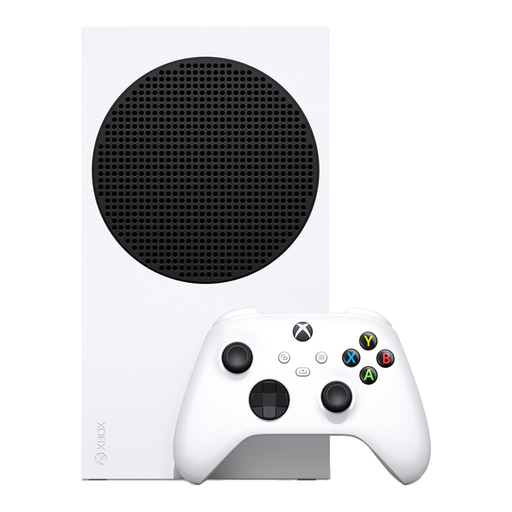
Xbox Series S 512GB Console, White
Consider this digital console for shared gaming when the planned game library fits its storage. The named capacity is 512GB; check space needed for games and updates, digital game availability and the Xbox family settings for each child.
View on Joybuy
 No image available
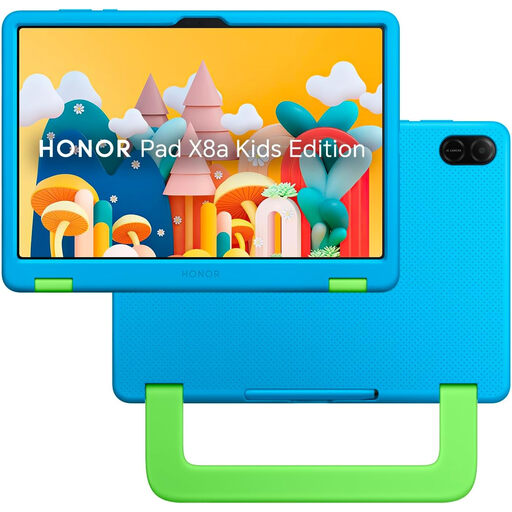
HONOR X8A Kids 11-inch WiFi, 128GB, Space Grey
Consider this 11-inch tablet for portable video and apps if its 128GB storage fits the household’s plans. Before relying on the described parental controls, confirm the exact child-account functions, compatible supervision tools, charging requirements and protection needed for shared use.
View on Joybuy
Frequently asked questions
Should each child have a separate account on a shared device?
Yes, where the platform supports child accounts, set one up for each child rather than sharing the adult login. Apple says family members should have their own Apple Accounts, PlayStation requires a separate child account for each child using its online services, and Xbox recommends individual profiles on shared consoles.
Can I set up parental controls after buying a device?
Yes, but check the account and device requirements before choosing it. Apple’s described Screen Time arrangement uses Family Sharing and child accounts, Google Family Link requires an eligible device, and console controls depend on the relevant family and child-account setup.
Will Google Family Link supervise any tablet or computer?
No. Google says Family Link cannot supervise iPhones, iPads or computers other than Chromebooks, so confirm the operating system if Family Link is central to your household setup.
Does a suitable PEGI rating mean a game will be easy for my child?
No. PEGI says its ratings concern content age suitability, not difficulty. Check reading demands, controls and online features separately when deciding whether a particular game suits a child.
Can parental controls guarantee a child’s safety online?
No. Apple, Google and console platforms describe controls for specified account, content, communication, time or purchase settings; those settings do not cover every interaction across every service. Review the services children use as well as the device settings.


