Families choosing a first online-play device
The child wants to join friends or relatives online, so the choice includes not just a device but a child account, communication settings and purchase permissions from the start.


Choose the device around the games your child wants to play and the people they want to join, then check the child-account and communication settings for that platform and each game. A console suits a shared TV setup, a gaming-capable computer suits families seeking PC games or other computer uses, and a tablet or handheld suits portable play. Whichever route you choose, account settings need to work alongside household rules and conversations about online interaction.
The child wants to join friends or relatives online, so the choice includes not just a device but a child account, communication settings and purchase permissions from the start.
Play has to fit around access to the main screen, voice-chat noise, siblings and bedtime routines. Where and when the child plays can matter as much as the device.
A child may move between a console, computer, tablet or handheld. Check controls on each device, platform account and game rather than assuming settings carry across.
Start with the games and play group, then decide where play will happen. Account, chat and purchase settings need checking whichever device you choose.
Consider it: When supported console games with known friends or family and a shared-screen setup are the priorities.
Bear in mind: Family controls differ between platforms; Nintendo says Switch parental restrictions apply to everyone using the console.
Consider it: When the intended games require a computer, or the household also wants the computer for other uses.
Bear in mind: Steam family controls govern Steam access, not every game, store or communication service a child might use on the computer.
Consider it: When portable play matters and the intended games and online modes support the exact device.
Bear in mind: Play away from the shared screen calls for deliberate check-ins and rules about where the device can be used.
| Concern | What to check | Who this matters to |
|---|---|---|
| Communication and privacy | Check who can contact the child on the platform and in each game, and whether restrictions apply to the child account or the whole device. | If my child plays with known friends, I still want control over new contacts and chat. Roughly 36% of consumers would put those communication boundaries first. |
| Shared-space use | Decide where play and voice chat can happen; check whether a headset can be muted easily and how playtime controls apply to shared users. | When gaming uses the family room, I need sessions to fit around other people and our routines. Around 21% of consumers would make shared-home use their primary concern. |
| Games and device fit | Confirm the priority games’ device support, cross-play and online-account requirements with the child’s intended play group. | I do not want to choose a device only to find that my child cannot join their friends’ game. For about 29% of consumers, game access would come first. |
| Purchases and subscriptions | Check each game’s online-membership conditions and set purchase permissions on the relevant child or family account. | If games offer purchases or require a membership, I want to approve access rather than share an unrestricted adult account. Approximately 14% of consumers would prioritise those permissions. |
Online modes, supported devices and cross-play differ by game. Xbox also distinguishes online console multiplayer included with certain plans from access to free-to-play multiplayer.
List the games and the platforms used by the people your child wants to join. Check each game’s device, account, cross-play and online requirements before choosing hardware.
Nintendo says Switch parental controls apply to the whole console, while some account restrictions are managed separately. A game may have its own interaction settings too.
On a shared device, find out which settings apply to the console, the child account and the game. Sign in as the child to check how the restrictions work.
Ofcom’s 2026 research on UK children aged 8 to 17 found that, although most played with people they knew in person, some also interacted with people they had met only online.
Set friend and communication permissions before play begins. Review game chat settings together and agree how your child can ask for help after unwanted contact.
UK government online-safety guidance says parental controls are helpful but cannot address every situation a child encounters online.
Agree where and when play happens, who can be added as a friend and what to do if an interaction is upsetting. Revisit the plan when your child starts a new game or uses another device.
Relevant to families considering an Xbox console or a Windows PC within a Microsoft family group.
Relevant to a TV-based console setup where parents want to manage a child’s account through PlayStation family tools.
Relevant to households considering Switch play at home and on a portable screen.
Relevant when a child’s computer or Steam-based handheld gaming includes Steam games and features.
These products cover a gaming-capable desktop, portable tablet play and headsets for voice communication. Choose the gaming device for the intended games first, then check any accessory against the exact device and game.
 No image available
Consider this fixed desktop if the child’s intended games support a Windows PC; check their online modes and account arrangements separately.
The listed configuration includes an AMD Ryzen 7 9800X3D, NVIDIA GeForce RTX 5080 16GB, 32GB DDR5, a 2TB NVMe SSD and Windows 11 Home. Plan for the screen and input accessories needed for the complete setup.
 No image available
A wired headset is an option when a child uses voice chat in a fixed gaming space; confirm the connection fits the exact device.
Check the headset’s fit and keep listening volume appropriate. Muting a microphone does not restrict who can contact the child in a game.
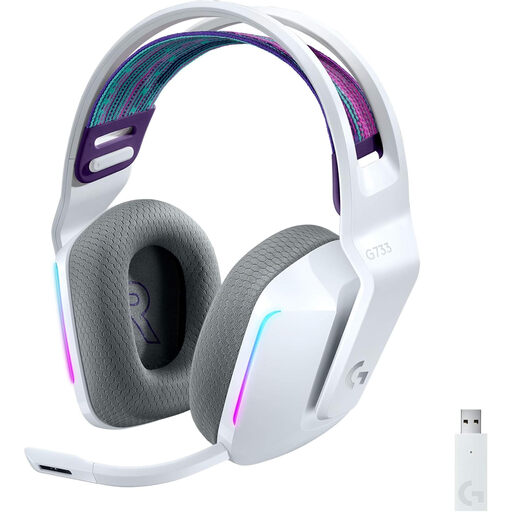 No image available
Consider a wireless headset if avoiding a cable matters in the home gaming space, provided it works with the intended device and game.
Check the headset’s platform-specific connection requirements and fit for the child. Set communication permissions on the platform and in the game separately.
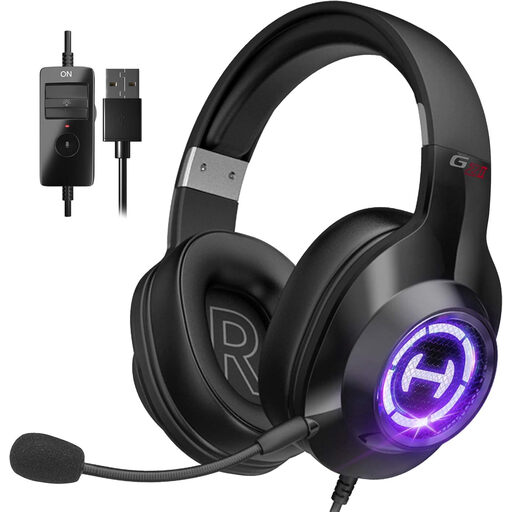 No image available
This wired headset is worth checking for a PC, Mac or PS4 voice-chat setup; confirm compatibility with the exact device and game.
The title lists USB connectivity and a microphone. If quick muting is important in a shared room, check how its microphone controls work before choosing it.
 No image available
A portable tablet is an option only if the child’s intended games, online modes and play group support it; check those requirements before purchase.
The title lists Wi-Fi, a 5000mAh battery and a protective case. Check what the advertised child-lock feature controls, including chat and purchases, and plan for an adapter separately: one is not included.
No. UK government online-safety guidance says controls can help but cannot address everything a child encounters online. Set them before play starts, talk about unwanted contact and revisit the settings when your child uses a new game or device.
Yes, console family tools offer communication restrictions, but the settings differ. Xbox Support describes organiser-managed communication permissions, PlayStation Support UK describes child-family communication controls, and Nintendo describes Switch communication restrictions. Check the chosen game’s chat and friend settings as well.
No. Xbox’s Game Pass plan information distinguishes included online console multiplayer from free-to-play multiplayer, which it says is open to every Xbox player. Check the exact game, platform and applicable membership conditions before choosing a device.
Nintendo says Switch parental restrictions apply to everyone using the console, so choose console-wide settings with all regular users in mind. Check Nintendo Account family settings separately for the account restrictions your household needs.
Use a separate child account or child profile where the platform offers one. Xbox, PlayStation and Steam describe family controls tied to their account arrangements; set up the child’s access and check its privacy, game and purchase permissions before online play.