What should you check first?
Confirm the games and accounts before choosing hardware; assess accessories and network equipment against the setup the household will actually use.
| Concern |
What to check |
Who this matters to |
| Child accounts and supervision |
Check whether each child can have a separate account, and review platform permissions alongside the game’s own chat and friend settings. |
If I need to manage communication and play time for one child without changing another’s settings, an individual account comes first. About 36% of consumers put that supervision need first. |
| Games and online services |
Confirm supported platforms and cross-play for the required games, plus child-account and online-membership requirements. |
When my child wants to join friends in a particular game, I need to know they can play together before choosing a device. For about 29% of consumers, that compatibility is the primary concern. |
| Connection at the play location |
Test during normal household use in the intended room; where practical, compare with a temporary Ethernet connection. |
If play drops out in the child’s room while the rest of the home is online, I want to identify the connection problem before replacing hardware. A dependable connection is the first concern for about 21% of consumers. |
| Accessories and shared use |
Check controller and headset compatibility with the exact device, and review which accounts need any recurring online service. |
In a shared room, I need accessories that work with the chosen device and service arrangements I can keep track of. About 14% of consumers prioritise that practical fit. |
Joybuy products for different setup needs
These selections cover an Xbox console, a controller for an existing compatible setup and two mesh systems to consider if testing points to a home Wi-Fi coverage problem. Match any choice to the child’s games, accounts and play location first.
 No image available
Xbox Series S – 1TB
Consider this console if the child’s required games and friends’ play arrangements work on Xbox. The listed variant has 1TB of storage; check each game’s online-service requirements and configure the child account and game-level communication settings separately.
View on Joybuy
 No image available
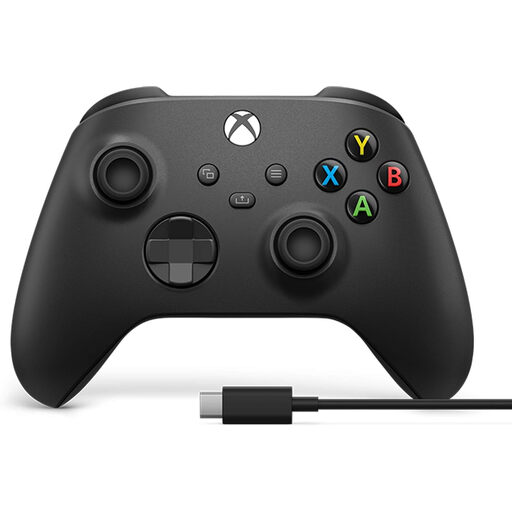
Xbox Wireless Controller with USB-C Cable
Consider an additional controller when the household already has a compatible Xbox Series X|S, Xbox One or Windows setup. This listing includes a USB-C cable; confirm support for the intended game and any headset connection the child needs.
View on Joybuy
 No image available
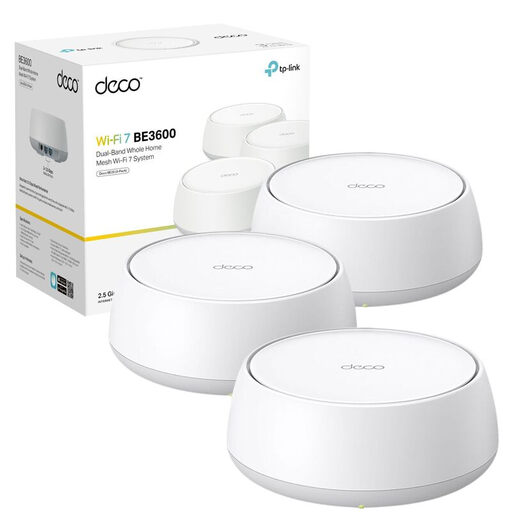
TP-Link Deco BE25 Wi-Fi 7 Mesh System, 3-Pack
Consider this three-unit mesh system only if testing identifies a coverage problem at the play location. Check how it would connect to the household’s existing modem or gateway and whether the layout suits the intended unit placement.
View on Joybuy
 No image available
NETGEAR Orbi 370 RBE373 Wi-Fi 7, 3-Pack
Consider this mesh system if checks show weak coverage in the child’s play area rather than a game or service problem. The listed variant is dual-band BE3600 with 2.5Gbps Ethernet; check the existing modem or gateway and where the units could be placed before choosing it.
View on Joybuy
Frequently asked questions
Should a child use a parent’s main gaming account?
Use a separate child or supervised account where the chosen platform supports one. Xbox, Nintendo and PlayStation describe family-management options, but you still need to check the child’s game-specific friend, chat and purchase settings.
Do parental controls make online gaming safe?
No control setting guarantees online safety. Platform tools manage defined permissions, while individual games may have their own social features; PEGI advises parents to talk with children about online interactions, personal information and reporting inappropriate behaviour.
Does online multiplayer always need a membership?
No single rule covers every platform, game and feature. Nintendo UK says certain Switch and Switch 2 games require Nintendo Switch Online for online play, while Switch 2 GameChat requires a persistent internet connection and that membership. Check the exact feature before subscribing.
Will a faster broadband package fix lag or drop-outs?
Not necessarily: the connection inside the home may be the issue. Ofcom notes that Wi-Fi and powerline links can deliver lower actual speeds than Ethernet, so test the normal play location during household use and, if practical, compare a wired connection before changing equipment or service.
What age information should parents check for a game?
Check its PEGI age classification and descriptors on the package or digital store, then review its online features and the child’s account settings. PEGI presents the classification as guidance on the age suitability of game content; it does not configure communication permissions.


