Choose a tablet if portable video and touch games are the main uses, a console if the family chiefly wants console games, or a computer if the device must also handle keyboard-and-mouse tasks. Before choosing a model, check how the platform handles a separate child account, then match storage, game formats and any online membership to the games and video services the household intends to use.
Who is choosing a shared device?
Households setting up a first shared child device
A separate child account matters when adults and children use the same hardware. Apple, Xbox and PlayStation each describe child or family-account arrangements; check the age and parental-consent requirements of the platform you choose rather than leaving an adult account signed in.
Families planning online multiplayer
If playing with friends is central to the purchase, identify the games first. Nintendo UK and PlayStation list online play among their membership benefits, so the relevant game, account restrictions and service requirements all affect the console decision.
Families changing an existing shared device
Check whether the problem is space for downloads, a need for physical game discs or the way the child’s account is configured. A different storage option will not resolve an account-control problem; Microsoft warns that a child with Windows administrator access can change or break Family Safety settings.
What should you check before choosing?
Start with where games and video will be used, then check the account system and requirements of the specific games. Accessories are a separate choice once the device and its exact model are known.
| Priority |
What to check |
Your needs |
| Device use |
Decide whether touch games and portable video, console games on a TV, or keyboard-and-mouse tasks matter most. Check that the intended games and video services work on the chosen device. |
Will this mainly be a screen to carry around, a device for family gaming, or a computer that also handles other household tasks? |
| Child accounts |
Check the platform’s age and parental-consent requirements and set up its own child account. Apple Support calls for separate Apple Accounts in Family Sharing; PlayStation advises a separate account for each child. On Windows, Microsoft warns against giving a child administrator access when using Family Safety. |
I want the child’s settings and access managed separately, even though adults share the device. |
| Online play |
Check each game’s multiplayer requirements and supervised-account restrictions. Nintendo UK includes online play with Nintendo Switch Online; PlayStation lists online multiplayer among PlayStation Plus benefits. Nintendo says a family membership can cover up to eight Nintendo Accounts. |
Playing with friends is important, so I need to know what works with the child’s account and whether the chosen games require a membership. |
| Storage and format |
Compare the exact capacity with planned game downloads, updates and offline video. Apple lists 128GB as the starting storage for the 11-inch iPad (A16); Microsoft lists the Xbox Series S 512GB model as digital-only. Check disc support if the family expects to use physical games. |
There needs to be room for what we plan to keep on the device, and I do not want a digital-only console if we intend to use discs. |
| Games and controls |
Check each game’s UK age rating and configure controls for the child’s account. UK Government parental-controls guidance recommends testing that the settings work before handing over a device and reviewing them over time. |
I need to know which games the child can access and whether the restrictions still work after an account or device change. |
| Accessories |
For a case or extra controller, check the exact device generation and connection requirements. Confirm that a case leaves charging and cooling unobstructed and that the intended games support the controller. |
If the device will travel between rooms or we want to play together locally, an accessory should fit the device and the way we will use it. |
What can be easy to overlook?
-
Using an adult account because the hardware is shared
An adult sign-in can mix the child’s use with adult settings and purchases instead of applying controls to a distinct child account.
Set up the child’s account in the relevant platform family group before adding games or services, following that platform’s age and parental-consent requirements.
-
Assuming the console purchase includes online multiplayer
Access to the intended online features may depend on a recurring platform membership. Nintendo UK describes online play as a Nintendo Switch Online benefit, while PlayStation includes online multiplayer in PlayStation Plus memberships.
List the intended games and check their individual online requirements before deciding whether an individual or family membership fits the household.
-
Choosing storage without checking game format
Capacity affects planned downloads, while a digital-only console will not play physical game discs. Microsoft identifies the Xbox Series S 512GB model as digital-only.
Compare the exact model’s storage and disc support with the games and offline media the family expects to use.
-
Setting controls once and never testing them
Restrictions depend on the account and device being used. Microsoft warns that Windows administrator access can allow a child to change or break Family Safety settings.
Use a standard Windows child account where Family Safety is needed. Test the restrictions you have set before regular use, and review them after changing accounts, devices or services, as UK Government guidance recommends.
Relevant platform and brand references
These account and service differences can help narrow a device route; they do not determine whether a particular game or video service suits your household.
Apple
An iPad route for portable video and touch games where the household intends to use Apple’s family-account controls.
- Apple Support says each Family Sharing member should have their own Apple Account and that a parent or guardian creates an account for a child under 13.
- Google says most Family Link supervision tools do not work on iPads. Check the exact iPad’s storage against planned downloads; Apple lists 128GB as the starting capacity for the 11-inch iPad (A16).
Nintendo
A console route for households considering portable and TV-connected gaming with supervised Nintendo Accounts.
- Nintendo UK says a Nintendo Switch Online family membership can cover up to eight Nintendo Accounts in a family group.
- Nintendo describes online play as a membership benefit. Check each intended game’s online requirements and age rating separately.
PlayStation
A shared-TV console route for families planning separate child accounts and platform parental controls.
- PlayStation advises its family manager to create a separate account for each child with their date of birth.
- PlayStation lists online multiplayer among PlayStation Plus membership benefits; check the chosen games’ requirements before relying on online access.
Xbox / Microsoft
An Xbox or Windows route for a household considering Microsoft child accounts and Family Safety settings.
- Microsoft says screen-time limits can be set across connected Windows, Xbox and mobile devices.
- Microsoft warns that a child with Windows administrator access can change or break Family Safety settings. Keep a Windows child account as a standard user when those controls are needed.
Joybuy console options
These console options are for households considering Nintendo or Xbox gaming. Check each intended game’s age rating, online requirements and account setup, and confirm that the video services you plan to use work on the chosen console.
 No image available
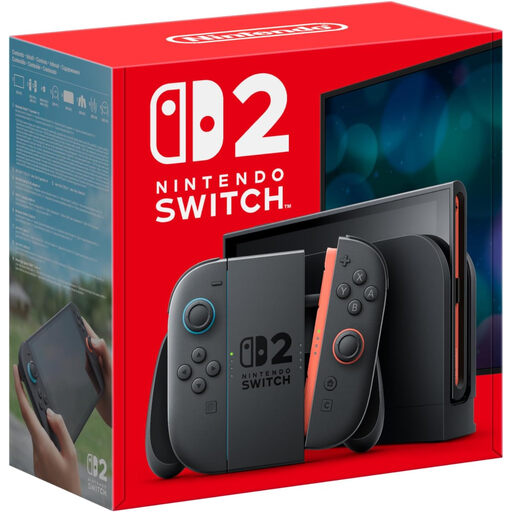
Nintendo Switch 2 Console (UK Version)
Consider this Nintendo console if the family wants games that can be played in portable and TV-connected settings. Set up the appropriate supervised Nintendo Account, check each game’s age rating and online-service requirements, and confirm support for the video services you intend to use.
View on Joybuy
 No image available
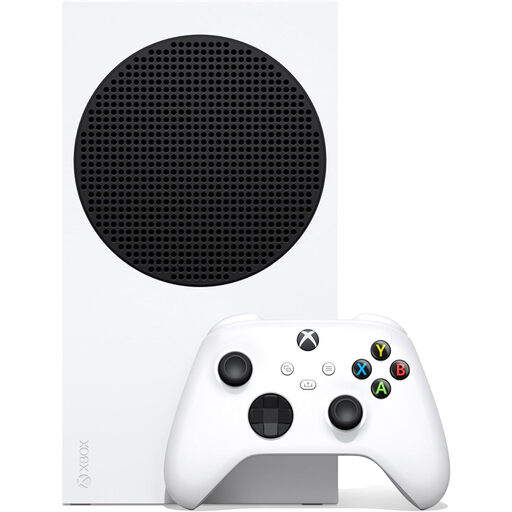
Xbox Series S 1TB
This 1TB Xbox Series S is an option for a household focused on shared console gaming. Link the child’s Xbox account to an adult Microsoft account as Xbox Support directs, and check the intended games’ multiplayer requirements, disc needs and video-service compatibility before choosing it.
View on Joybuy
 No image available
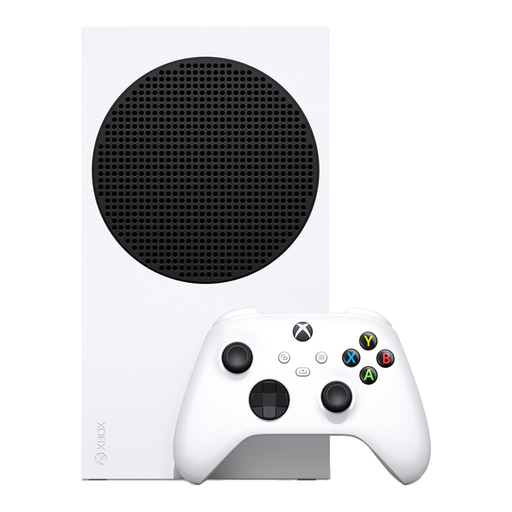
Xbox Series S 512GB Console, White
For shared Xbox gaming, this 512GB Series S is a distinct storage option from the 1TB model above. Microsoft identifies the 512GB model as digital-only, so it will not suit a household planning to use physical game discs. Check planned downloads, the games’ online requirements and the video services you intend to use.
View on Joybuy
Questions about shared family devices
Should a child use a parent’s account on a shared device?
Set up a separate child account in the platform’s family structure rather than using a parent’s account as the default. Apple Support says Family Sharing members should have their own Apple Accounts, PlayStation advises an account for each child, and Xbox Support describes linking a child account to an adult Microsoft account for Xbox services.
Does buying a console include online multiplayer?
Not necessarily. Nintendo UK includes online play with Nintendo Switch Online, and PlayStation lists online multiplayer among PlayStation Plus benefits. Check the exact game and the child account’s access before deciding whether a membership is needed.
Can Google Family Link supervise every tablet or computer?
No. Google says most Family Link supervision tools do not work on iPads, iPhones or computers other than Chromebooks. Check the device maker’s family controls and any separate game-platform settings instead of assuming one account manages every device.
What should a family check before installing a child’s game?
Check the game’s age rating, online features and account requirements. UK Government guidance identifies age ratings as part of choosing games for children and recommends testing parental controls before handing over a device.
How should a shared Windows computer be set up for a child?
Use a separate child account and keep it as a standard user if the household relies on Microsoft Family Safety. Microsoft warns that a child with administrator access can change or break those settings; test the controls on the account the child will actually use.


