High-volume numerical loggers
If measurements, sample identifiers and spreadsheet values make up most of your entry work, prioritise familiar key positions and a dedicated numeric keypad over a smaller footprint.


For frequent measurement entry, start with a full-size mechanical keyboard whose exact configuration has a numeric keypad; choose a smaller layout when mouse space at the two-screen workstation matters more than an onboard number pad. In a shared laboratory, check the particular switch and noise-related features rather than assuming all mechanical keyboards sound alike. Confirm the key layout, permitted connections and cleaning instructions before ordering, and assess the keyboard as part of the whole workstation.
If measurements, sample identifiers and spreadsheet values make up most of your entry work, prioritise familiar key positions and a dedicated numeric keypad over a smaller footprint.
If colleagues work nearby, check the exact switch option and any sound-dampening construction. A mechanical keyboard’s noise characteristics depend on its configuration.
If you move between authorised computers or data-capture devices, check how the keyboard changes devices, whether it supports each system and which connection methods local IT permits.
Decide whether repeated number entry or mouse space takes priority, then check noise and connections against the shared workspace and its IT rules.
| Concern | What to check | Who this matters to |
|---|---|---|
| Numerical entry | Confirm an integrated numeric keypad and, if required, the exact UK-ISO layout. | If I enter measurements repeatedly, I want digits grouped in a fixed place rather than giving that space to the mouse; around 40% of consumers put numerical entry first. |
| Shared-space typing | Check the precise switch variant and stated sound-dampening features; consider keyboard height within the workstation setup. | When colleagues work close by, I want to avoid choosing a switch without considering its noise and feel; quieter shared-space use comes first for around 30% of consumers. |
| Desk and device workflow | Balance keyboard width against numpad access; for multiple systems, check supported switching and IT-approved connections. | If mouse reach or changing between authorised systems interrupts my work, I need a layout and connection plan that fits the bench; around 30% of consumers prioritise that workflow. |
A tenkeyless layout removes the numeric keypad: CHERRY distinguishes its KC 500 MX LP TKL from the full-size version on that basis. The smaller footprint may be less useful if digits dominate your logging work.
List the fields you enter most often. If repeated numbers are central, check a full-size model or plan where a separate keypad would sit.
A separate numeric keypad adds another item to accommodate on the desk.
Logitech lists different switch choices for MX Mechanical, including Tactile Quiet and Clicky. Razer attributes the quieter typing of Pro Type Ultra to its specified switches and sound-dampening foam.
Check the switch fitted to the exact variant and its stated construction; try the key feel where practical.
The UK Health and Safety Executive’s display screen equipment guidance covers keyboard placement alongside screens, furniture and the wider work environment. A keyboard change alone does not settle those positioning questions.
Assess keyboard height, mouse reach and screen positions together at the two-screen workstation.
Manufacturer-stated device switching does not establish that Bluetooth, a USB receiver or configuration software is permitted on a laboratory system.
Ask local IT which devices and connection methods are authorised, then check the exact keyboard’s supported modes.
A reference point when a full-size UK-ISO mechanical layout and connection choice are priorities.
Relevant to buyers considering a low-profile, full-size keyboard with a numpad and device switching.
Relevant when stated quiet-switch construction and switching among authorised devices are priorities.
Relevant when choosing between full-size and compact wired, low-profile mechanical layouts.
These mechanical keyboards offer full-size and compact layouts for the number-entry and desk-space choices above. Check each listed variant against your keypad, key-layout and laboratory connection requirements.
 No image available
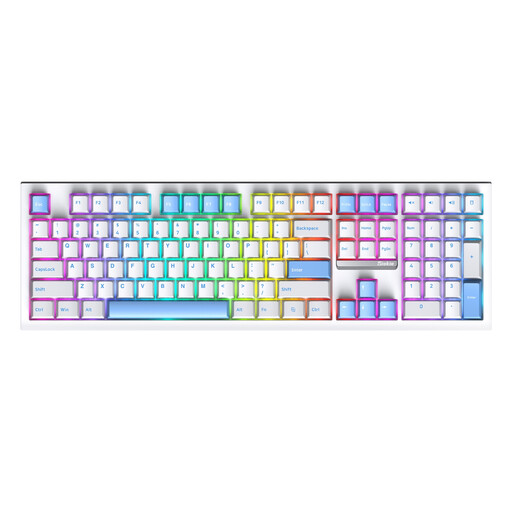
Consider this full-size option if the listed Silent Tactile switch variant is relevant to your shared workspace. The title specifies 108 keys, a hot-swappable design and tri-mode connectivity; confirm an integrated numeric keypad, permitted connection modes and whether its stated US layout suits your work.
 No image available
Consider the 108-key layout for numerical logging, but confirm the exact keypad arrangement before relying on it. The title specifies detachable switches and three connection modes; check the installed switch, key layout and permitted connections for your workstation.
 No image available
Consider its stated 75% layout when keyboard footprint matters more than having an onboard number pad; confirm how you would enter repeated measurements. The title specifies wired, Bluetooth and 2.4 GHz modes, PBT keycaps and a US layout. Check device-switching needs and local approval separately.
 No image available
Consider this stated 80% layout if a smaller keyboard footprint is important, while checking how you would handle frequent digits. The title specifies Latte switches, tri-mode connectivity and a US QWERTY layout; confirm keypad details, device-switching capability and approved connection methods.
Keyboard selection should follow the workstation’s needs, not an assumption that its switches must be mechanical. For workers using display screen equipment daily for continuous periods of an hour or more, the UK Health and Safety Executive says employers must assess the workstation and reduce risks.
Position it as part of the complete workstation setup. The UK Health and Safety Executive advises placing the keyboard just below elbow height and keeping the screen and keyboard central to avoid twisting; arrange the secondary screen around the work you use most.
Some models can, provided their connection method is permitted on the relevant systems. Logitech states that MX Mechanical Easy-Switch supports up to three devices, while Razer states that Pro Type Ultra supports up to four; check the exact variant and local IT rules.
Check before using those chemicals on a keyboard. Follow the laboratory’s contamination-control procedure and the exact keyboard manufacturer’s cleaning instructions rather than assuming a bench-cleaning method is suitable for its keys and electronics.