Quick shelf organisers
If you make short labels as you rearrange a cupboard, a physical keyboard lets you type at the shelf without opening an app. Brother UK lists the PT-D210VP as a tape label maker that accepts widths up to 12 mm.


For short cupboard-shelf names, start with a tape label maker: a standalone keyboard model suits labels made at the cupboard, while a Bluetooth model suits phone-led layouts. Check the tape width and whether the cassette suits your shelf surface; consider a more durable tape if labels face frequent wiping, rubbing or moisture.
If you make short labels as you rearrange a cupboard, a physical keyboard lets you type at the shelf without opening an app. Brother UK lists the PT-D210VP as a tape label maker that accepts widths up to 12 mm.
If you prefer arranging text and symbols on a phone, an app-driven model may suit you. Brother UK describes editing for its P-touch CUBE PT-P300BT through a mobile app, so check that you are comfortable relying on that workflow.
If boxes rub against labels or shelves are wiped regularly, choose the tape as carefully as the machine. Brother and DYMO describe different resistance properties for their laminated and durable tape ranges; check the exact cassette and intended surface.
Decide how you want to create labels, then check the tape format against the space on your shelf edge and the conditions the labels will face.
| Concern | What to check | Who this matters to |
|---|---|---|
| Labels made at the cupboard | Look for a built-in keyboard and display, plus a compatible width that fits your shelf edge; Brother UK lists 9 mm and 12 mm among the PT-D210VP’s supported tapes. | If I rename shelves as I organise, I want to type short labels without reaching for a phone; around 45% of consumers put independent, at-the-cupboard labelling first. |
| Phone-led design | Check the required app and device compatibility, and whether the available tape widths suit your labels. | If I plan labels on my phone, I want to edit their layout before printing; roughly 33% of consumers prioritise phone-led design. |
| Tape durability | Match the compatible cassette to the shelf surface and any exposure to cleaners, moisture or abrasion. | For shelves wiped regularly or rubbed by stored boxes, I need labels to stay attached and readable; around 22% of consumers make tape durability their primary concern. |
A device intended for broad paper labels may not give you the narrow tape format you want for cupboard edges.
Start by checking tape label makers and their supported widths. Consider a paper-label device if you also need address, parcel or other broad paper labels.
The machine does not determine how a cassette’s adhesive or label material will cope with wiping, moisture or rubbing. DYMO describes its standard D1 tape for clean, flat surfaces and markets D1 Durable separately for more demanding conditions.
Check the exact compatible cassette against your shelf material and how the cupboard is used; do not apply a durability claim for one tape range to another.
Choosing unsuitable tape can mean removing worn or peeling labels and making them again with a different cassette.
Brother UK says editing for the P-touch CUBE PT-P300BT is done in its mobile app. That workflow may interrupt quick relabelling if you prefer to work without a phone.
Choose a built-in keyboard for direct entry, or an app-driven model if you expect to use your phone when making labels.
Epson’s UK page lists the LabelWorks LW-K400 as discontinued, although its specifications remain useful for comparing features.
Check the exact model’s current retail status and compatible tape availability before choosing it.
Brother’s P-touch range includes keyboard, app-driven and larger desktop approaches to home-office labelling.
DYMO’s LabelManager machines and D1 tapes provide another compact tape-labelling option.
Epson’s LabelWorks LW-K400 is a reference point for comparing handheld keyboard models and tape widths.
These compact Phomemo choices suit consumers considering Bluetooth label creation. Before choosing either for cupboard shelves, check that its compatible labels fit your shelf edge and surface.
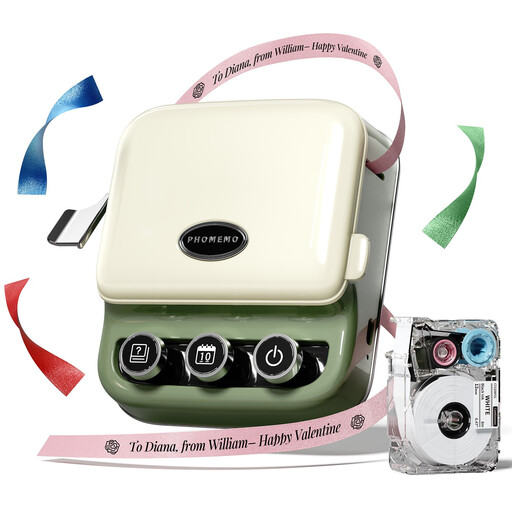 No image available
Consider the P15 if you prefer to prepare labels through an app rather than type on the machine.
The listed bundle includes one label refill. Check the compatible tape width and whether the adhesive suits your cupboard surface; Bluetooth label creation requires the Print Master app.
 No image available
Consider the portable D30 if creating labels from a mobile device suits the way you organise your shelves.
Its listing names a 0.59 inch label width. Check the compatible label stock, its adhesive suitability for the shelf and the app workflow before buying.
Choose a width that leaves room for the shelf name without extending beyond the shelf edge. Brother UK lists both 9 mm and 12 mm tapes for the PT-D210VP; if you need broader labels, compare a machine and compatible tape that support a wider format.
Standard tape can be an option for an appropriate clean, flat surface. DYMO describes its standard D1 labels for clean, flat plastic, metal and glass; for a textured or frequently cleaned shelf, check the chosen cassette’s stated surface and adhesive suitability instead of assuming the same fit.
Consider it when labels may be wiped with cleaners, exposed to moisture or rubbed by stored items. Brother attributes water, chemical and abrasion resistance to its laminated TZe range, while DYMO makes separate resistance claims for D1 Durable; confirm that the exact tape suits both your machine and the conditions on your shelves.
Check for dust, glue residue or a tape obstruction, following the instructions for your exact model. DYMO identifies these as possible causes to address when troubleshooting LabelManager tape-feeding problems.