What matters when choosing?
Start with the surfaces and exposure your labels must cope with, then choose a label width and a printing workflow that fit where you store your supplies.
| Concern |
What to check |
Who this matters to |
| Label durability |
Check the exact compatible cassette’s adhesive and stated resistance to handling, moisture or cleaning; try a label on the intended surface. |
I want labels on jars and bottles to stay readable when I handle or wipe them. Around 36% of consumers put label survival first. |
| Categories and size |
Match supported label widths to container tabs and larger headings; check whether the design tools provide the layout you want. |
My drawers and boxes need categories I can distinguish at a glance. For around 29% of consumers, organising a clear visual system is the primary need. |
| Quick text entry |
Decide whether you want a physical keyboard and standalone printing or are content to use a connected device. |
I make short labels while putting materials away and do not want to open an app each time. Direct entry comes first for around 21% of consumers. |
| Flexible placement |
Check the printer’s power arrangement, connection method and space needed where you intend to use it. |
I need to label supplies at the desk and beside storage shelves without giving the printer a permanent place. Around 14% of consumers prioritise that flexibility. |
Joybuy label-printer choices
These models cover portable label-making, desk-based label printing and Bluetooth ribbon labelling. Choose by your preferred workflow, then confirm the compatible labels for the art supplies and storage surfaces you plan to mark.
 Image unavailable
Phomemo D30 Portable Label Maker, 0.59-inch width
Consider this portable model if you want to make labels in different parts of your home office. Its product name specifies a 0.59-inch label width; check the exact compatible labels and their suitability for any jars or bottles you handle or wipe down.
View on Joybuy
 Image unavailable
Brother QL-600B Label and Address Printer
Consider a desk-based label-and-address printer if your main task is organising folders, drawers or boxes. Before using the QL-600B for art-material containers, check which rolls fit it and whether the chosen label material suits the surface and exposure.
View on Joybuy
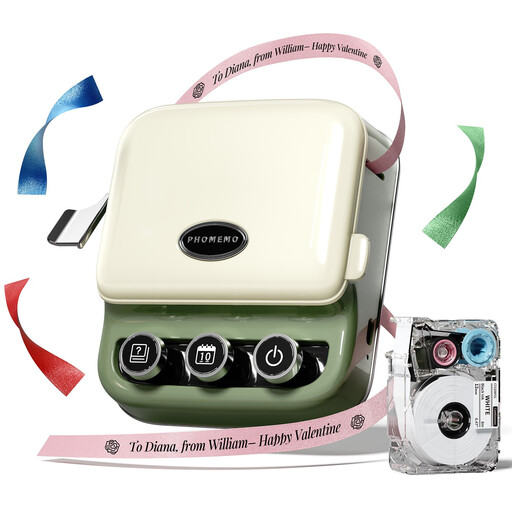 Image unavailable
Phomemo P15 Bluetooth Ribbon Label Printer, gift box and 1-unit label refill
Consider this model if ribbon labelling is useful alongside organising supplies and a Bluetooth printing workflow suits you. The named bundle includes one label refill; check the compatible label widths and materials before relying on it for frequently handled or cleaned containers.
View on Joybuy
Frequently asked questions
Do labels for paint bottles need a special printer?
Choose the printer together with a compatible tape suited to the bottle and its likely exposure, rather than relying on the printer name alone. Brother UK describes water, chemical and abrasion resistance for specified laminated TZe tapes; DYMO UK describes resistance to moisture and household cleaners for D1 Durable tape. Test a label on the actual surface before labelling every bottle.
Can I make art-supply labels without a phone?
Yes: a standalone keyboard model lets you enter short labels on the device. DYMO UK states that its LabelManager 280 works in standalone mode; a computer connection is optional for more customised designs.
What should I check before buying replacement tape?
Confirm the printer’s compatible tape family and widths, then match the individual cassette’s adhesive and stated resistance to your storage surface. For example, DYMO UK lists 6 mm, 9 mm and 12 mm D1 labels for the LabelManager 280, while Brother UK lists labels and ribbons up to 24 mm wide for the P-touch CUBE Plus; those widths do not make the two tape systems interchangeable.
What if a new label printer bought from a UK trader is faulty?
The Consumer Rights Act 2015 provides statutory remedies, including a short-term right to reject within 30 days where the Act’s conditions are met. Contact the seller and keep your purchase record; a manufacturer warranty is additional to, not a replacement for, those rights.
How should I dispose of a label printer at the end of its life?
Use an appropriate electrical-equipment collection or take-back route rather than assuming it belongs in ordinary waste. GOV.UK explains that UK waste electrical and electronic equipment rules are intended to support recovery, reuse and recycling; check the instructions offered by your local authority or retailer.


