Fixed-shelf organisers
If fabric, paper, paint or tools have lasting places in a cupboard, readable category headings and a tape suited to the shelf environment matter more than elaborate layouts.


For short labels on craft-room cupboard shelves, start by checking whether a 12 mm tape system gives you enough room; consider an 18 mm-capable printer if category headings need to be more prominent. A built-in keyboard suits labelling without a phone, while Bluetooth models suit people who prefer editing layouts in an app. Check the exact tape family, available widths and power requirements before choosing.
If fabric, paper, paint or tools have lasting places in a cupboard, readable category headings and a tape suited to the shelf environment matter more than elaborate layouts.
Different colours, symbols or frames can help distinguish nearby craft-material categories. Check that the designs you want are available with tape that fits the chosen printer.
For short labelling sessions, composing labels on a phone may be preferable to typing on a printer. Check the model’s app and device requirements before relying on that workflow.
Decide how visible shelf headings need to be, then choose a tape system and a way of making labels that you will use when the contents change.
| Concern | What to check | Who this matters to |
|---|---|---|
| Readable shelf headings | Measure the shelf edge and compare the model’s available tape widths. Brother UK lists widths up to 18 mm for the PT-D410; the PT-N25BT and DYMO LetraTag 200B use 12 mm tape. | If I want to identify supplies at a glance, I need enough space for a clear category name rather than a cramped label. Around 40% of consumers put heading readability first. |
| Colour and layout | Check compatible tape colours and whether the printer can make the symbols or layouts you want. Brother UK lists 17 colour combinations for its 12 mm Btag range. | When several materials sit side by side, I want a consistent colour system that helps me tell their storage areas apart. For around 30% of consumers, that visual organisation is the primary need. |
| Making labels conveniently | Choose between a built-in keyboard, phone printing or both. For app-led printing, check device compatibility; DYMO UK specifies Android 10 or later or iOS 13 or later for the LetraTag 200B. | If I relabel shelves in short sessions, I want a way to edit text that fits how I work. Ease of making each label comes first for around 30% of consumers. |
A 12 mm label may suit a short name but leave little room for a prominent, multi-word heading.
Measure the available shelf-edge space and compare it with the tape widths accepted by the printer before choosing a model.
Brother UK lists TZe tape for the PT-D410 and says Btag tape is designed for the PT-N10, PT-N20 and PT-N25BT. The shared brand name does not make the cartridges interchangeable.
Match replacement tape to the exact printer model, tape family and width.
An incompatible cartridge means another tape is needed before you can make the intended labels.
Brother describes Btag as non-laminated, whereas its P-touch TZe labels have a laminated construction. Brother’s resistance claims for TZe are manufacturer claims, not a reason to assume every tape has the same properties.
If labels will be handled or cleaned frequently, compare the stated properties of the exact compatible tape rather than judging durability by its appearance.
GOV.UK advises that electrical products and batteries bearing the crossed-out wheeled-bin symbol should go to an appropriate recycling collection point, not household rubbish.
Check local electrical-waste arrangements for the printer and use an appropriate battery collection point for removable batteries.
Brother’s P-touch and Btag lines offer different approaches to cupboard labels: the PT-D410 uses a keyboard and accepts TZe tape up to 18 mm, while the PT-N25BT combines a keyboard and Bluetooth with 12 mm Btag tape.
DYMO’s LetraTag 200B is a phone-led option for compact craft-room labels, using 12 mm LetraTag tape and a compatible Android or iOS device.
Epson LabelWorks tapes offer colours and finishes in 12 mm, 18 mm and 24 mm widths, according to Epson United Kingdom. Consider the system only after identifying a currently supported printer that accepts the tape you want.
These options cover phone-led label making and a USB-connected label printer for storage headings. Check each model’s label media and fit for your cupboard shelves rather than assuming they use the same tape system.
 No image available
Consider this model if you prefer creating craft-storage labels on a phone or tablet. Its listed label width is 0.59 inch; check the compatible tape and whether its adhesive suits your shelf surface.
 No image available
Consider this printer for storage labels you plan to prepare using a computer. It uses a USB-connected software workflow rather than standalone keyboard or Bluetooth editing; check the appropriate DK label type and its suitability for the shelf surface.
 No image available
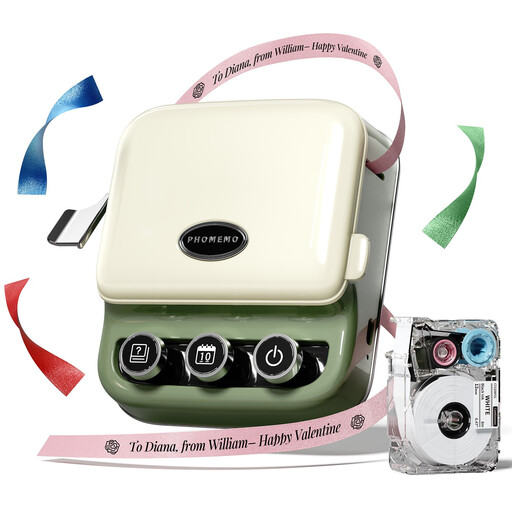
Consider this Bluetooth model if app-led label creation suits your craft-storage routine. The listed bundle has one label refill; check its label width, tape material and adhesive suitability before using it for cupboard shelves. The Print Master app is required, and ribbon tape is separate from the listed refill.
It can be enough for short shelf-edge names, but a more prominent category heading may call for an 18 mm-capable printer. Measure the shelf edge and check the model’s compatible tape widths; Brother UK lists the PT-D410 as accepting widths up to 18 mm, while the PT-N25BT and DYMO LetraTag 200B use 12 mm tape.
Not necessarily for ordinary indoor organisation, but tape construction matters if labels face frequent handling or cleaning. Brother describes its TZe labels as laminated and makes resistance claims for them; its colour-focused Btag tape is non-laminated. Check the properties of the exact tape that fits your printer.
Yes, with a compatible Bluetooth label printer and its app. DYMO UK specifies Android 10 or later or iOS 13 or later for the LetraTag 200B; Brother’s PT-N25BT also supports phone printing and has a built-in QWERTY keyboard.
Check the exact model and bundle rather than assuming they are included. Brother states that the PT-N25BT uses six AAA batteries and that they are not supplied; also check the chosen printer’s power requirements and whether tape is included.