What matters when choosing?
Decide where each label will sit, then measure that space. After that, choose an input method that fits how often you expect to make or update album titles.
| Concern |
What to check |
Who this matters to |
| Protecting photographs |
Choose a place on the album exterior or separate housing; check the exact label material if preservation is important. |
With irreplaceable photographs, I want identification that stays away from the prints and does not complicate their care. Around 42% of consumers would put protecting photographs first. |
| Repeatable album titles |
Check the exact model’s phone or computer input options and whether its compatible label widths fit your spines. |
As my collection grows, I want to make consistent titles and identifiers without entering every label from scratch. Around 33% of consumers would prioritise a repeatable workflow. |
| Simple occasional use |
Check for an on-device keyboard and preview if you prefer not to use a separate app, and identify the compatible refills. |
For just a few albums, I would rather make a readable title directly on the device than set up a wider cataloguing process. Around 25% of consumers would put ease of occasional use first. |
Joybuy label printers for album organisation
These label printers offer different ways to make titles for album covers, spines or separate storage housing. Choose according to the space available and how you want to enter labels; confirm the compatible refill and its suitability for the intended surface before use.
 No image available
Brother QL-600B Label Printer
Consider this address-label printer if you plan to prepare album identifiers at a home-office desk. Check the compatible roll dimensions against your cover or storage-box label area, and keep adhesives off photographs.
View on Joybuy
 No image available
Phomemo M110 Portable Label Maker with 1 Label Roll
This portable model is an option to consider if you want to make labels for several albums away from a fixed desk. One label roll is named in the bundle; confirm the compatible refill dimensions and material before labelling an album exterior.
View on Joybuy
 No image available
Phomemo D30 Portable Label Maker, 0.59-inch Width
For short album identifiers, compare its stated 0.59-inch label width with the usable space on your spine or cover. Check the compatible label stock and apply labels to housing surfaces, not photographs.
View on Joybuy
 No image available
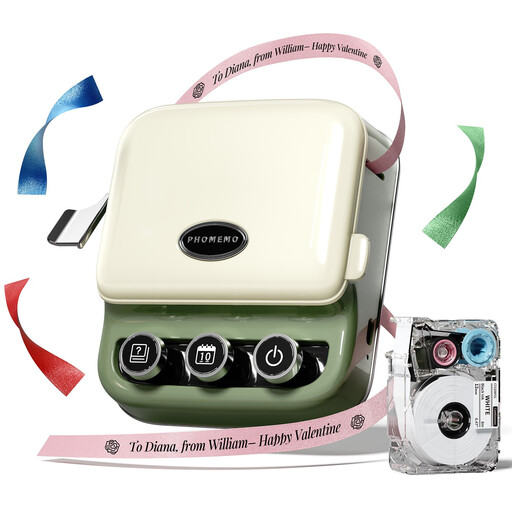
Phomemo P15 Bluetooth Ribbon Label Printer with Gift Box and 1 Label Refill
This Bluetooth model may suit someone who prefers entering a few album titles from a mobile device. Check the exact refill’s dimensions and intended surface before choosing it for a cover or spine; keep its adhesive off photographs.
View on Joybuy
Common questions
Can I stick a printed label directly onto a photograph?
No, not if you are taking a preservation-first approach. The Library of Congress advises marking a photograph’s housing materials and avoiding adhesives on the photograph itself. Put the identifier on the album exterior, storage box or another separate housing.
Does durable or permanent label tape count as archival-safe?
No: durability and adhesion claims do not, by themselves, establish suitability for photographic materials. If preservation is essential, check the exact label stock and adhesive; an archival label intended for a compatible desktop printer is another option for labelling housing materials, not photographs.
What label width should I use on an album spine?
Measure the flat, usable spine area before choosing a width. DYMO UK specifies 6 mm, 9 mm and 12 mm D1 labels for the LabelManager 280, while Brother UK lists widths up to 24 mm for the P-touch CUBE Plus and PT-D610BT. The printer must also accept the particular cassette or refill you intend to buy.


