Small-desk web designer
You build landing pages largely in a browser and want to leave room beside the laptop for a mouse, notebook or monitor. Check both the laptop’s physical dimensions and the space available when everything is connected.


A 13-inch-class laptop is a sensible starting point if keeping desk space clear matters most; consider a 14-inch model if you need more room for layouts and image assets on the built-in screen. Check your design software against the exact operating system and configuration, then measure the laptop’s footprint and decide whether your monitor, cables and peripherals will fit the setup.
You build landing pages largely in a browser and want to leave room beside the laptop for a mouse, notebook or monitor. Check both the laptop’s physical dimensions and the space available when everything is connected.
You work on page layouts and image assets, so the selected display and memory configuration matter alongside desk fit. If you use Photoshop, compare the exact laptop with Adobe’s requirements for your application release.
You move between work locations but may connect a larger display at your desk. Check the laptop’s weight, monitor support and the cables or dock your arrangement requires.
Measure the space your laptop can occupy, then check your software and display needs against the exact configuration rather than choosing by screen diagonal alone.
| Concern | What to check | Who this matters to |
|---|---|---|
| Desk footprint | Compare chassis width and depth with your available space; check monitor connections if you plan to add a display. | If I need room for a mouse and notes, the space the laptop leaves on my desk comes before a larger built-in screen. Around 40% of consumers put desk footprint first. |
| Design workflow compatibility | Check your required operating system, browser and design tools, including any platform-specific software. | When my landing-page work depends on particular apps and browser tools, I need them to run on the laptop I choose. For around 30% of consumers, workflow compatibility is the primary concern. |
| Image assets and display | Check the selected panel and memory configuration, plus Adobe’s current requirements if you use Photoshop. | If I edit images as well as page layouts, I need to assess the screen and configuration I will actually receive. Visual-asset work comes first for around 30% of consumers. |
A smaller screen may leave more desk space, but it also changes how you arrange browser, design and preview windows. Screen size does not tell you the chassis dimensions.
Measure your desk and compare the shortlisted laptops’ width and depth. Decide whether you will use an external monitor before settling on a screen size.
Display, memory and storage details can differ between configurations of the same laptop family. Lenovo’s cited Yoga Slim 7 Gen 10 display and memory specifications, for example, describe a particular configuration.
Check the exact model or SKU for its panel, memory, storage, ports and keyboard layout before ordering.
The accessories needed for a monitor or older peripheral depend on the laptop’s ports and what is included. Dell’s cited UK XPS 13 listing states that its charger is not included.
Check the selected product’s box contents, charging requirements and monitor-cable connections.
Some setups may require a separate charger, adapter or dock.
Figma describes a predominantly browser-based workflow, while Photoshop has its own technical requirements. Running one does not establish that your other tools will suit the same configuration.
List the applications and extensions you use, then check each against the selected laptop’s operating system and specifications. Use Adobe’s requirements for your Photoshop release if image editing is part of the job.
MacBook Air is a macOS option for a compact desk setup, particularly if you expect to connect an external display.
The 13-inch Surface Laptop is a Windows option if you want a compact machine with a touchscreen.
A Yoga Slim 7 Gen 10 configuration is worth examining if you prefer a 14-inch built-in screen for layouts and visual assets.
XPS 13 is another compact Windows line to compare against your desk dimensions and connection needs.
These laptops offer different ways to work with a built-in screen of roughly 14 inches: a conventional layout, a convertible or a dual-screen arrangement. Compare their physical fit and your software requirements before choosing.
 No image available
Consider the 2-in-1 design if you want to vary how you position the laptop while working on a small desk.
The product name specifies Windows 11 Home, 16GB RAM and a 1TB SSD. Measure its footprint and confirm the exact graphics configuration before relying on it for your work.
 No image available
This 14-inch option suits a desk where you can accommodate a conventional laptop layout.
The product name specifies a Snapdragon X processor, 16GB RAM and a 512GB SSD. Check that your required applications and peripherals suit the exact configuration, particularly if you also use Photoshop.
 No image available
Its dual-screen arrangement may suit a workflow that keeps a design canvas and references visible, provided the intended setup fits your desk.
The product name specifies an Intel Core Ultra 7 255H processor, 16GB LPDDR5X RAM and a 1TB SSD. Confirm the exact screen resolution and the space needed to position both screens and the keyboard.
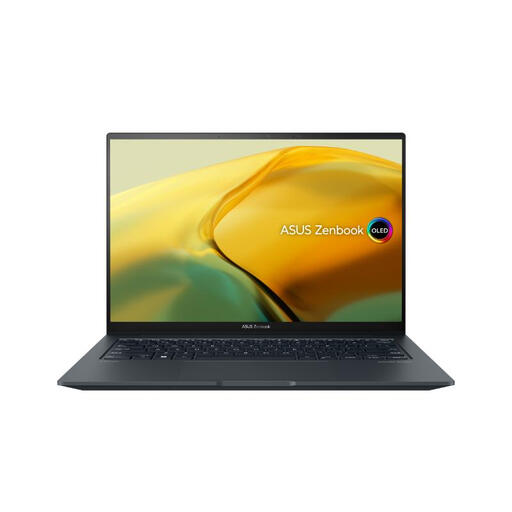 No image available
Consider the 14.5-inch screen if you want more built-in room for layout work and can accommodate the laptop on your desk.
The product name specifies an Intel Core i9 processor, RTX 3050 graphics, 16GB RAM and a 1TB SSD. Check the chassis dimensions and the panel’s colour specification if visual review is important to your work.
 No image available
This 14-inch model is an option to examine if your work calls for the memory and dedicated graphics specified in its product name.
The named configuration includes an AMD Ryzen AI 9 HX 370 processor, a WQXGA+ display and NVIDIA GeForce RTX 5070 Ti graphics. Check its chassis dimensions, weight and display characteristics against your desk and visual-review needs.
A compact laptop can run Figma if its operating system and browser meet Figma’s current requirements. Figma describes its software as predominantly browser-based; check the requirements for the setup you plan to use rather than judging compatibility by screen size.
Dedicated graphics are not automatically necessary for a browser-based Figma workflow. If you use other design applications, check their requirements and your actual tasks before making graphics hardware the deciding factor.
Compare the exact laptop configuration with Adobe’s technical requirements for the Photoshop release you intend to use. Check the operating system, memory and other requirements for that release rather than assuming a laptop suited to browser-based design will also suit your image-editing work.
Some compact laptops support external displays, but the supported arrangement and connection depend on the model. Apple lists external-display support and two Thunderbolt 4/USB-C ports for the cited 13-inch MacBook Air configuration; check your chosen laptop, monitor and cable or dock together.